
Automation has traditionally been associated with servers, APIs, and cloud infrastructure. Tools like n8n, Zapier, and Make made it possible to connect SaaS applications and automate backend processes without writing extensive code.
But a new category is emerging: browser-native automation.
If you’re evaluating automation tools, understanding the architectural difference between server automation and browser automation is essential. They solve different problems.
Let’s break it down precisely.
How Server-Based Automation Works
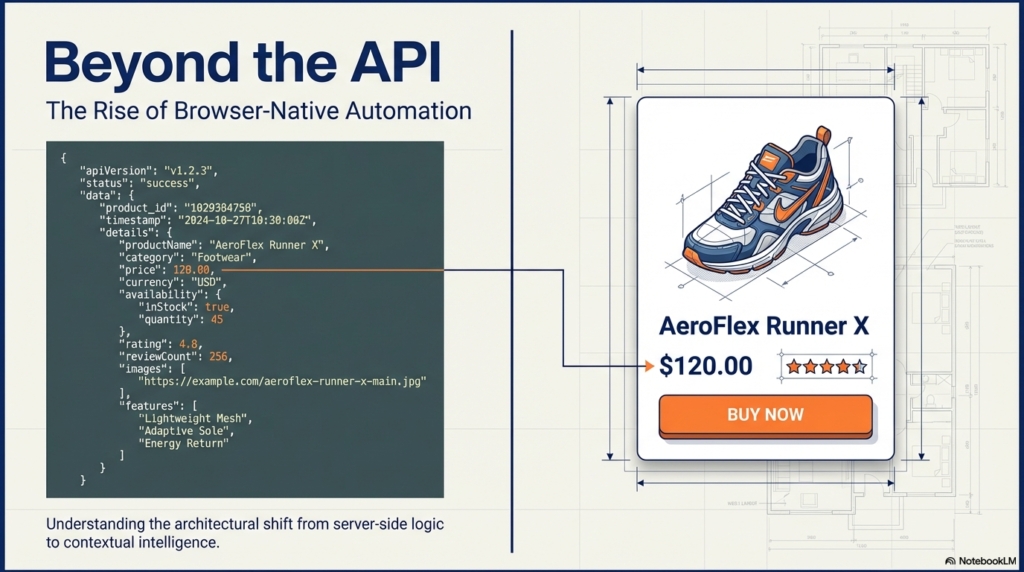
Server automation platforms operate in the cloud. Their execution model typically looks like this:
A trigger event occurs.
The platform receives it via webhook or polling.
A workflow executes on remote servers.
The workflow interacts with APIs.
The results are sent to another system.
Everything happens in a backend environment.
These systems are powerful because they:
- Run 24/7 without your involvement
- Scale automatically
- Integrate deeply with SaaS APIs
- Handle infrastructure-level workflows
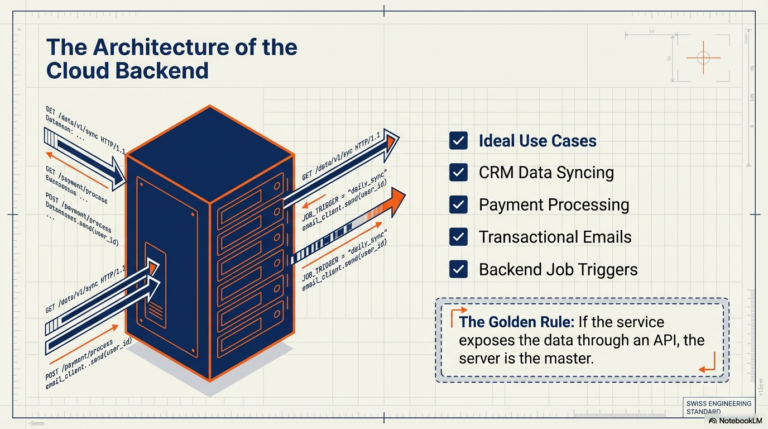
They are ideal for use cases like:
- Syncing CRM data between tools
- Processing payments
- Sending transactional emails
- Triggering backend jobs
- Managing internal business logic
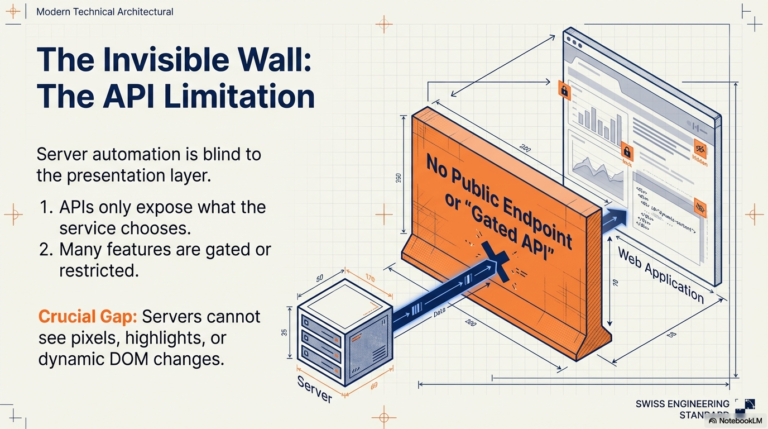
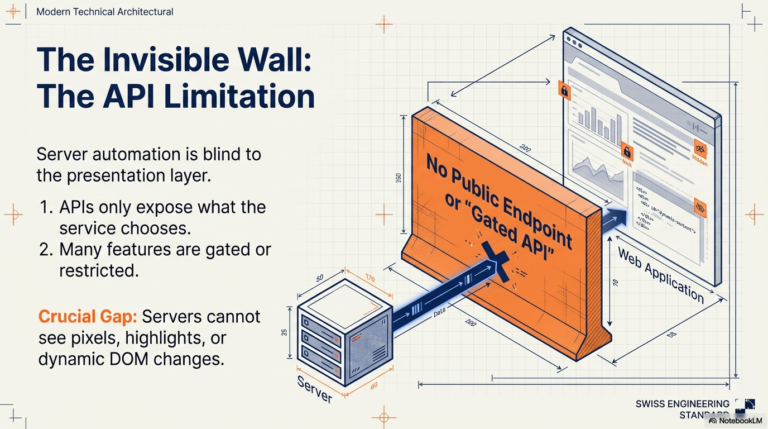
However, they rely almost entirely on APIs. If a service does not expose the data or action you need through an API, server-based automation cannot access it.
And most importantly, they cannot interact with what is visually happening inside your browser session.
What Browser-Native Automation Changes
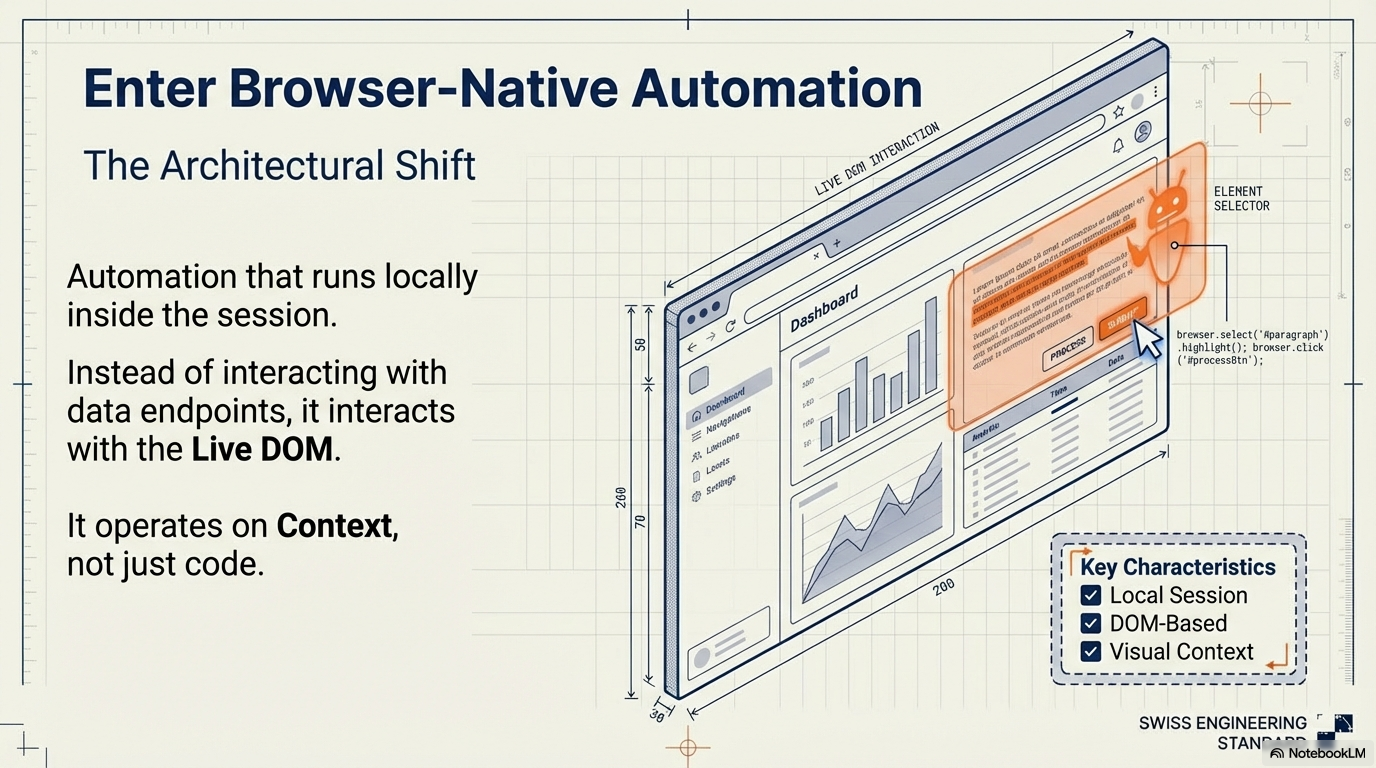
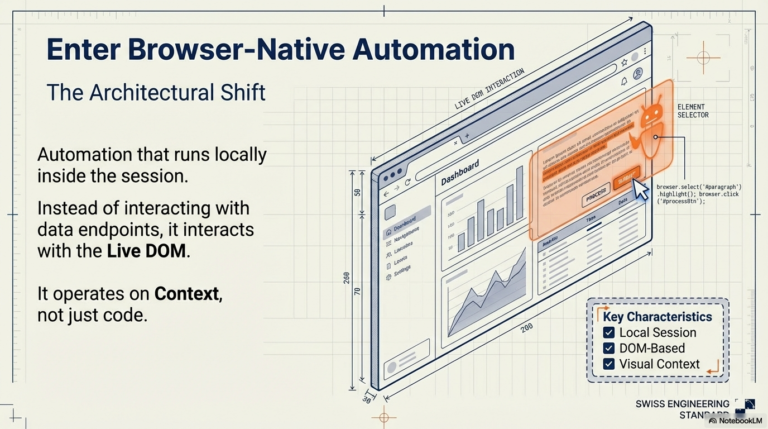
Browser automation runs locally inside your browser environment. Instead of interacting only with APIs, it interacts directly with the live DOM of the webpage you are viewing.
That architectural shift changes everything.
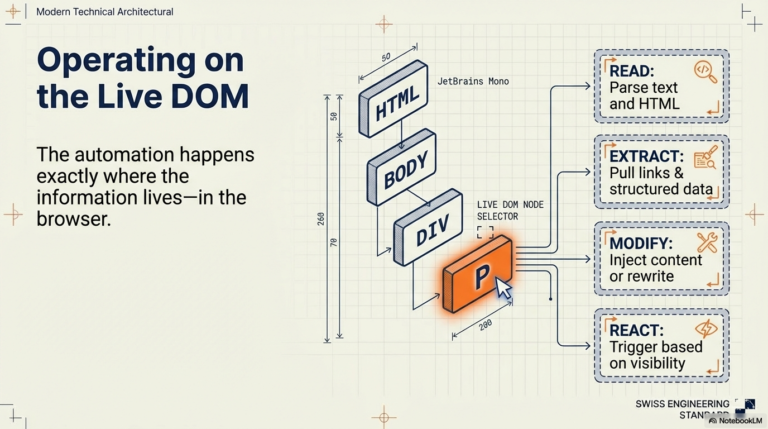
A browser-native automation engine can:
- Read selected text
- Access full page content
- Parse complete HTML
- Extract links and images
- Modify or inject content into the page
- React to what the user is currently seeing
In other words, it operates on context, not just data endpoints.
This enables workflows that are impossible in a purely server-based system.
For example:
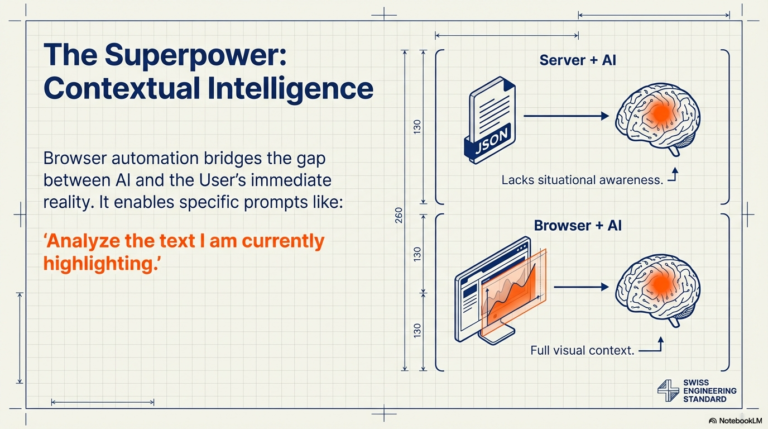
You can highlight a paragraph and instantly send it to an AI model.
You can extract all product links from a marketplace page without relying on an official API.
You can rewrite webpage content dynamically.
You can collect structured data directly from rendered pages.
The automation happens exactly where the information lives — in the browser.
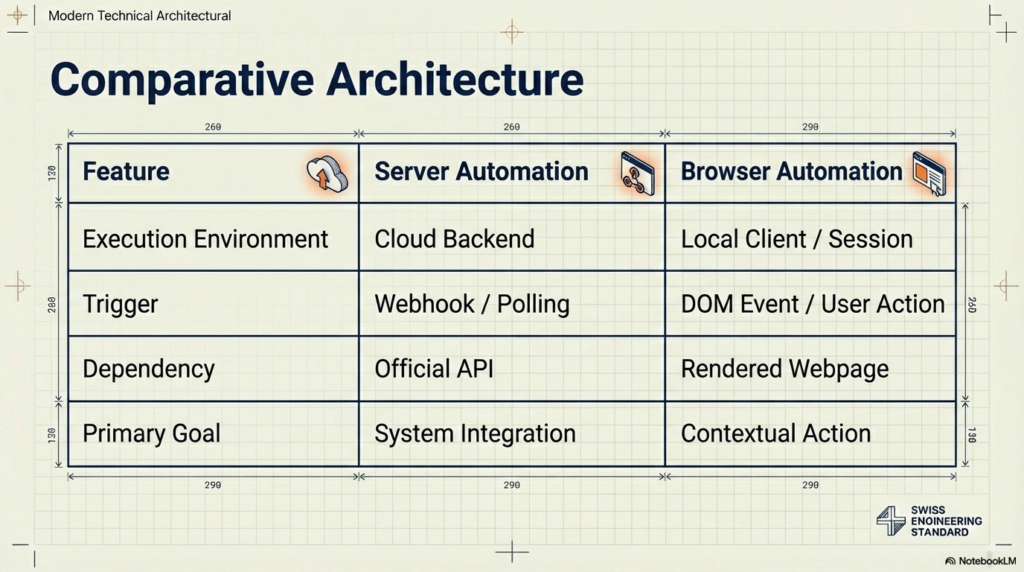
Architectural Differences
The distinction is not about which model is “better.” It is about execution environment.
Server Automation:
Execution happens in the cloud.
Requires APIs or webhooks.
Can run continuously without user presence.
Designed for system-to-system integration.
Browser Automation:
Execution happens locally.
Interacts with rendered webpages.
Requires the browser to be open.
Designed for contextual, on-screen automation.
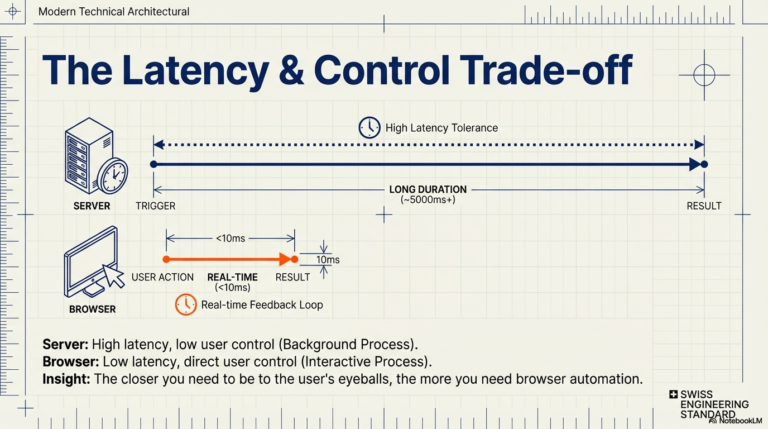
Because browser workflows run locally, scheduled executions require an active browser session. There is no always-on cloud runtime unless you deliberately build one.
That is a constraint — but also a strength. It provides:
- Lower latency
- Immediate feedback
- Direct user control
- Greater contextual awareness
When Server Automation Is the Right Choice
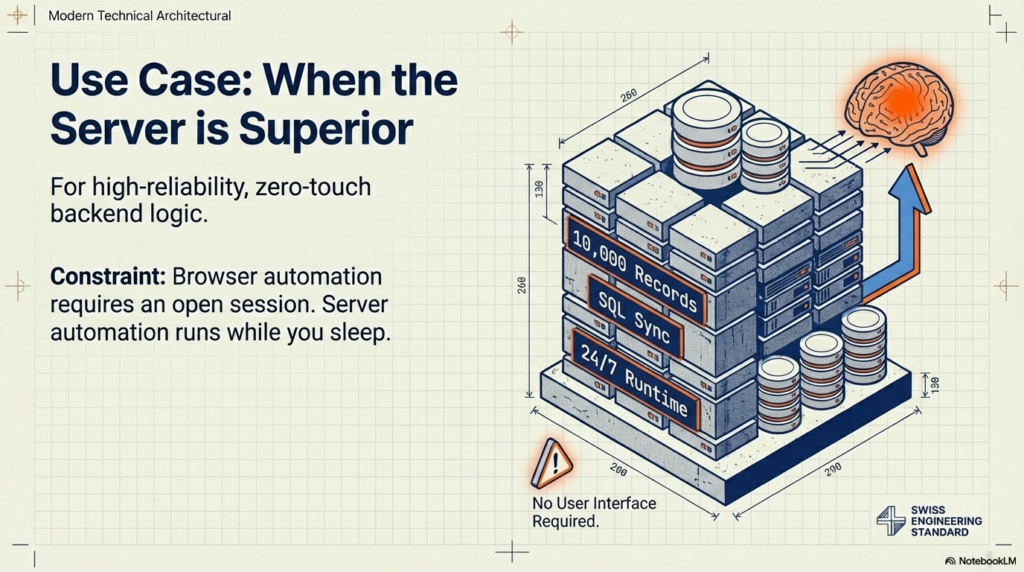
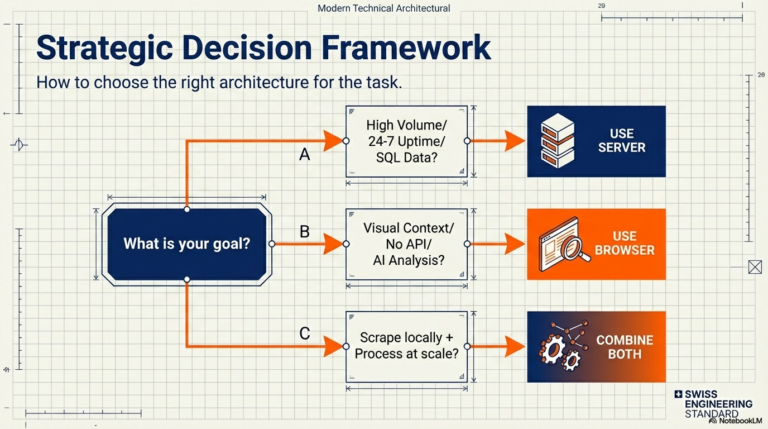
Server-based automation is ideal when:
You need 24/7 reliability without user involvement.
You are automating backend business systems.
You rely heavily on official APIs.
You need enterprise-grade scalability.
For example, syncing thousands of records between databases is a server-side problem.
Infrastructure logic belongs in the cloud.
When Browser Automation Is Superior
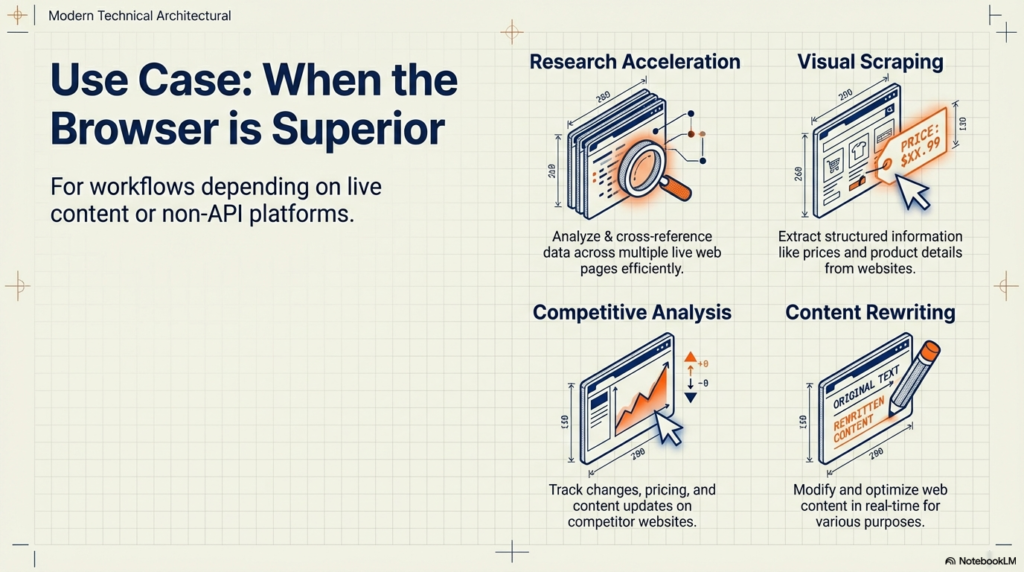
Browser automation becomes the better option when:
Your workflow depends on live webpage content.
You need to extract data from rendered pages.
The platform has no API.
You want to automate research or repetitive browsing tasks.
You want AI to operate on what you are currently seeing.
Traditional automation tools cannot read selected text from your screen. They cannot modify the content of a page you are browsing. They cannot react to DOM changes in real time.
Browser-native systems can.
This opens use cases such as:
- Research acceleration
- Competitive analysis
- Marketplace data extraction
- AI-assisted browsing
- Context-aware content rewriting
- Visual scraping
The API Limitation Problem
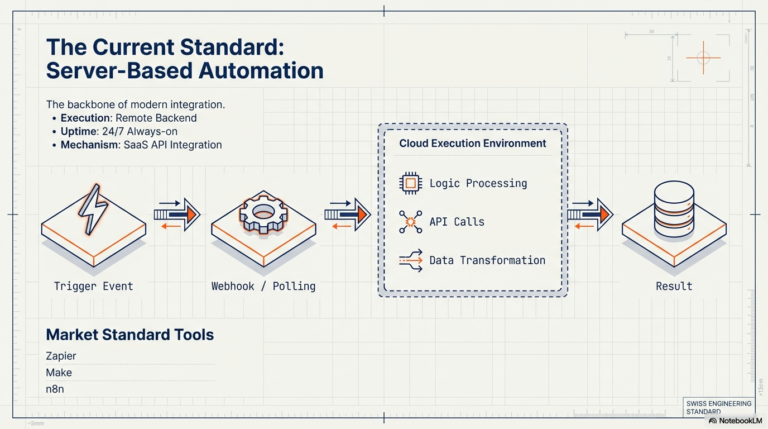
Server automation depends on APIs. But APIs expose only what the service chooses to expose.
Many websites:
- Limit API access
- Restrict endpoints
- Do not provide public APIs at all
- Gate features behind paid plans
However, the webpage itself still contains the rendered data.
Browser automation operates at the presentation layer, where that data is visible. That dramatically expands what can be automated.
The Rise of Contextual Automation
As AI becomes integrated into workflows, context becomes critical.
Sending raw text to a language model is useful.
Sending selected text from a live page is more powerful.
Sending structured data extracted from rendered HTML is even better.
Browser automation enables AI to operate with awareness of the user’s current environment.
This is a shift from backend integration to contextual intelligence.
Can Browser Automation Replace Server Automation?
In some situations, yes.
If your workflows are primarily centered around web interaction, scraping, AI-assisted browsing, or manipulating live content, browser-native automation can fully replace server tools.
However, it cannot replace always-on backend infrastructure. If your automation must run continuously without a browser session, server-based platforms remain necessary.
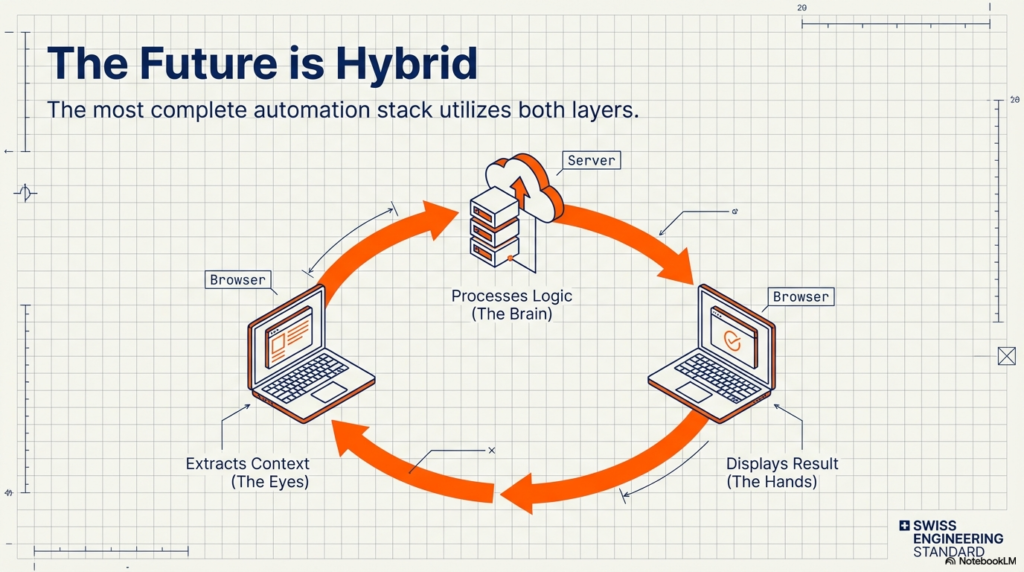
In practice, the future is hybrid.
Server automation manages system-level processes.
Browser automation manages contextual, user-side workflows.
Together, they form a more complete automation stack.
Final Perspective
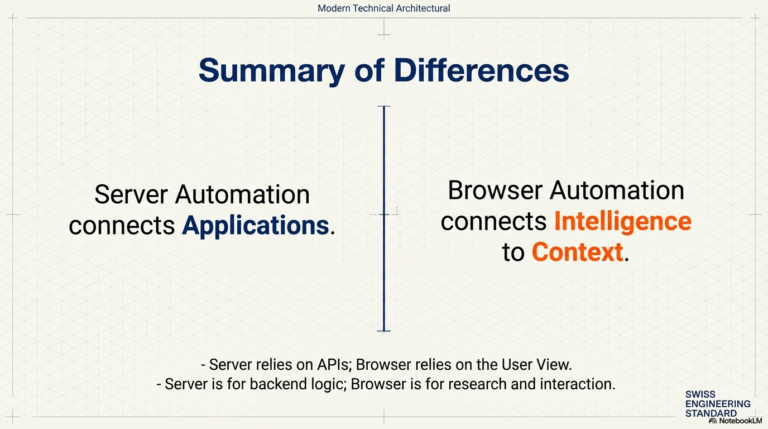
Server automation connected applications.
Browser automation connects intelligence to context.
They are not competitors in every case. They are different architectural layers solving different problems.
Understanding that distinction allows you to choose the right execution model for your workflows — and in many cases, to combine both for maximum leverage.
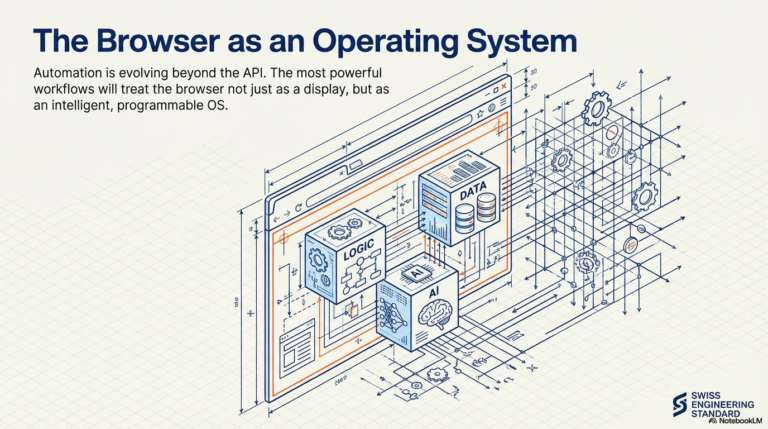
Automation is evolving beyond APIs.
It is moving directly into the browser.

Dannick K.
Creator, Agentic Workflow
Creator of Agentic Workflow — a browser-native AI automation extension for Chrome and Firefox. Building tools that bring the power of automation directly into the browser, without servers, APIs, or engineering teams.
Try Agentic Workflow Free
See browser-native automation in action — build contextual AI workflows that run on any live web page, no API required.
Get Started Free →