You already know how Zapier works. You drag nodes onto a canvas, connect a trigger to an action, and watch data flow from one app to another. n8n and Make work the same way. The paradigm is familiar — almost everyone who’s tried to automate something has used it.
But that paradigm was designed for a world where workflows live on servers and talk to APIs. It’s not designed for the world where most of your actual work happens: inside your browser.
That’s the gap that the next generation of node-based tools is built to close.
What Node-Based Workflow Automation Actually Means
At its core, node-based automation is simple: you build a workflow by connecting nodes on a canvas. Each node does one thing — fetch data, transform it, call an API, send a message. You chain them together visually, without writing code.
Tools like Zapier popularized this idea. n8n made it open-source and self-hostable. Make (formerly Integromat) added branching logic and more visual flexibility. All three operate on the same principle:
- A trigger node starts the workflow (a form submission, a webhook, a schedule)
- Action nodes do things (send an email, update a spreadsheet, post to Slack)
- Logic nodes add conditions, loops, and branching
It’s a powerful model. The problem is that it’s almost entirely limited to API calls. If the service you want to automate doesn’t have an API — or you need to interact with a live web page rather than a backend endpoint — you’re stuck.
The Server-Side Ceiling
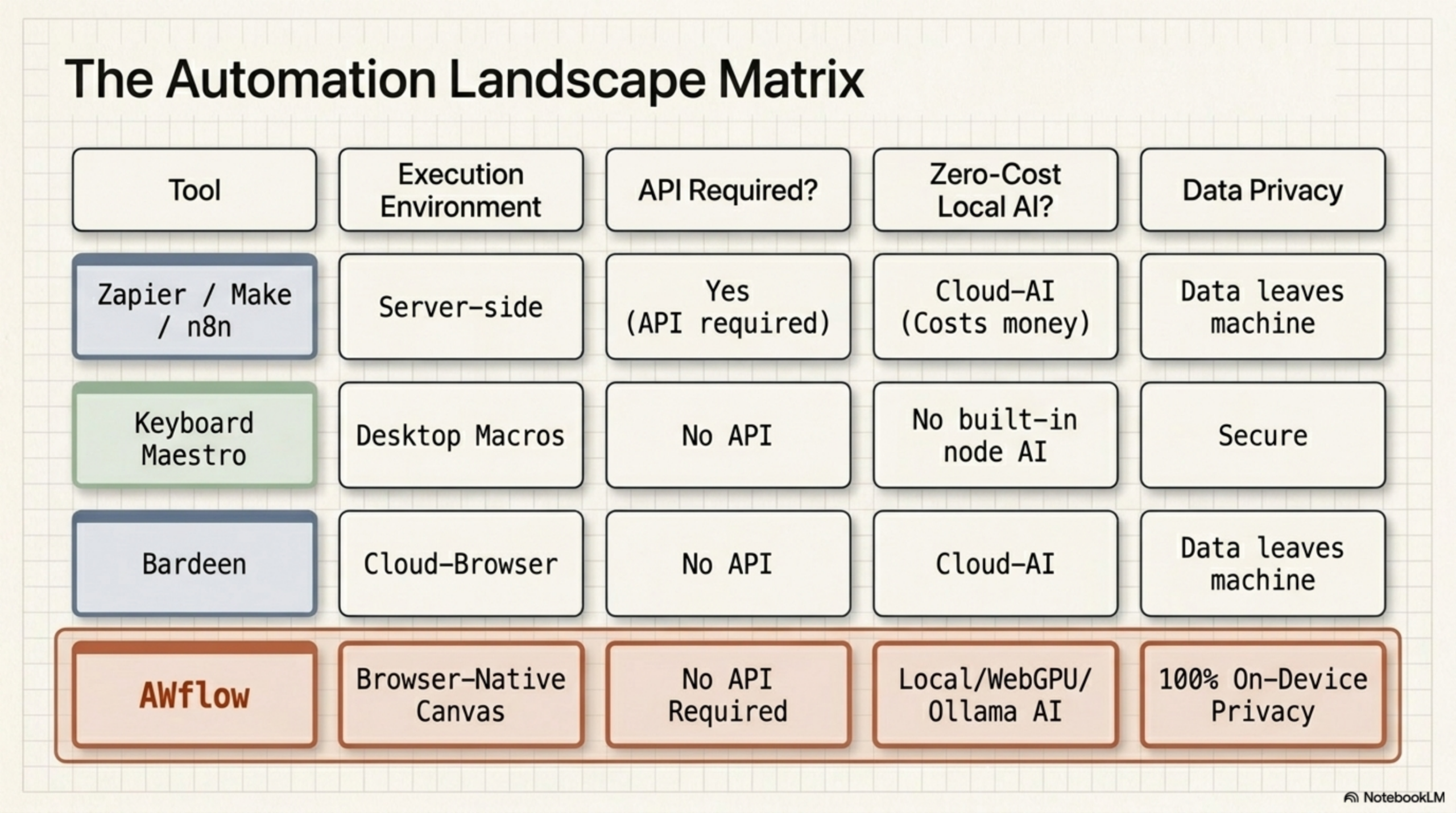
Here’s the fundamental constraint with tools like Zapier, n8n, and Make: they run on a server, not in your browser.
That means they can only interact with systems that expose an API. Fill out a form on a web page? Not possible. Click a button in a live app? Not possible. Extract data from a page that requires login? Very difficult. Interact with a DOM element that only exists when a user is logged in? Out of scope entirely.
For API-to-API automation — syncing data between SaaS tools, handling webhooks, building notification pipelines — this is fine. But knowledge workers spend most of their time in browser tabs, not in server-to-server pipelines. The server-side model doesn’t reach far enough.
How Browser-Native Node Automation Changes the Equation
When the workflow engine runs inside your browser, the entire DOM becomes part of your automation canvas.
Instead of being limited to API endpoints, you can:
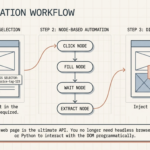
- Click buttons on any web page as part of a workflow step
- Fill in forms automatically, including those behind a login
- Extract text, tables, and structured data from live pages — no API required
- Trigger workflows based on what’s visible on screen right now
- Inject results (like AI summaries) directly back into the page you’re viewing
The node-based paradigm stays exactly the same. You still drag, connect, and configure nodes on a canvas. But now those nodes have access to the full rendered page, not just a backend API.
Comparing Node-Based Automation Tools
| Feature | Zapier | n8n / Make | AWflow |
|---|---|---|---|
| Node-based canvas | Yes | Yes | Yes |
| Trigger → action model | Yes | Yes | Yes |
| API integrations | Yes | Yes | Yes |
| Runs in the browser | No | No | Yes |
| DOM interaction (click, fill, extract) | No | No | Yes |
| Built-in AI nodes | Limited | Limited | Yes (core feature) |
| No API required for web tasks | No | No | Yes |
| Runs without a server | No | No | Yes |
What AI Nodes Add to the Picture
Running workflows in the browser is one half of the evolution. The other half is making AI a first-class node in the workflow graph.
In most automation tools, AI is bolted on as an integration — you call the OpenAI API as an action node the same way you’d call any other API. It works, but it treats AI as one more external service rather than a core capability.
When AI nodes are built into the workflow engine itself, you get something qualitatively different:
- An LLM node that can process text extracted from a live web page in the same workflow
- A classifier node that routes different data down different branches based on AI reasoning
- A summarizer node that condenses a page’s content before passing it to the next step
- A data extractor node that uses an LLM to pull structured data from unstructured text
Combine that with browser execution and you have a complete picture: your workflow can visit a page, read it, reason about it with AI, and take action — all in a single graph you built without writing a line of code.
A Practical Example: Research Automation
Say you’re a sales rep who needs to check a prospect’s website before every call. The manual version: open a tab, read the homepage, copy some text, paste it into ChatGPT, get a summary, copy the summary into your CRM note. Four minutes, every time, for every prospect.
The node-based browser workflow version:
- Trigger node — activates when you open a prospect’s website
- Page content node — extracts text from the page using a DOM selector
- LLM node — summarizes the content and extracts key signals (company size, product focus, recent news)
- Display node — injects the summary directly into the current tab as an overlay
Total time: under ten seconds. No tab switching. No copy-pasting. No prompt engineering required each time.
Where AWflow Fits in This Evolution
Agentic Workflow (AWflow) is a node-based workflow automation tool built as a Chrome extension. The canvas, the trigger-action model, the visual approach — it’s all familiar from n8n and Zapier. The difference is that the entire workflow engine runs inside your browser, and AI nodes are built in from the start.
That means you can build workflows that:
- Interact with any web page without an API
- Use AI nodes (powered by Ollama, OpenAI, WebLLM, or Chrome’s built-in AI) at any step in the graph
- Run instantly without configuring a server or managing credentials for a cloud workflow engine
- Trigger on browser events, not just webhooks or scheduled times
If you’ve already used n8n or Zapier, you don’t need to learn a new paradigm. The mental model is identical. The canvas just does more now.
Ready to try it? Install AWflow from the Chrome Web Store and build your first browser-native workflow in minutes — no server required.
Related Articles
- DOM Automation Without Code: Click, Fill, and Extract Any Page — Deep dive into how browser DOM automation works and what you can build with it
- How to Use Ollama in a Workflow Automation Tool — Add private local AI inference to your node-based workflows