
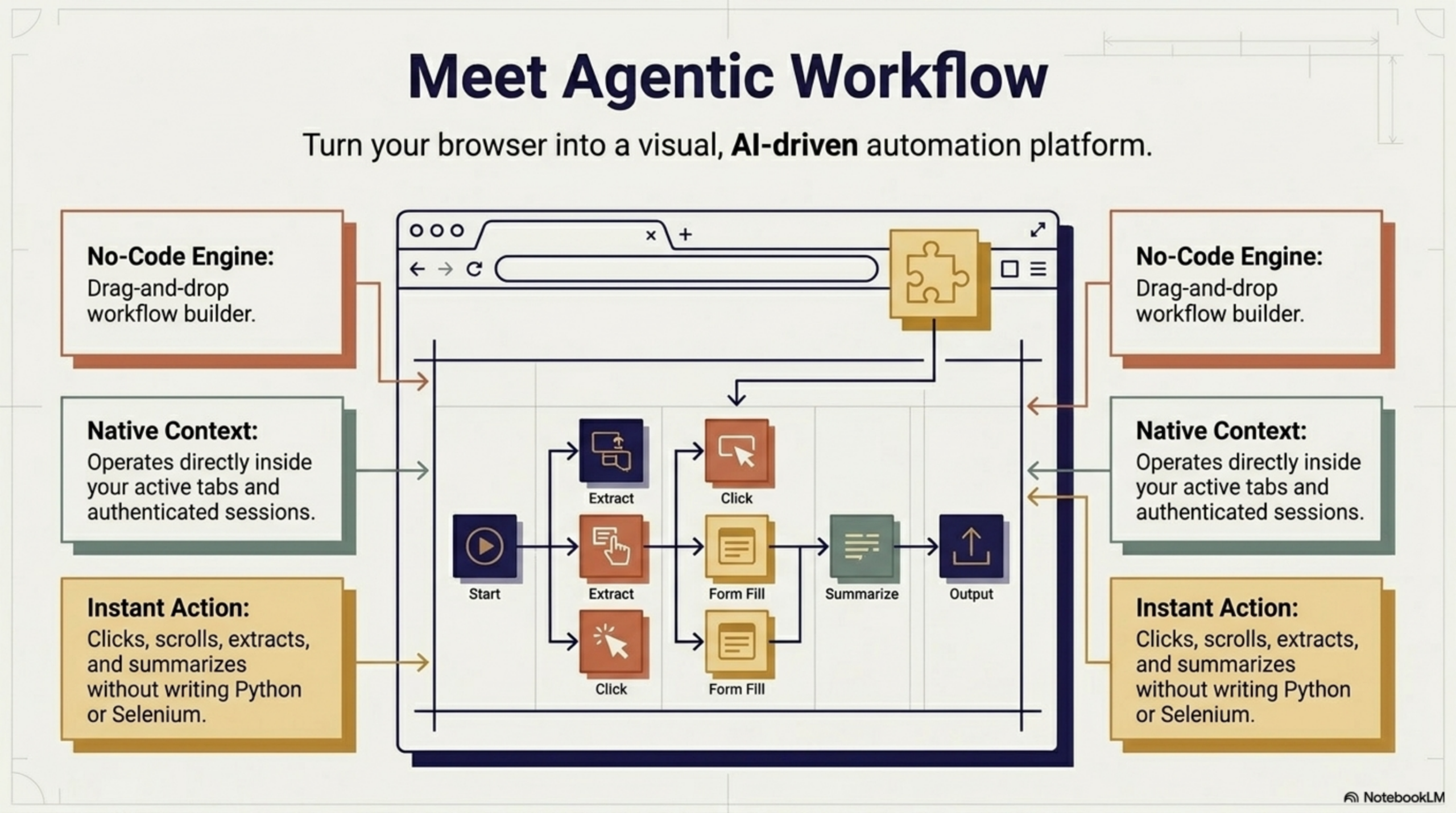
Make (formerly Integromat) is one of the most visually powerful automation platforms available, beloved for its scenario-based approach and deep integration library. Agentic Workflow is a browser extension that automates tasks directly on the web pages you use every day.
At first glance they seem like competitors. In practice, they solve completely different problems. Here’s the honest breakdown.
How Make Works
Make is a cloud-based automation platform where you build scenarios — visual flowcharts that connect apps and services through their APIs. When a trigger fires (a new form submission, an incoming webhook, a scheduled time), Make runs the scenario on its servers and moves data between apps automatically.
Make is known for its advanced routing, error handling, data transformation tools, and an extensive library of 1,000+ integrations. It’s particularly popular for marketing automation, e-commerce workflows, and business operations.
- Runs on: Make’s cloud infrastructure
- Connects: 1,000+ apps via official APIs and webhooks
- Best for: Complex multi-app automation with advanced data transformation
How Agentic Workflow Works
Agentic Workflow is a browser extension that runs automation directly inside your browser session. Instead of calling app APIs from the cloud, it reads and interacts with the live web pages in front of you — extracting data, filling forms, running AI on page content, and displaying results inline.
There’s no cloud processing, no monthly scenario quota, and no need for the target website to have an API. If you can see it in the browser, Agentic Workflow can work with it.
- Runs in: Your browser — no server or cloud needed
- Works on: Any website, API or not
- Best for: Browser-based tasks: research, data extraction, AI on live content
The Core Difference: Scenarios vs Browser Sessions
| Dimension | Make | Agentic Workflow |
|---|---|---|
| Where it runs | Make’s cloud | Your browser |
| Requires app API | Yes | No — works on any site |
| Runs without you | Yes — scheduled or triggered | No — triggered while browsing |
| Operations pricing | Paid by operation count | Free to start |
| AI integration | Via API module | Built-in, local or API |
| Data privacy | Passes through Make’s servers | Stays in your browser |
Where Each Tool Excels
Make is the right choice when:
- You need to automate complex multi-step workflows across many cloud applications
- You want advanced data transformation, filtering, and conditional routing between apps
- You’re automating business operations: CRM updates, invoice generation, lead routing
- You need automation to run on a schedule, independent of whether you’re at your desk
Agentic Workflow is the right choice when:
- You want to extract data, summarize content, or interact with websites that don’t have an API
- You need AI to work on the page you’re currently reading — instantly, without leaving the tab
- You want automation that’s free, instant, and requires zero infrastructure setup
- Your data is sensitive and you don’t want it leaving your device
Which One Should You Use?
Make and Agentic Workflow are complementary rather than competing tools — they operate at entirely different layers.
Choose Make if you’re building automated pipelines between cloud services — syncing data, routing leads, processing orders, or handling complex multi-step business workflows that need to run around the clock.
Choose Agentic Workflow if your bottleneck is in the browser — dealing with websites that have no API, spending time on repetitive in-browser tasks, or wanting AI to enhance what you’re reading or researching right now. Make cannot automate a website without an API. That’s precisely where Agentic Workflow steps in.
Many automation-savvy users run both in parallel — Make for the backend pipelines, Agentic Workflow for everything that happens at the browser layer.


Try Agentic Workflow Free
Build AI automations that run directly in your browser — no servers, no code, no API keys required.

Agentic Workflow vs Zapier: Which One Is Right for Your Workflow? » Agentic Workflow
April 27, 2026[…] Agentic Workflow vs Make: What's the Difference and Which Should You Use? → […]