
Most people think automation means writing a script that does the same thing every time — fill this form, click that button, send this email. And for decades, that was exactly right. But something has shifted. A new category has emerged that doesn’t just execute steps — it thinks about them. It’s called an agentic workflow, and it changes what’s possible when you put AI to work in your browser.
This article breaks down what agentic workflows really are, how they differ from traditional rule-based automation, and why the browser has become the ideal environment to run them.
What Is a Traditional Automation?
Traditional automation — whether built in Zapier, Make, UiPath, or a simple shell script — follows a deterministic path. You define a trigger (“when a new row is added to this spreadsheet”) and a fixed sequence of actions (“send an email, update CRM, post to Slack”). Every run is identical because the logic is hard-coded.
This model works beautifully for structured, predictable tasks:
- Syncing data between two SaaS tools
- Sending scheduled reports
- Routing form submissions
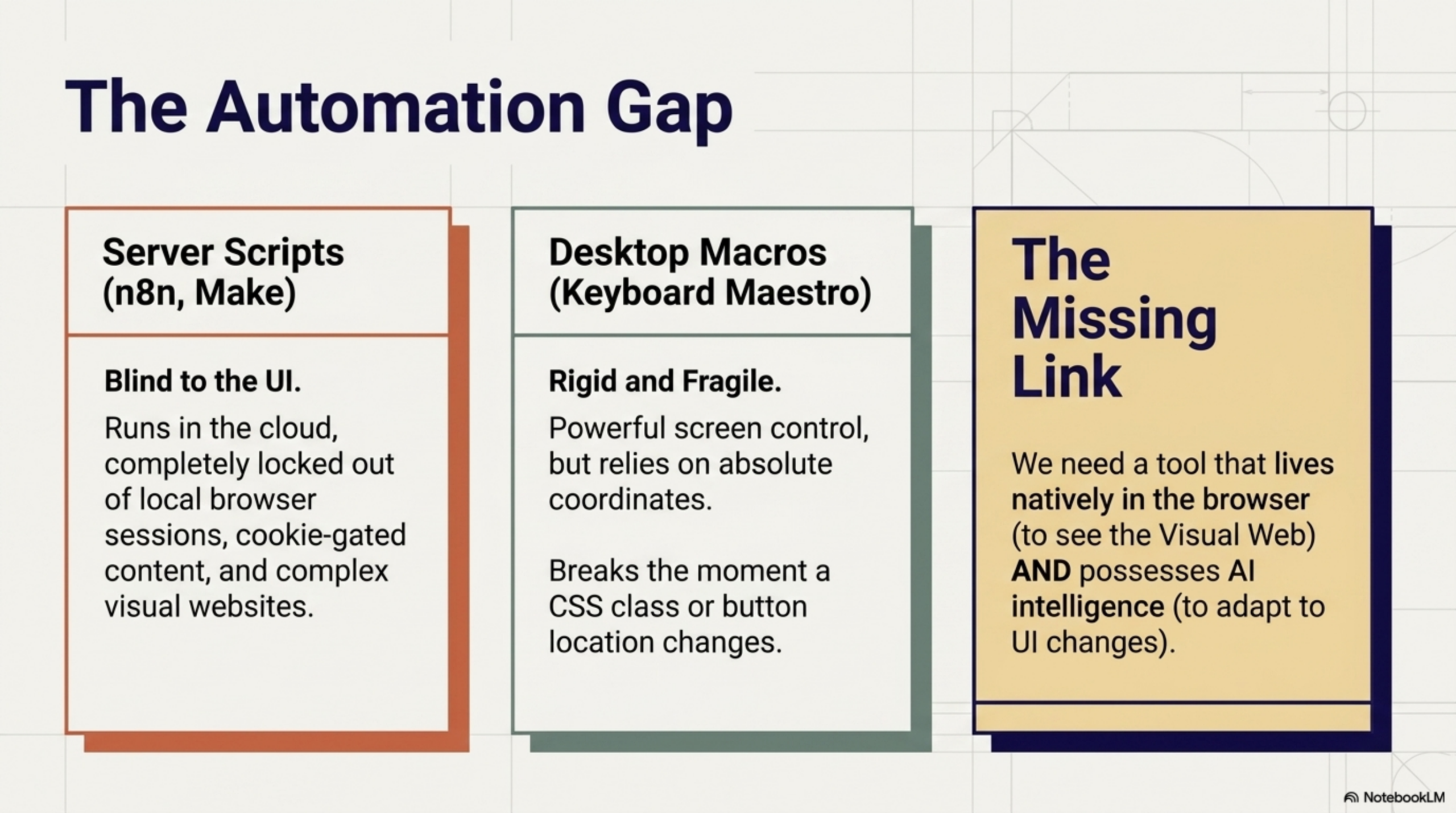
The limitation is fragility. The moment the page layout changes, the data is malformed, or the task requires interpretation, traditional automation breaks. It has no way to reason about what it sees — it only knows how to follow its script.
What Makes a Workflow “Agentic”?
An agentic workflow introduces a fundamentally different architecture. Instead of a fixed sequence of steps, the workflow includes one or more AI agents that can:
- Observe — read and interpret the current state of a webpage, a document, or a data source
- Reason — decide what action to take based on context, instructions, and goals
- Act — execute browser interactions, call APIs, generate content, or trigger downstream steps
- Adapt — change course if something unexpected happens, rather than crashing
The key word here is agency. An agentic workflow is not just automated — it is autonomous within a defined scope. It can handle variability that would stump any rule-based system.
The 3 Core Properties of an Agentic Workflow
1. Perception
An agentic workflow can read its environment — scraping structured and unstructured content from a live webpage, parsing a PDF, or extracting text from an image. It doesn’t need a perfect API; it can work with whatever is on the screen.
2. Reasoning
At the heart of every agentic workflow is a language model (LLM). The LLM acts as the decision-making layer: classifying content, summarizing information, choosing the right action from multiple options, or generating a structured output from raw data. Reasoning turns raw perception into meaningful action.
3. Action
After reasoning, the workflow executes. In a browser-native context, this means clicking elements, filling forms, extracting data, sending requests, or piping results into other tools. The action layer is what gives the workflow real-world impact — not just analysis, but change.
Agentic Workflows vs Rule-Based Automation: A Side-by-Side Comparison
| Dimension | Rule-Based Automation | Agentic Workflow |
|---|---|---|
| Logic | Fixed, deterministic | Dynamic, context-aware |
| Handles variability | No — breaks on edge cases | Yes — adapts and reasons |
| Requires structured input | Yes | No — works with unstructured data |
| AI integration | None or bolt-on | Native — AI is the decision layer |
| Setup complexity | Low to medium | Low (with a visual builder) |
| Privacy | Depends on tool | Can run 100% locally |
Why the Browser Is the Ideal Environment for Agentic Workflows
Almost all knowledge work happens in the browser. Email, CRM, project management, research, social media, customer support — the browser is the universal interface. This makes it the most natural place to deploy agentic workflows, and browser-based automation has never been more accessible to non-technical users.
A browser-native agent can:
- Read the live DOM of any webpage without needing a dedicated API
- Interact with web apps the same way a human would
- React to the page changing in real time
- Operate without credentials being shared with third-party servers
Importantly, browser-native execution also means your data never has to leave your machine. With local AI models (via Ollama or WebLLM), the entire agentic workflow — perception, reasoning, action — runs on your device, with zero cloud exposure.
Real-World Examples of Agentic Workflows in the Browser
Here’s what agentic workflows look like in practice:
- Research summarizer: Open a webpage, trigger the workflow, get a structured summary with key insights extracted by an LLM — in seconds
- Lead qualifier: Visit a LinkedIn profile, extract job title, company, and bio, then pass to an LLM to score lead quality and draft a personalized outreach message
- Support ticket classifier: Read an incoming ticket, determine category and urgency using AI, and pre-fill the reply template in your helpdesk tool
- Competitive monitoring: Scrape a competitor’s pricing page on a schedule, compare against a stored baseline, and flag any changes
- Form intelligence: Analyze a complex form, determine the correct values based on context, and fill it automatically — one of the 5 browser tasks AI can handle for you today
How to Build Your First Agentic Workflow (with Agentic Workflow Studio)
Agentic Workflow is a Chrome extension that brings the full agentic workflow paradigm to your browser — no servers, no API keys required, no code to write. You build workflows using a visual node-based editor:
- Trigger node — define when the workflow runs (click, page load, scheduled, manual)
- DOM selector node — point and click to capture content from any webpage
- LLM chain node — pass the content to an AI model with a prompt you write
- Action node — use the output to fill a form, copy to clipboard, send a request, or trigger another step
The entire workflow runs inside your browser tab. If you connect a local model via Ollama or WebLLM, nothing ever reaches an external server. It’s agentic automation that is genuinely private by default — and it’s why the browser is the right platform for AI agents doing real work.
Ready to start? Install the Agentic Workflow extension for Chrome and build your first workflow in minutes — no account, no server, no code required. Get it on the Chrome Web Store.

Why Your AI Agent Needs a Browser, Not Just an API » Agentic Workflow
April 27, 2026[…] the real world, it needs a browser — not just an API client. This is a core principle of any true agentic workflow: agents must be able to act where work actually […]
The Best Browser Automation Tools in 2026 (Compared) » Agentic Workflow
April 27, 2026[…] output actions — on a drag-and-drop canvas. If you are new to the concept, our article on what is an agentic workflow explains the ideas behind this […]
The 5-Tab Problem: How Knowledge Workers Lose 2 Hours a Day to Browser Switching » Agentic Workflow
April 27, 2026[…] what the 5-Tab Problem actually costs, why it is so hard to escape, and how a new generation of browser-native AI tools built on agentic workflows — specifically Agentic Workflow — can collapse five tabs into […]
Agentic Workflow vs Bardeen: What’s the Difference? » Agentic Workflow
April 27, 2026[…] Workflow is a Chrome extension built around the concept of agentic automation — where an AI agent perceives the current state of any webpage, reasons about it, and takes […]