LinkedIn automation is one of the most sought-after productivity hacks for sales teams, recruiters, and founders — and one of the most dangerous. Get it wrong and you will not just lose a workflow; you could lose your entire account. LinkedIn has invested heavily in bot detection, and thousands of users get restricted or permanently banned every month because of the tools they trusted to save them time.
The good news is that safe LinkedIn automation is entirely possible. It just requires understanding why most tools fail, and choosing an approach that works with LinkedIn’s security model rather than against it. This guide covers everything you need to know.
Why Most LinkedIn Automation Tools Get You Banned
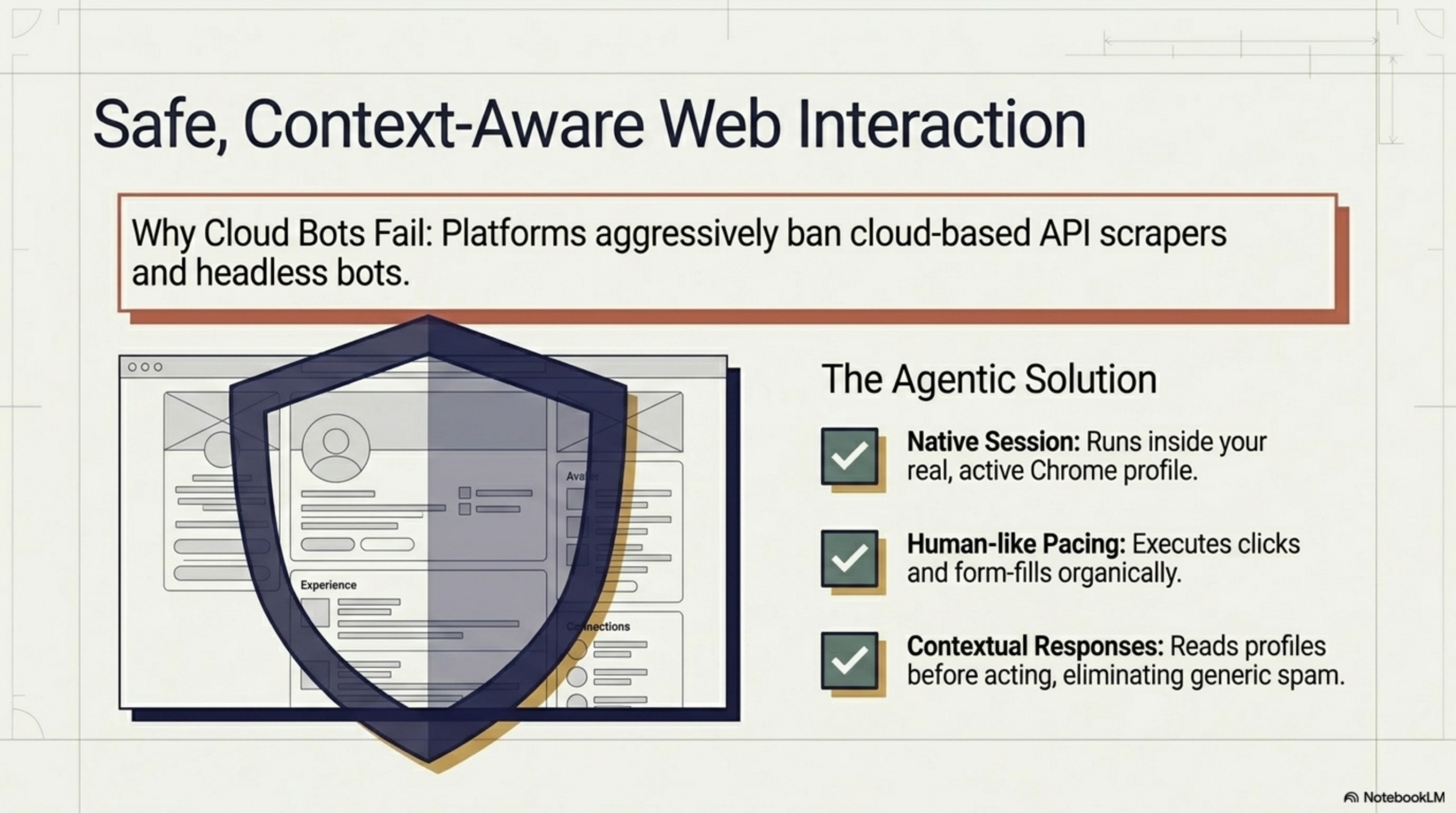
Traditional LinkedIn automation tools — browser extensions like Dux-Soup or PhantomBuster, or cloud-based scrapers — work by simulating clicks and navigation at a speed no human could match. LinkedIn’s detection systems are specifically trained to spot this kind of behaviour.
Here is what triggers their algorithms:
- Inhuman speed: Visiting 200 profiles in 10 minutes, sending 50 connection requests in an hour, or scraping data continuously without natural pauses.
- Headless browser fingerprints: Cloud-based tools that spin up a separate browser session have a different fingerprint from your real browsing session. LinkedIn can detect when the session metadata does not match.
- Operating outside your normal session: When a tool logs into LinkedIn separately from your normal browser, the login IP and device fingerprint differ from your usual pattern — a classic red flag.
- Volume spikes: Sending a month’s worth of connection requests in a single day after weeks of low activity.
Most banned accounts are not caught doing anything dramatically wrong. They are caught doing normal things — viewing profiles, sending messages — at a speed and volume that is simply not human.
The Safe Approach: Browser-Native Automation
The fundamental flaw in most LinkedIn automation tools is that they operate outside your real browser session. Browser-native tools flip this entirely: they run inside the same Chrome session you use every day.
When an automation runs inside your browser:
- Your session cookies, fingerprint, and IP address are exactly what LinkedIn expects to see from you
- There is no separate login, no headless browser, no detectable session mismatch
- You remain in full control — you can pause, review, and adjust at any point
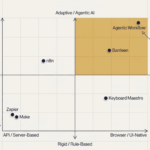
Agentic Workflow takes exactly this approach. It is a Chrome extension that builds automations directly within your active browser session using a visual no-code workflow builder. No servers. No external login. No separate bot session that LinkedIn can fingerprint. Because LinkedIn offers no public scraping API, browser-native automation is the only reliable way to interact with it programmatically without violating platform rules.
What You Can Automate Safely on LinkedIn
The key principle of safe LinkedIn automation is augmenting research and preparation, not replacing human judgment in the moment of contact. Here is what sits firmly in the safe zone:
- Profile data collection: Reading and extracting name, title, company, and connection info from profiles you visit naturally as you browse
- List building: Collecting structured data from search results into a spreadsheet or CRM as you scroll through them
- Message drafting: Using AI to generate a personalized first-draft message based on someone’s profile — which you then review and send yourself. An AI form filler can even pre-populate LinkedIn’s message and connection request fields with your drafted text, ready for a single review-and-send.
- Note-taking and tagging: Automatically logging profile visits and extracting key details into your outreach tracker
- Content monitoring: Tracking posts from target accounts or watching for job change signals
Notice that all of these activities are fundamentally research and preparation tasks. The human touch — the actual sending of a connection request or message — stays with you.
What You Should Never Automate
Some actions are simply too high-risk to automate regardless of the tool you use. LinkedIn’s detection is most aggressive around these specific behaviours:
- Sending connection requests in bulk: Even with delays, mass connection campaigns are LinkedIn’s primary enforcement target. Manual sending with AI-drafted notes is far safer.
- Auto-messaging: Automated direct messages, even personalized ones, violate LinkedIn’s terms of service and are frequently detected.
- Endorsing skills at scale: This is a well-known bot signal.
- Following hundreds of accounts in a session: Normal users do not follow 150 people in an afternoon.
- Scraping beyond your first-degree network: Aggressive scraping of second and third-degree connections at speed is a primary ban trigger.
Step-by-Step: Build a Safe LinkedIn Research Workflow
Here is a practical workflow you can build with Agentic Workflow that collects lead data safely as you browse LinkedIn search results:
- Set the trigger: Use a Manual Trigger that fires when you click a button in the extension panel while viewing a LinkedIn search results page.
- Select the profiles: Add a DOM Selector node that identifies the profile cards visible on screen — name, title, company, and profile URL.
- Extract and structure: Pass the raw text to an LLM node with a prompt like: “Extract name, current title, company, and location from this LinkedIn profile snippet. Return as JSON.”
- Write to your tracker: Use an output node to append the structured data to a Google Sheet or send it to your CRM via webhook.
- Move naturally: Scroll to the next set of results at your normal pace and repeat. The workflow runs on your schedule, not a bot’s.
The entire workflow runs in your browser, in your session, at human speed. LinkedIn sees normal browsing behaviour — because it is.
Use AI to Personalize Outreach at Scale
The part of LinkedIn outreach that actually drives responses is personalization. A message that references someone’s recent post, their company’s latest product launch, or a shared connection performs dramatically better than a template blast.
AI makes this achievable at scale without being spammy. Here is the workflow:
- Visit a prospect’s LinkedIn profile normally
- Trigger a workflow that reads their bio, recent activity, and headline
- An LLM node generates a personalized first-draft connection note or message based on what it found
- The draft appears in your extension panel for you to review, edit, and send manually
You are sending every message yourself. The AI is just doing the research and first draft. This keeps you compliant, keeps the messages authentic, and dramatically cuts the time per outreach from five minutes to thirty seconds.
Rate Limiting: The Golden Rule of LinkedIn Automation
Whatever you automate, rate limiting is the most important safety lever you have. LinkedIn’s detection is largely volume-based — the same actions performed at human pace rarely trigger flags.
Practical guidelines for staying safe:
- Connection requests: No more than 15-20 per day, sent manually with personalized notes
- Profile views: Stay under 80-100 per day — even manual browsing triggers flags at high volumes
- Messages: Keep first-message volume low; focus on quality, not quantity
- Scraping: Extract data only from pages you visit naturally; never loop through hundreds of profiles in a single session
- Rest days: Build in days where your LinkedIn activity is minimal — the same way a real person would have
When you use a browser-native workflow that runs at your pace and mirrors natural browsing behaviour, staying within these limits is straightforward. The tool works with you, not around you.
Conclusion
LinkedIn automation does not have to mean risking your account. The tools that get people banned share a common flaw: they pretend to be you from outside your browser. Browser-native automation built around research, drafting, and data collection — with you in control of every send — is both effective and safe.
The right approach is not to replace the human parts of prospecting. It is to eliminate the tedious research and formatting work so the human parts take seconds instead of minutes. LinkedIn prospecting is just one example — there are many more browser tasks AI can handle for you using the same approach. That is where AI delivers real leverage without real risk.
Ready to start? Install Agentic Workflow from the Chrome Web Store and build your first safe LinkedIn research workflow today — no code, no servers, no risk of getting banned.