Try this
Turn off your Wi-Fi. Does your AI still work?
The hook. Say it before anything else.A 3-second opener before the first chapter.
Version texte
- Try this: Turn off your Wi-Fi. Does your AI still work?
Every AI tool says it respects your privacy. Few of those claims can be checked by the person reading them. You cannot audit a company’s servers, read its logs or verify what it keeps.
There is one test anyone can run: switch off the internet and see whether the AI still works. If it does, your data cannot be leaving, because there is nowhere for it to go. This post explains what has to be true to pass, how a workflow can fail without warning, and how to run the test in five minutes.
One test settles it
The test
If it works offline, your data stayed home.
It stayed home, because there was no road out.With no network interface up, no request can carry your data anywhere.
Version texte
- The test: If it works offline, your data stayed home.
Most AI features work by sending your text to a model on someone else’s server and waiting for the answer. That round trip is the reason they need the internet, and the reason your text leaves your machine. When the model runs inside your browser instead, the trip disappears:
Move the model into your browser. The trip disappears.Weights cached locally; inference runs in the tab. Network only for the first download.
Version texte
- Your laptop: Your browser · The internet: The AI model
- Your browser → The AI model: the page text
- The AI model → Your browser: a summary
- Needs internet: every time · Your text leaves: yes
- The AI model → Your laptop · Needs internet: only to install · Your text leaves: no · Works on a plane: yes
What has to be on your device
Passing the test is not a setting you switch on. It is what happens when every layer of the work is already on your machine:
- Every other stepNo cloud service anywhere in the chain.
- The pageAlready open: its text is read where it is.
- The engineRuns the model inside the tab, on your hardware.
- Model filesDownloaded once, kept in your browser's storage.
It is four layers, and every one must be local.Cached weights, a local runtime (WebGPU or WebAssembly), local input, and no remote nodes.
Version texte
- Every other step / The page / The engine / Model files
- Every other step: No cloud service anywhere in the chain. · The page: Already open: its text is read where it is. · The engine: Runs the model inside the tab, on your hardware. · Model files: Downloaded once, kept in your browser's storage.
The first three are about the AI. The fourth is the one people forget. An automation is a chain of steps, and it is only as offline as its most connected step. A single “save to Google Sheets” at the end means the run needs the internet, however private the AI part was.
Watch a workflow pass
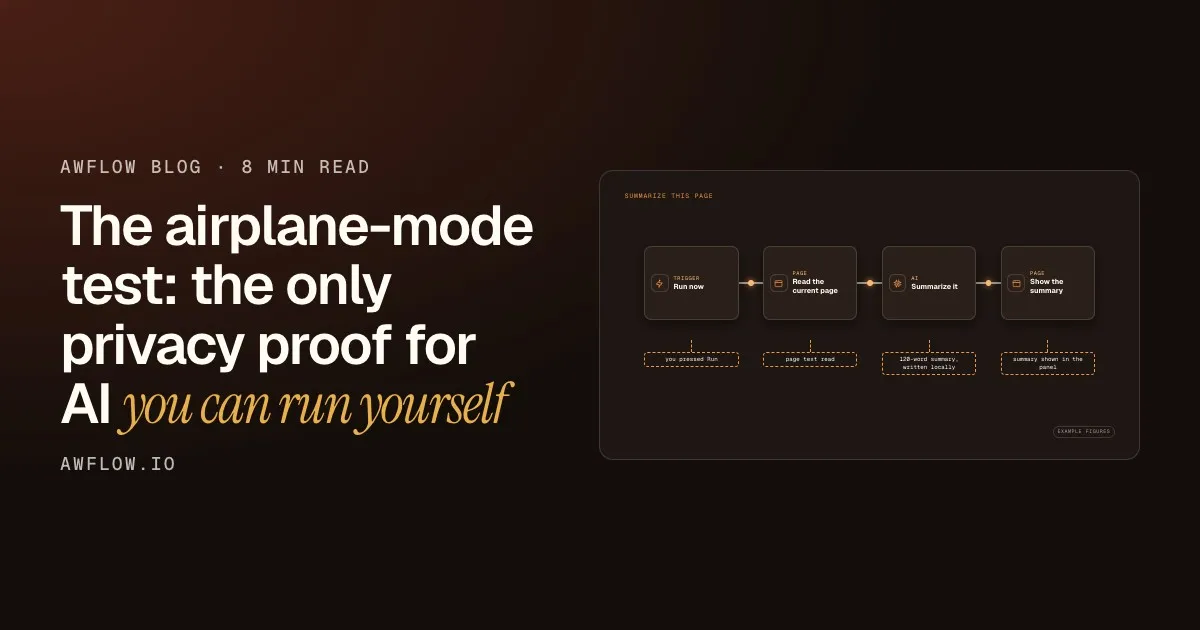
Here is a workflow that passes. It reads the page you have open, summarises it with a model running in your browser, and shows the result. No step needs the network once the model is installed.
Summarize This Page
Now run it with Wi-Fi off. Same result.One run, four steps, no network calls. Example outputs.
Version texte
- summarize-this-page.awf
- you pressed Run
- page text read
- 120-word summary, written locally
- summary shown in the panel
You press Run
Nothing is scheduled on a server. The workflow starts in your browser.
It reads the page
The text comes from the tab you already have open, not from a download.
A local model writes the summary
The model was installed earlier and runs on your hardware.
The result appears
It shows up in the panel, on the same machine where it was written.
Then you turn the network off
Run it again with no connection. If you get a summary, the privacy claim is a fact you checked.
Run the test yourself
It takes five minutes, and you only need to do it once per workflow:
Before take-off
The airplane-mode test
- Install the model while you are online (fait)your test
- Press Test so it loads once (fait)your test
- Open the page you want to process (fait)your test
- Switch on airplane mode or turn Wi-Fi off (fait)your test
- Run the workflow and read the result (fait)your test
Run it. A result means nothing left your device.Any step that fails is a step that needed the network.
Version texte
- The airplane-mode test
- Install the model while you are online
- Press Test so it loads once
- Open the page you want to process
- Switch on airplane mode or turn Wi-Fi off
- Run the workflow and read the result
If a step fails, it just told you something useful: that step needs the internet. Fix it or accept it, but now you know.
Three ways to fail without noticing
If the AI step is offline, my whole workflow is offline.
Only the steps that stay on the device are. One cloud step at the end, and the run needs the internet.
The fact. Check every step, not just the AI.Integration nodes and cloud models call out; on-device models and page reads do not.
Version texte
- If the AI step is offline, my whole workflow is offline.
- Only the steps that stay on the device are. One cloud step at the end, and the run needs the internet.
The other two are quieter.
The browser throws the model away. Browsers manage storage for you, and when space runs low they may clear data, large models included. An offline demo that worked on Monday can need a fresh download on Friday. On AWFlow’s Local AI page, turn on Keep models installed: when the browser agrees, the storage header shows Protected.
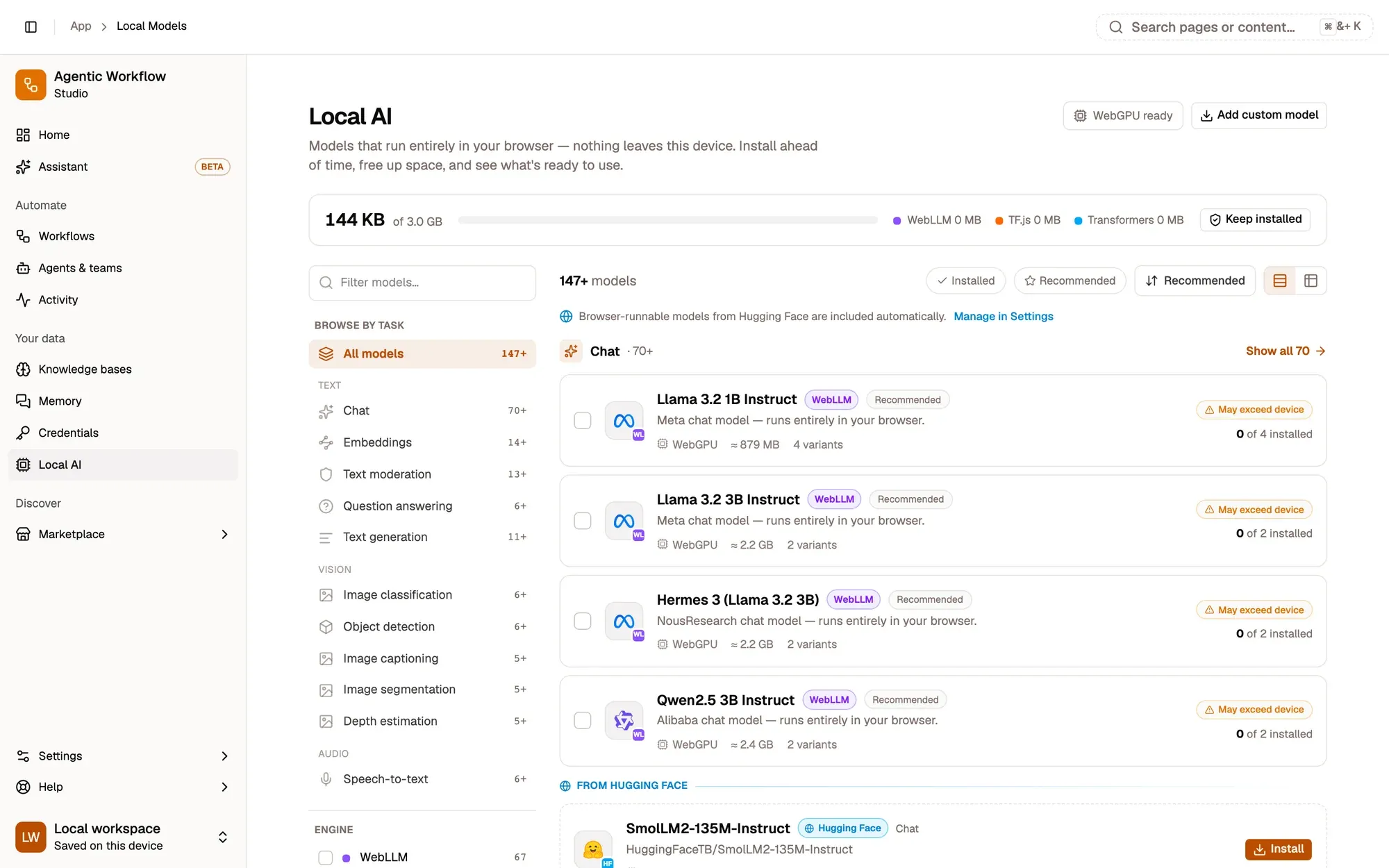
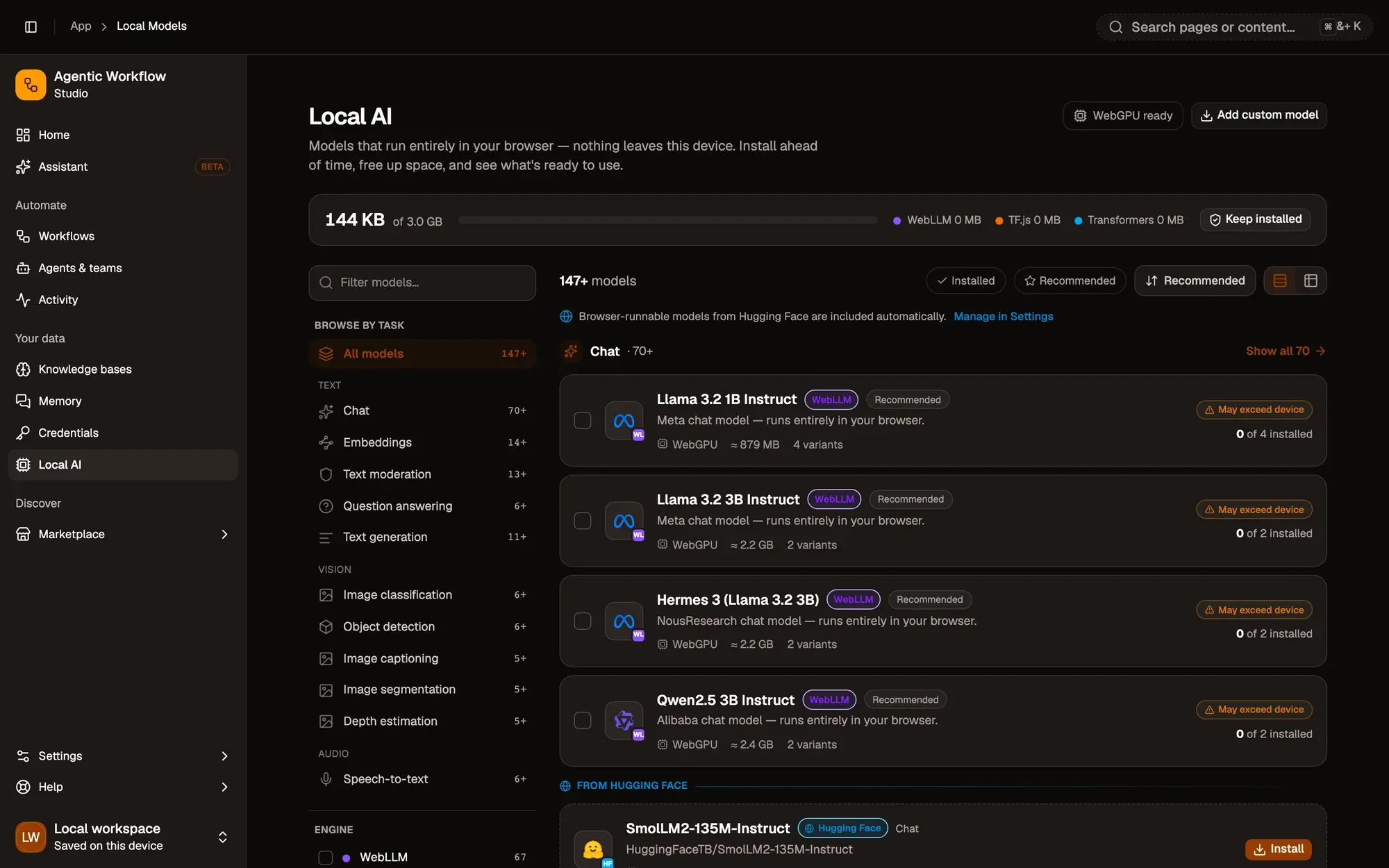
Turn on Keep models installed so they survive a full disk.Requests persistent storage; the header shows Protected when granted.
Version texte
- 1. The storage header: Space used by your models, and Keep models installed.
Browsing for models goes online. Searching the model list sends your search text to Hugging Face, where model files come from. If you want the Local AI page itself to stay offline, turn off Discover models on Hugging Face in Settings › Local models.
Installing a workflow from the Marketplace also needs an account and a connection. Do it before you leave.
Try it
Install a chat model from Local AI, open this workflow, then run it once online and once with Wi-Fi off.
Before your next flight
Summarise a page in airplane mode
Open it in AWFlow, pick an installed model, switch your Wi-Fi off, and run it on any article.
Ouvrir dans AWFlow (s’ouvre dans un nouvel onglet)docs.awflow.io/examples/summarize-this-page.awfCall to action. Viewers scan the code, readers click the link.The link opens the Summarize This Page docs example in AWFlow's import page.
Version texte
- Summarise a page in airplane mode · Open it in AWFlow, pick an installed model, switch your Wi-Fi off, and run it on any article. · https://docs.awflow.io/examples/summarize-this-page.awf
What we covered
- Offline is the privacy proof
- Every layer must be local
- Test it: cut the network and run
Three. Five minutes, once per workflow.Install online, test, cut the network, run.
Version texte
- What we covered
- Offline is the privacy proof
- Every layer must be local
- Test it: cut the network and run