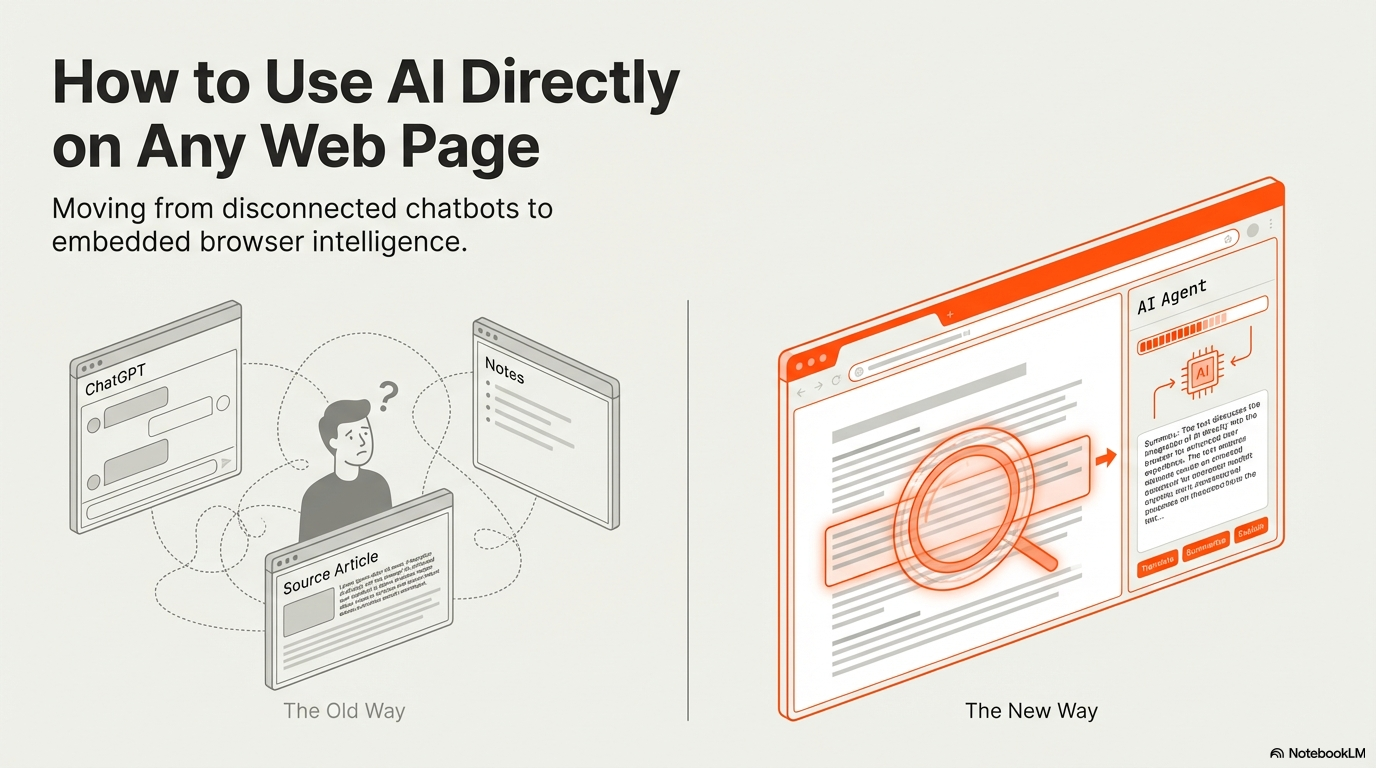
AI tools are powerful. But the way most people use them is inefficient.
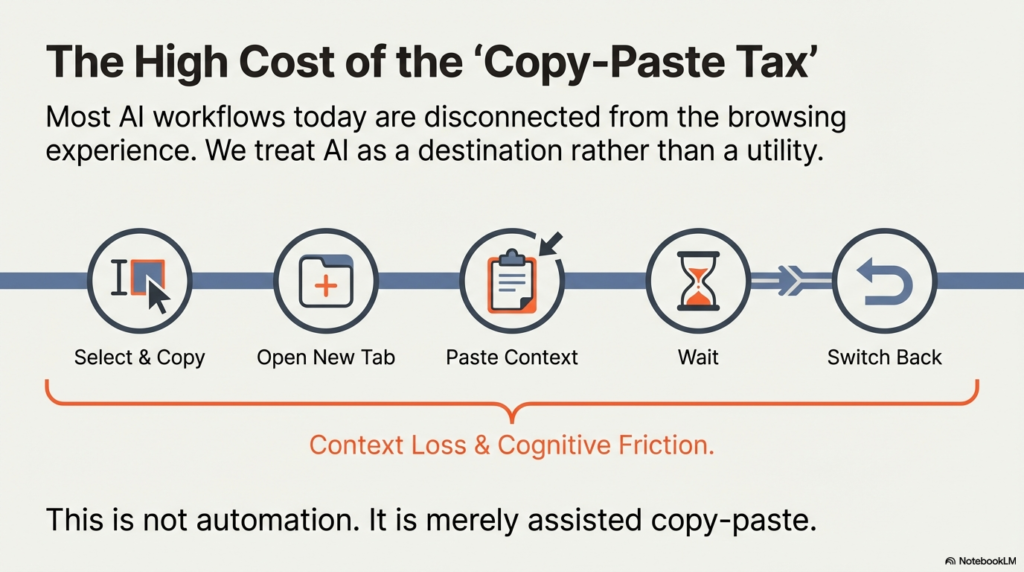
You copy text from a webpage.
You open another tab.
You paste it into an AI tool.
You wait for the response.
Then you switch back.
This workflow breaks context. It creates friction. And it limits what AI can actually do for you.
What if AI could operate directly inside the page you’re viewing?
That is where browser-native automation changes the equation.
The Problem With Traditional AI Usage
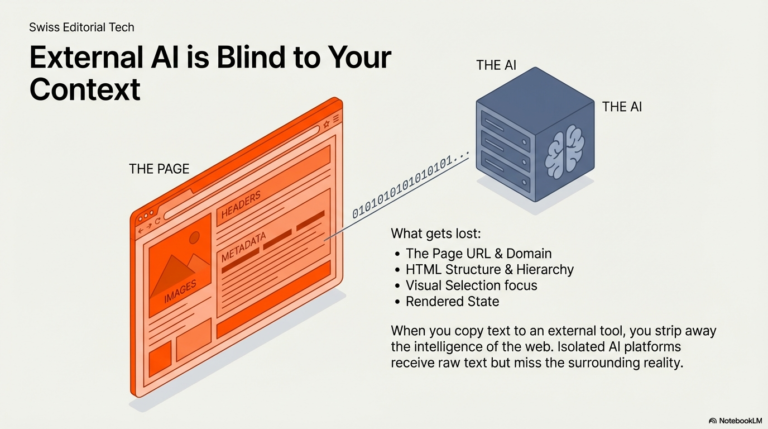
Most AI workflows today are disconnected from the browsing experience.
AI platforms operate in isolated environments. They do not know:
- What page you are reading
- What content you selected
- What links exist on the page
- What structured data is embedded in the HTML
- What dynamic content has already rendered
As a result, you manually move information between environments.
This is not automation. It is assisted copy-paste.
Bringing AI Into the Browser Context
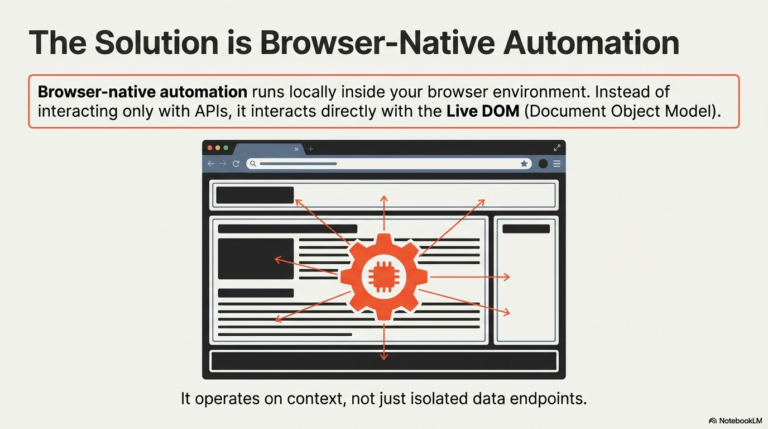
When AI runs inside the browser, it gains access to live page context.
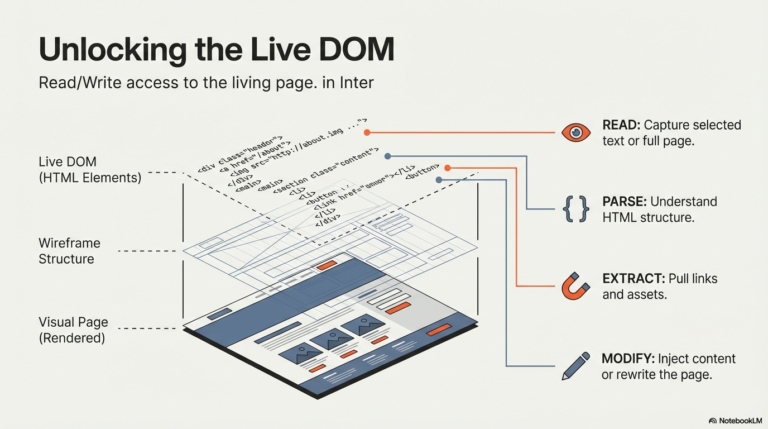
Instead of pasting text manually, you can:
Read selected text directly.
Access the full page content.
Parse the complete HTML.
Extract all links or images.
Analyze rendered content in real time.
This transforms AI from a separate tool into a contextual layer.
For example:
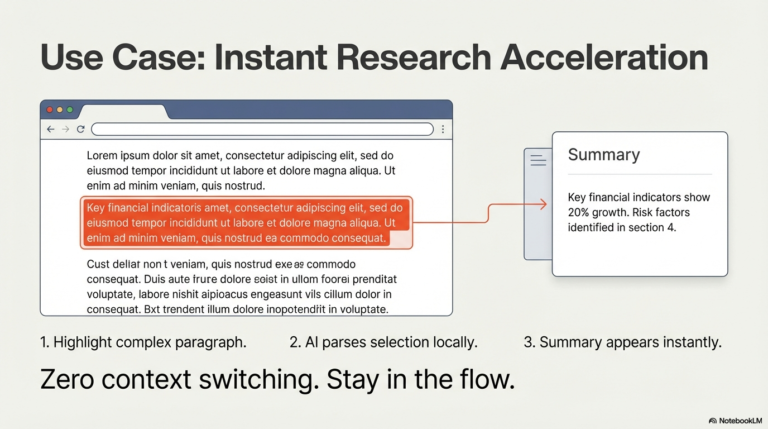
You highlight a research article paragraph and instantly summarize it.
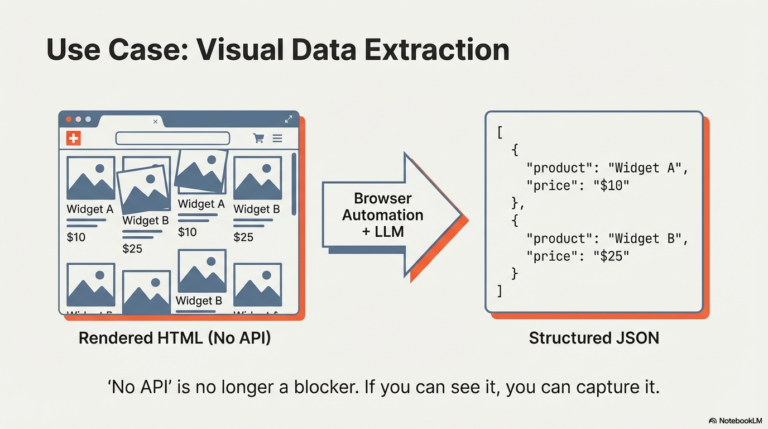
You extract all product listings from a marketplace page and classify them.
You analyze a long blog post without switching tabs.
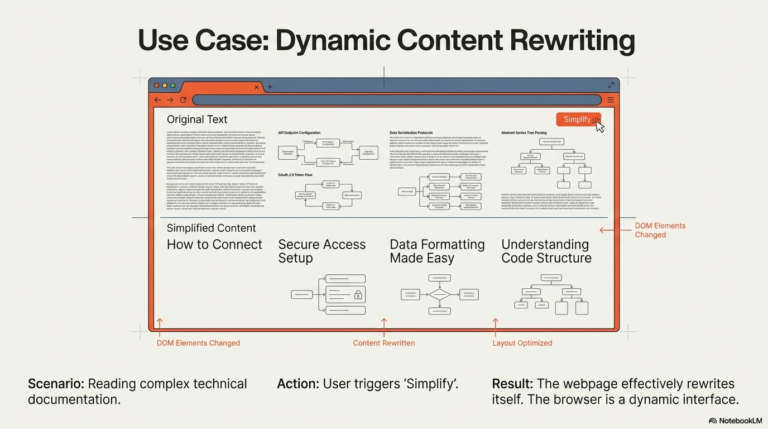
You rewrite visible content dynamically.
AI becomes part of your browsing workflow.
Running LLMs Directly in the Browser
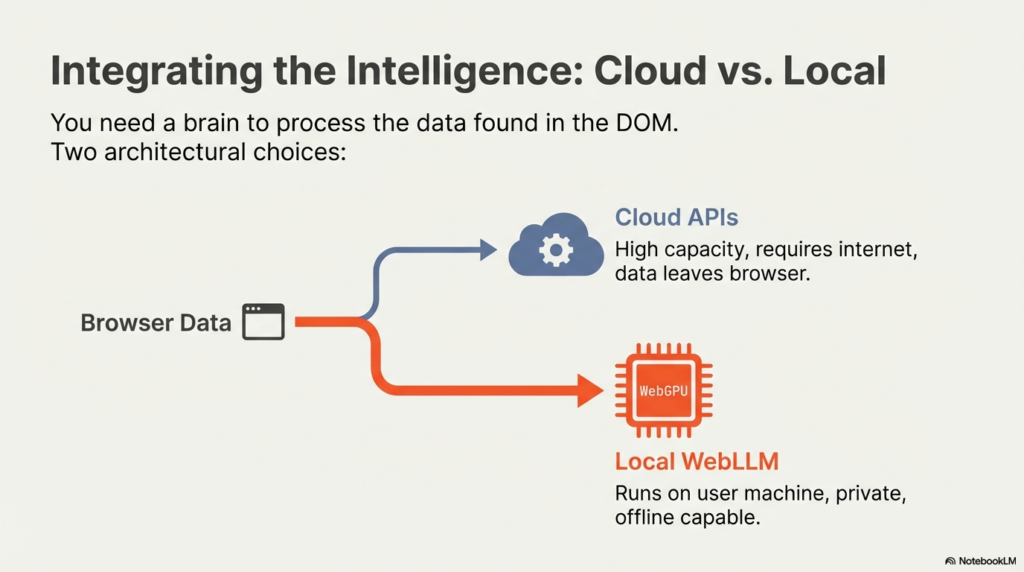
Most AI tools rely on cloud APIs. That means:
Data is sent to external servers.
An internet connection is required.
Execution happens remotely.
Agentic Workflow Studio introduces a different option.
It allows you to run large language models directly inside the browser using WebLLM.
WebLLM leverages WebGPU to execute optimized LLMs locally in the browser environment. This means:
The model runs on the user’s machine.
Data does not need to leave the browser.
Inference happens locally.
This is a major architectural shift.
You can choose between:
Cloud-based LLM APIs for high-capacity models.
Local WebLLM models for privacy-focused or offline use cases.
The workflow remains the same. The execution environment becomes flexible.
Why Local LLM Execution Matters
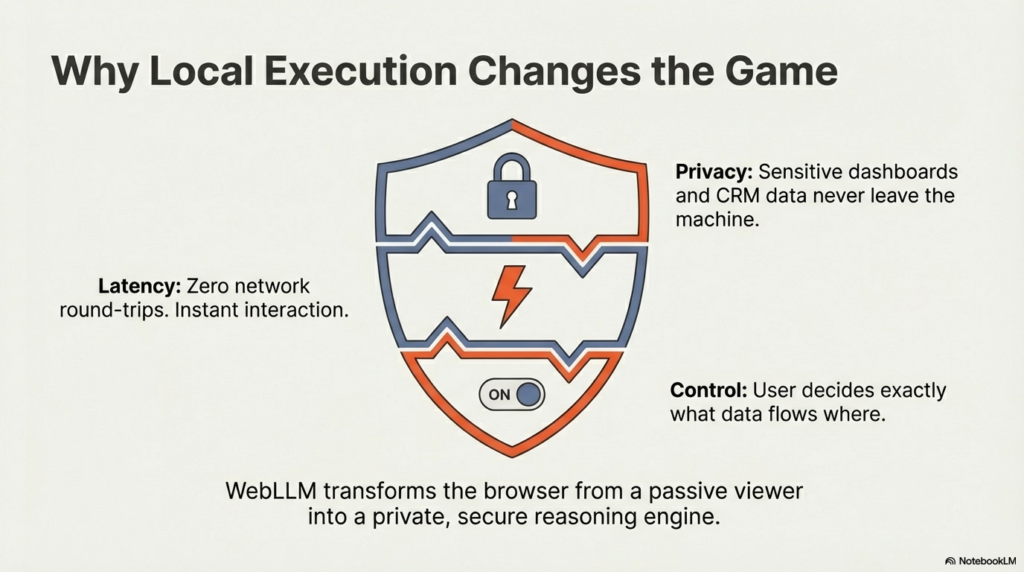
Running models directly in the browser provides several advantages.
Privacy. Sensitive content from a webpage does not need to be transmitted externally.
Latency. Local inference eliminates network round-trips.
Control. You decide whether data is processed locally or via an API.
Offline capability. Certain workflows can run without an active internet connection once the model is loaded.
This enables use cases such as:
Analyzing internal dashboards without exposing data externally.
Summarizing private documents in-browser.
Classifying content securely.
Running AI workflows in restricted environments.
Real-World Examples
Here are concrete scenarios where browser-based AI becomes powerful.
Research Acceleration
You open multiple articles. Select key sections. Instantly summarize and extract insights without leaving the page.
Marketplace Analysis
You scrape visible product data. Use an LLM to structure descriptions into clean JSON. Send the result to an API.
Content Rewriting
You dynamically rewrite webpage text to simplify, translate, or adapt tone.
Link Intelligence
Extract all links from a page and use AI to categorize them by type or relevance.
HTML Understanding
Feed rendered HTML to an LLM to extract structured fields when no API exists.
All of this happens inside the browser.
Context + AI = Agentic Workflows
AI becomes significantly more powerful when combined with context awareness.
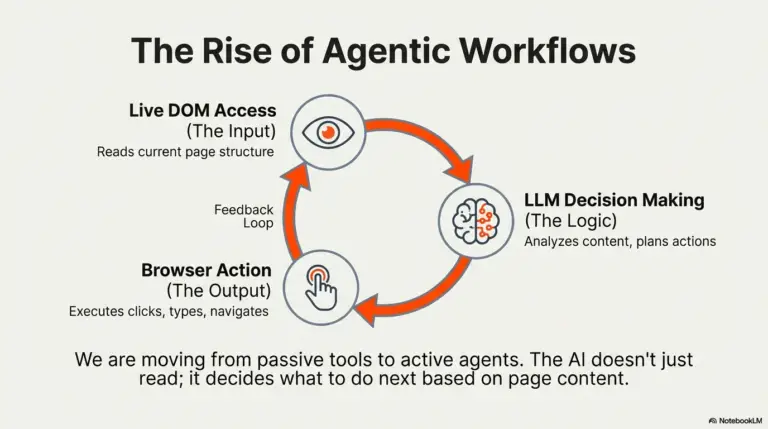
Instead of asking a model generic questions, you provide it with:
Selected content
Live DOM elements
Structured page data
User-driven triggers
This creates agentic workflows — processes where AI can analyze, decide, and act based on what is happening on the page.
The browser is no longer just a viewer.
It becomes an execution layer.
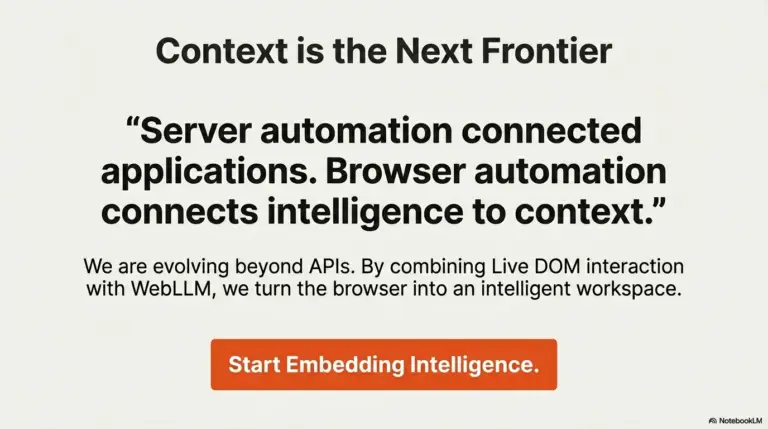
The Shift From API-Only AI to Contextual AI
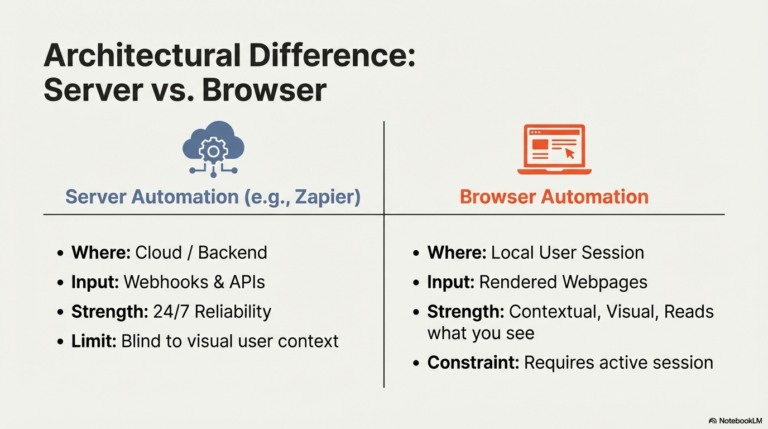
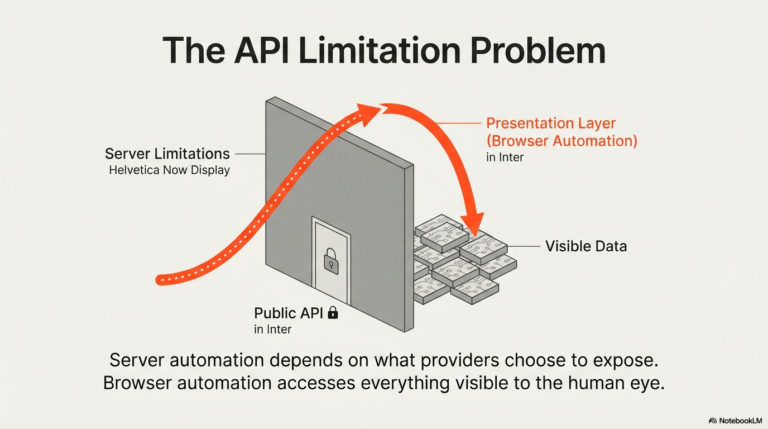
Traditional AI usage is API-centric.
Browser-native AI is context-centric.
With API-only approaches, AI operates on what you send it.
With browser-based execution, AI operates on what you are experiencing.
And when you combine:
Live DOM access
Workflow logic
HTTP integrations
Cloud LLMs
Local WebLLM execution
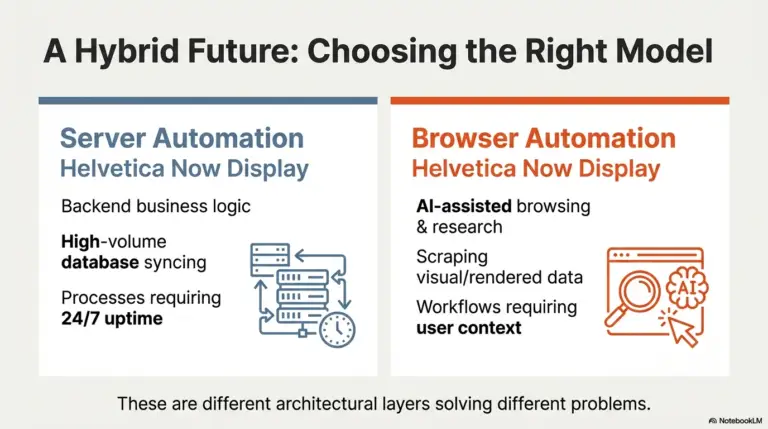
You get a flexible architecture that adapts to your constraints.
Final Perspective
Using AI should not require constant tab switching and manual copy-paste.
It should integrate directly into your browsing workflow.
By enabling:
Context-aware automation
Live webpage interaction
Cloud and local LLM execution through WebLLM
Agentic Workflow Studio turns AI into an embedded intelligence layer inside the browser.
Not a separate tool.
Not an isolated chat window.
But an active, contextual system operating exactly where your work happens.
Try Agentic Workflow Free
Run AI directly on any web page — extract, summarize, and act on live content without leaving your browser.
Get Started Free →
Dannick K.
Creator, Agentic Workflow
Creator of Agentic Workflow — a browser-native AI automation extension for Chrome and Firefox. Building tools that bring the power of automation directly into the browser, without servers, APIs, or engineering teams.