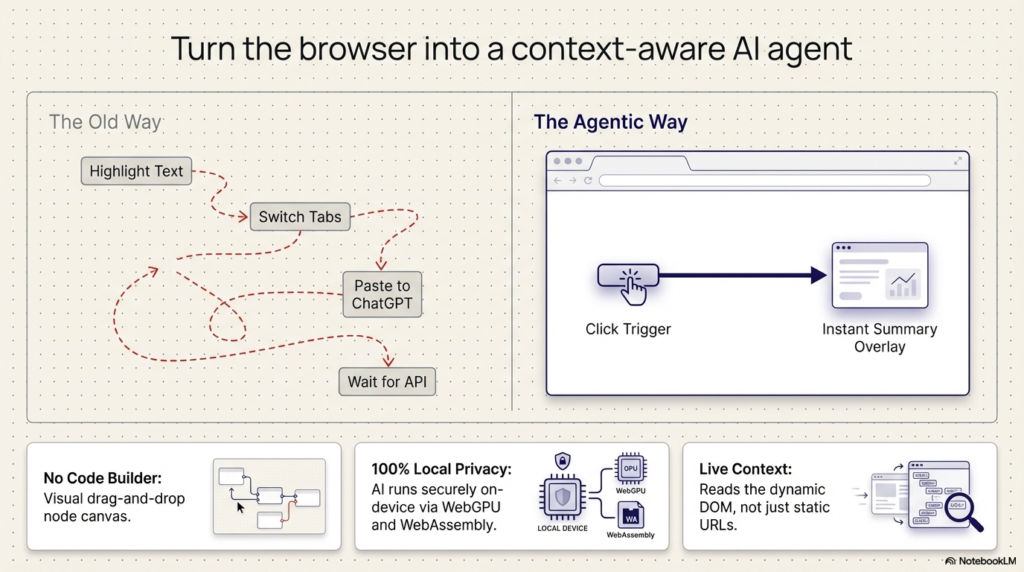
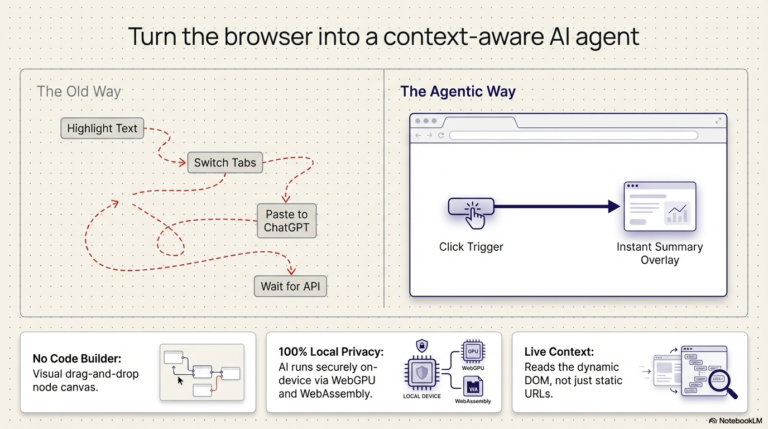
Are you still manually copying text from a webpage, opening a new tab, and pasting it into an AI tool just to get a summary This traditional “assisted copy-paste” workflow breaks your context and creates unnecessary friction. It’s time to transform your browser into an embedded intelligence layer.
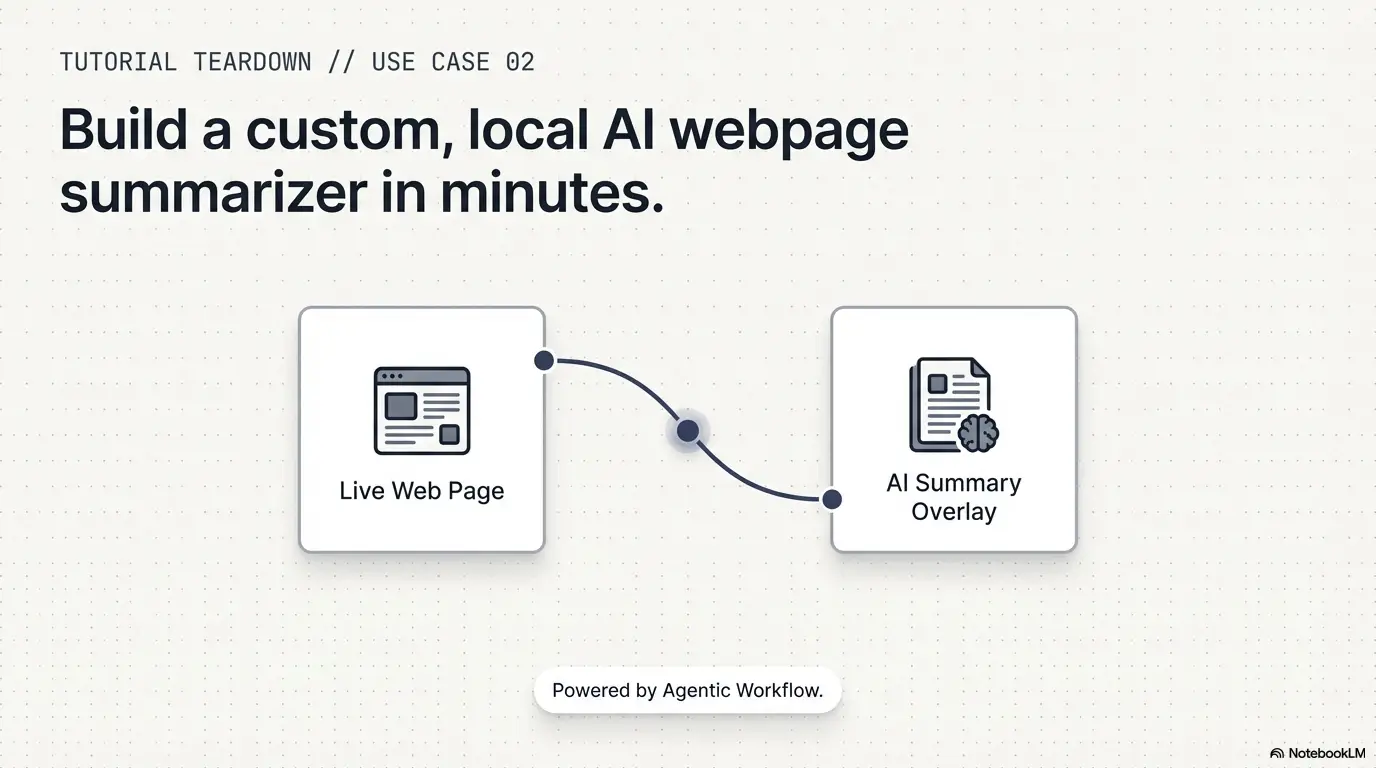
In our latest video tutorial, “Build an AI Webpage Summarizer (Step-by-Step Tutorial),” we show you how to create a custom automation that summarizes any content directly on the page you are viewing.
Watch the Tutorial
What is This Tutorial About?
This guide walks you through building a “Trigger” type workflow that extracts text from a live website and processes it using a Large Language Model (LLM). Unlike standard AI tools that operate in isolation, this workflow is context-centric, meaning the AI operates directly on what you are currently experiencing in your browser
Step-by-Step: What You’ll Learn to Build
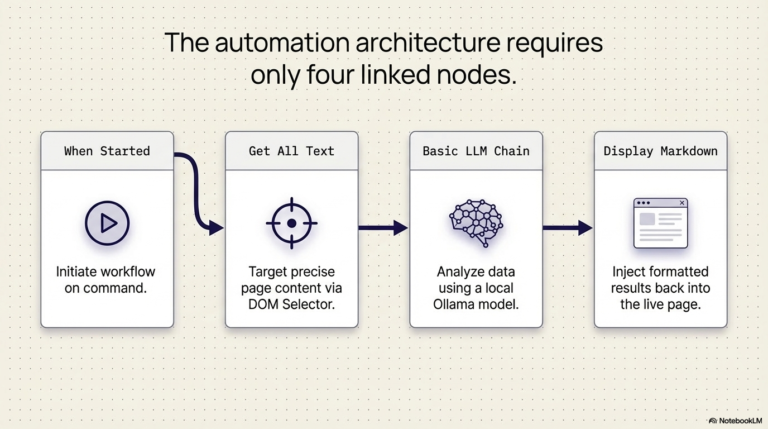
The video demonstrates how to use the Visual No-Code Builder to connect five powerful components:
- The Trigger Node: Start your workflow with a single click using the “When Started” node.
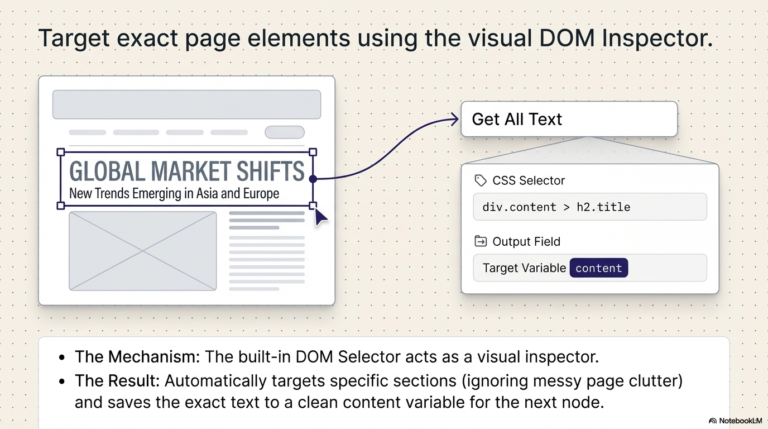
- Smart Content Extraction: Learn how to use the DOM Selector—a visual inspector that allows you to click on specific sections of a website (like a header or an article body) to generate a precise CSS selector for the text you want to summarize.
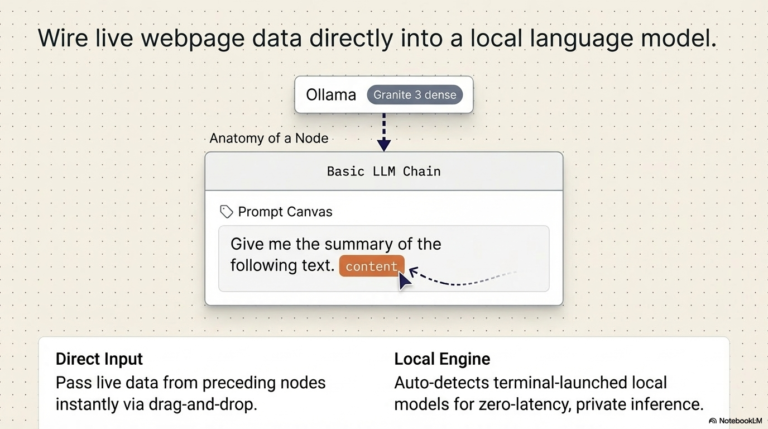
- The AI Agent Node: Use a Basic LLM Chain to send your prompt to the model. The tutorial highlights a “pro tip”: you can drag and drop extracted content directly into your prompt to create dynamic expressions.
- Local AI Execution: See how to connect your workflow to Ollama to run models like “Granite 3 Dense” locally on your machine. This ensures your data stays private and never leaves your browser.
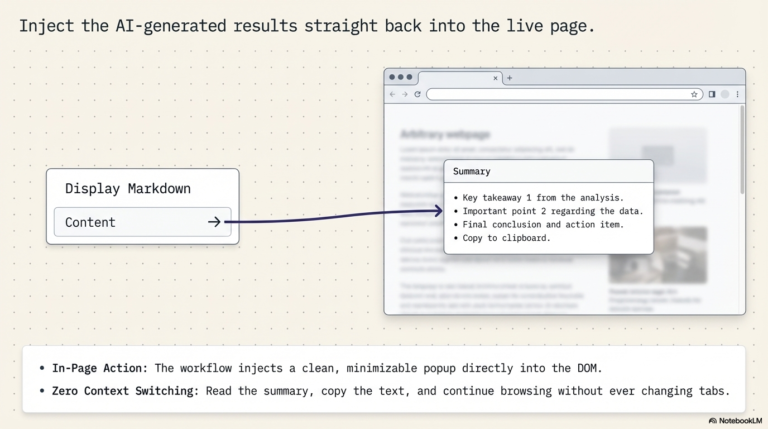
- Direct Page Injection: Finally, use the Display Markdown node to create a summary pop-up that appears right on the webpage. You can even expand, minimize, or copy the summary without ever switching tabs.
Why Browser-Native AI is a Game Changer
By building this summarizer, you are moving beyond simple automation into Agentic Workflows.
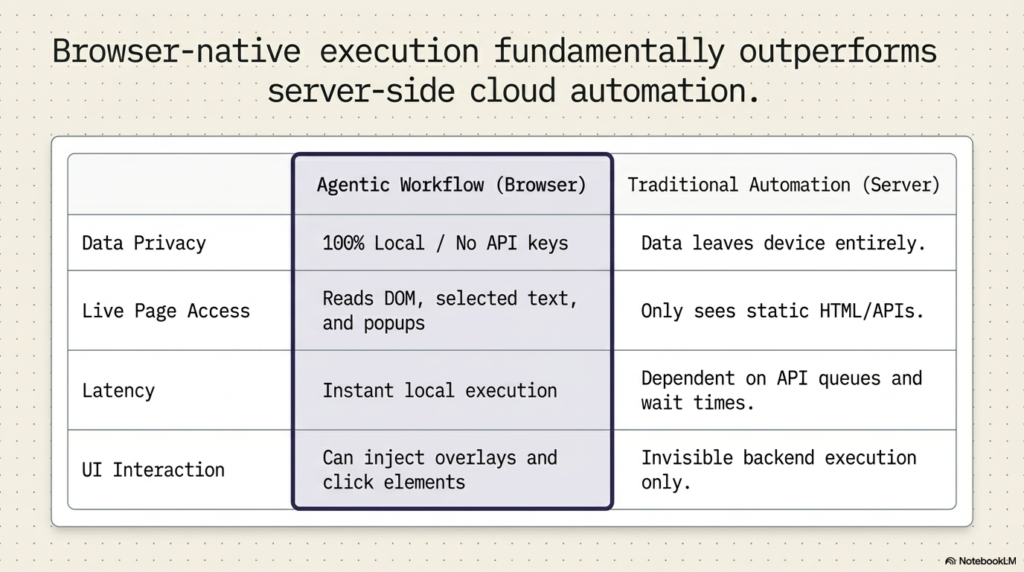
- Privacy & Control: By using local models (via WebLLM or Ollama), sensitive content from your browsing session is processed on your device, not on external servers.
- Zero Latency: Running workflows locally provides instant feedback and avoids network round-trips.
- Work Anywhere: This works on any website, even those without an official API, because the extension interacts directly with the rendered HTML.
Ready to Start Automating?
Stop wasting time on manual research. By the end of this tutorial, you’ll have a powerful, reusable AI tool that you can trigger on any website with a single click.
[Install the Extension] today and follow along with the video to build your first intelligent workflow!


Try Agentic Workflow Free
Build AI automations that run directly in your browser — no servers, no code, no API keys required.