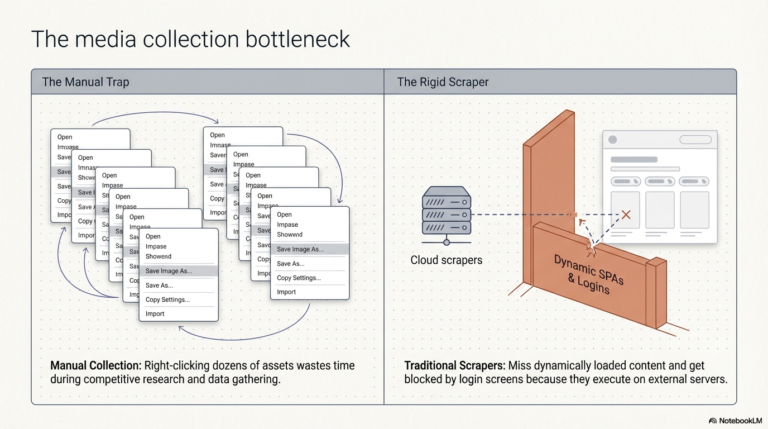
Are you still right-clicking and selecting “Save Image As” dozens of times just to collect assets from a webpage? Whether you are doing competitive research, building a dataset, or gathering media for a project, manual image collection is a massive time-sink.
In our latest video tutorial, “Extract Every Image From Any Webpage Using a Browser Workflow,” we show you how to turn your browser into a powerful automation engine that handles the heavy lifting for you.

Watch the Tutorial

What is this Tutorial About?

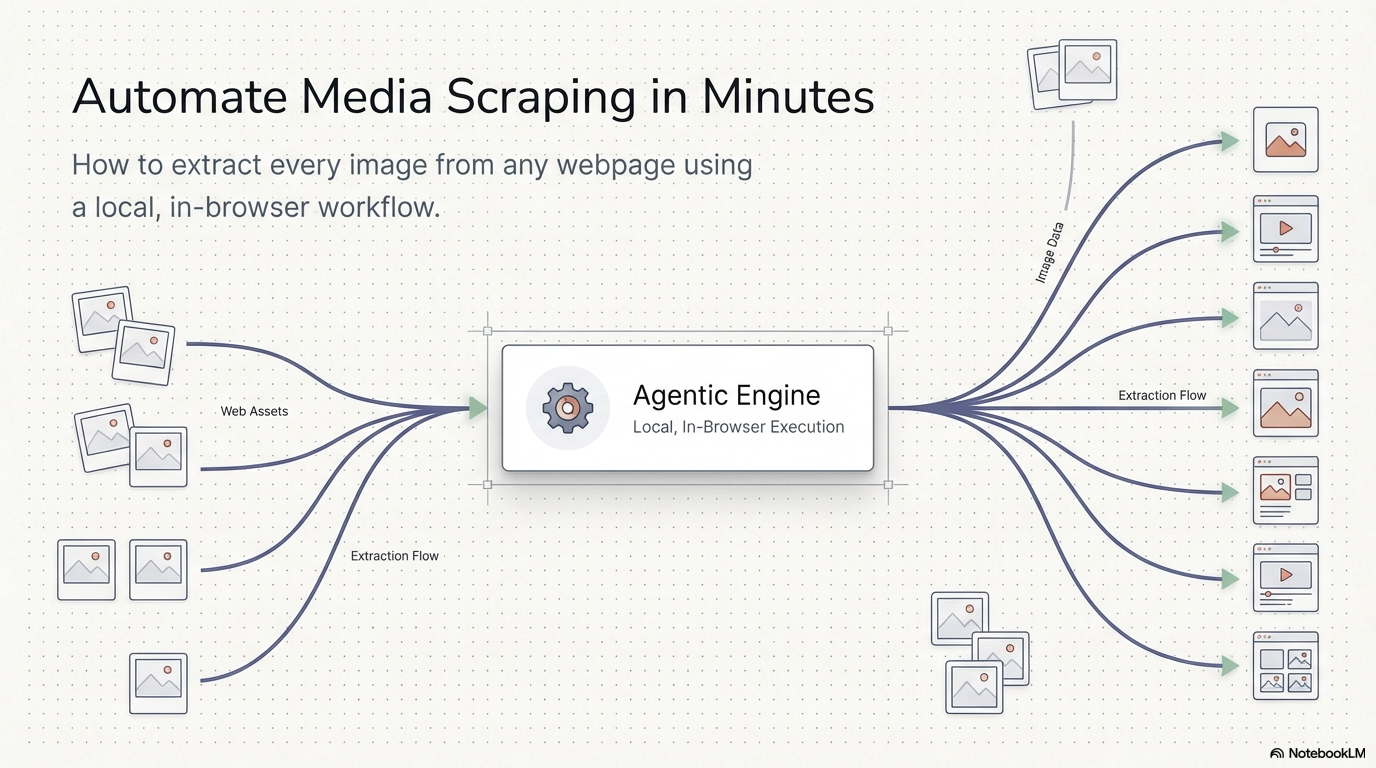
This guide walks you through building a custom “Image Scrapper” workflow from scratch using the Agentic Workflow Studio extension.  Instead of relying on rigid, third-party extensions that might track your data, you’ll learn how to build your own private, local automation that extracts and downloads every image from any website with a single click

Inside the Video: A Step-by-Step Breakdown

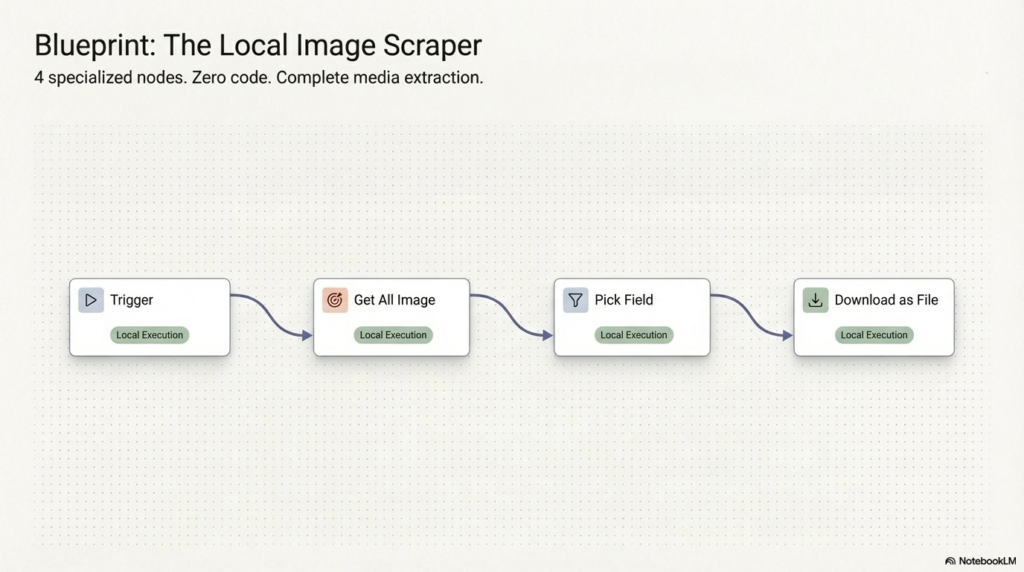
The tutorial demonstrates the power of our Visual No-Code Builder, using three key nodes to get the job done: 
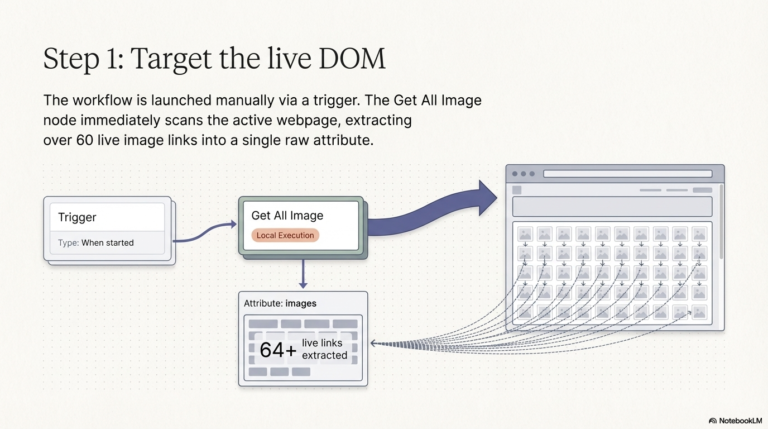
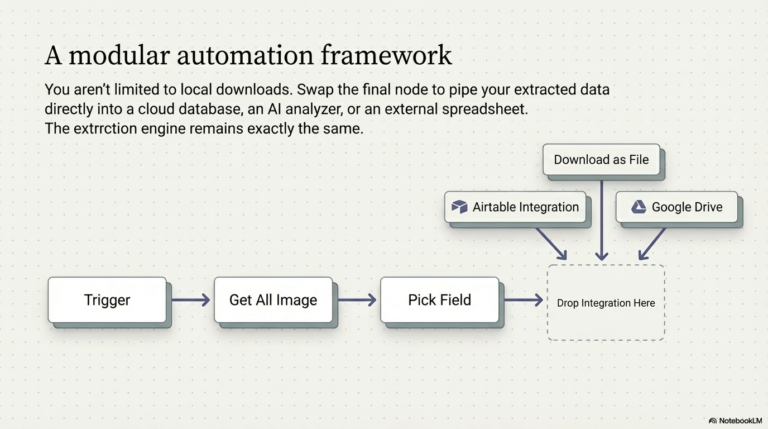
  1. The Trigger Node: Every automation needs a starting point. We use a “Trigger” type workflow so you can launch the scraper whenever you need it on a live page. 


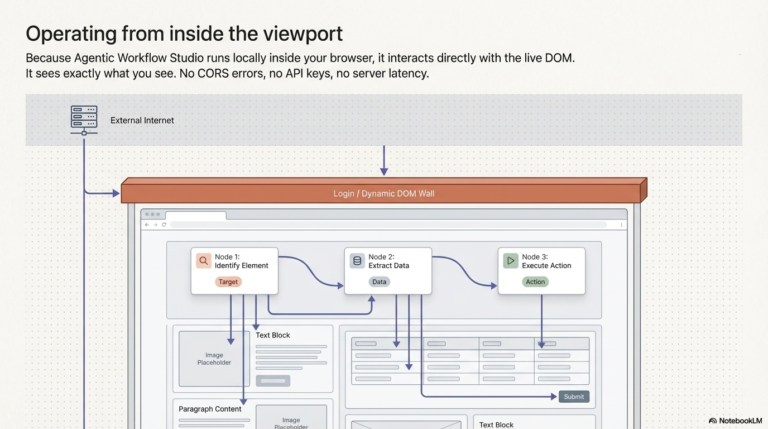
  2. In-Page Action (Get All Image): This node interacts directly with the live DOM of the webpage to retrieve every image link available.  In the video, we show how it instantly finds over 60 images on the Agentic Workflow site. 


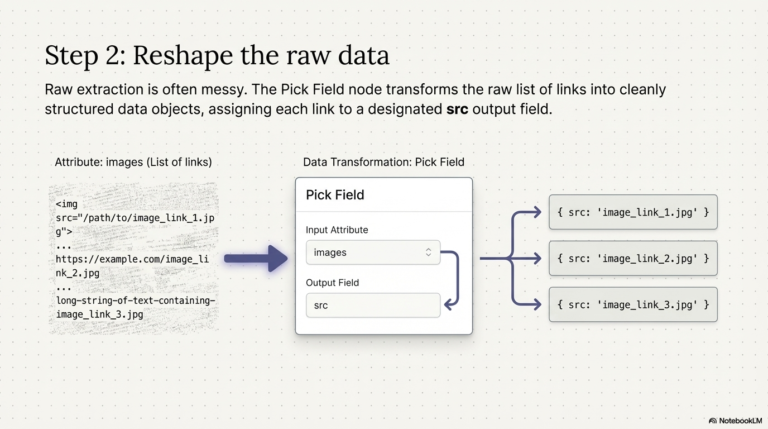
  3. Data Transformation (Pick Field): Raw data can be messy. We show you how to use the “Pick Field” node to clean up the information, transforming the extracted data into a clean list of image sources (src).


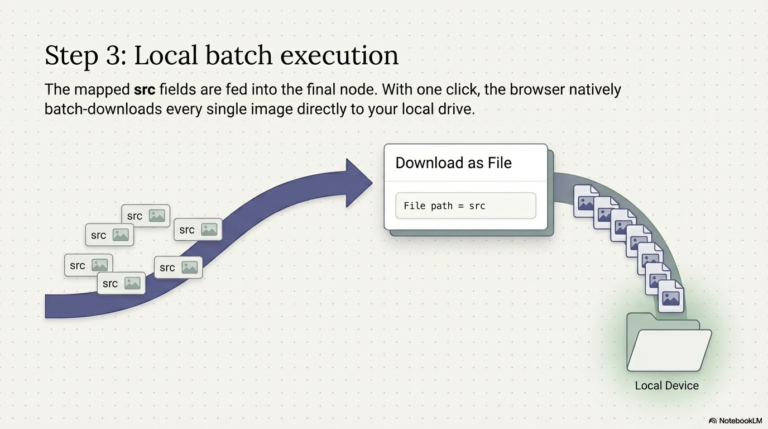
  4. The Finish Line (Download as File): Finally, we connect the “Download as file” node. This automatically triggers the browser to download every extracted image directly to your device. 
unnamed (12) unnamed (13) unnamed (14) unnamed (15)

Why Use a Browser Workflow Instead of a Standard Scraper?

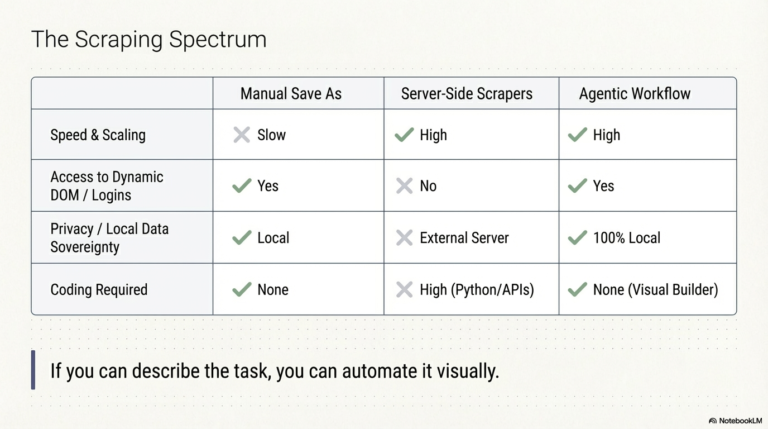
Traditional scrapers often run on external servers and can miss dynamically loaded images or content hidden behind logins. Because Agentic Workflow Studio runs locally in your browser, it sees exactly what you see.
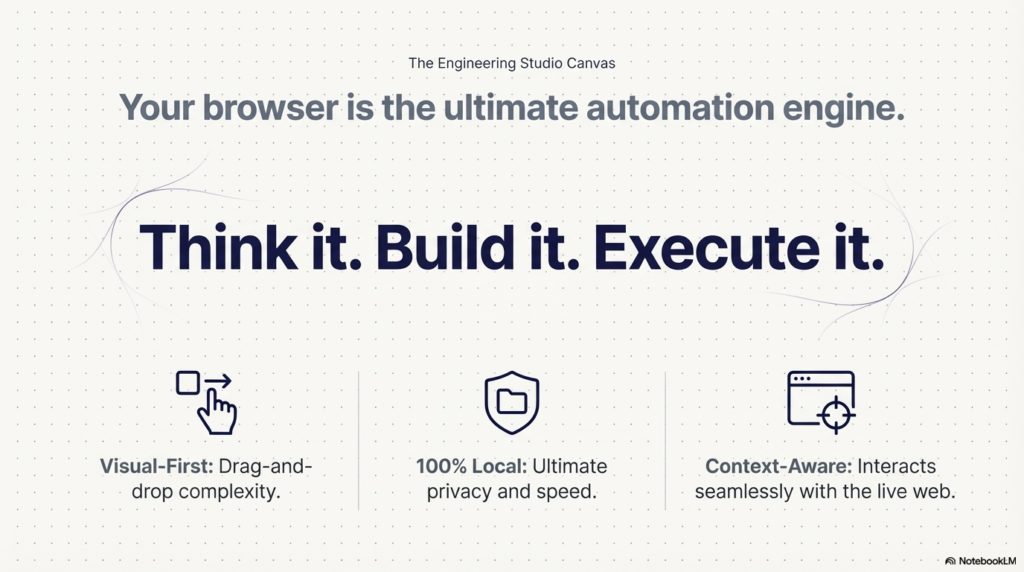
  • Privacy First: Your data and the images you scrape stay on your machine. Execution is entirely local.

  • No Code Required: If you can describe the task, you can automate it using our drag-and-drop interface.

  • Infinite Flexibility: As mentioned in the video, you don’t have to stop at downloading. You can easily swap the download node for an Airtable integration to save links to a database instead.
unnamed (16) unnamed (17) unnamed (18)

Ready to Start Automating?

Stop wasting time on repetitive tasks. By the end of this 5-minute tutorial, you’ll have a reusable tool that eliminates the need for any other image-scraping extensions.
 
[Install the Extension] today and follow along with the video to build your first intelligent workflow!

Try Agentic Workflow Free

Automate image scraping and any browser task with AI workflows that run directly in your browser — no servers required.

Get Started Free →
Dannick K.

Dannick K.

Creator, Agentic Workflow

Creator of Agentic Workflow — a browser-native AI automation extension for Chrome and Firefox. Building tools that bring the power of automation directly into the browser, without servers, APIs, or engineering teams.