Both Bardeen and Agentic Workflow live in your browser and promise to automate the repetitive tasks that eat your day. Beneath that surface similarity, they are built for different jobs and different people. This guide sets out the real differences, with sources, so you can pick the tool that matches how you work.
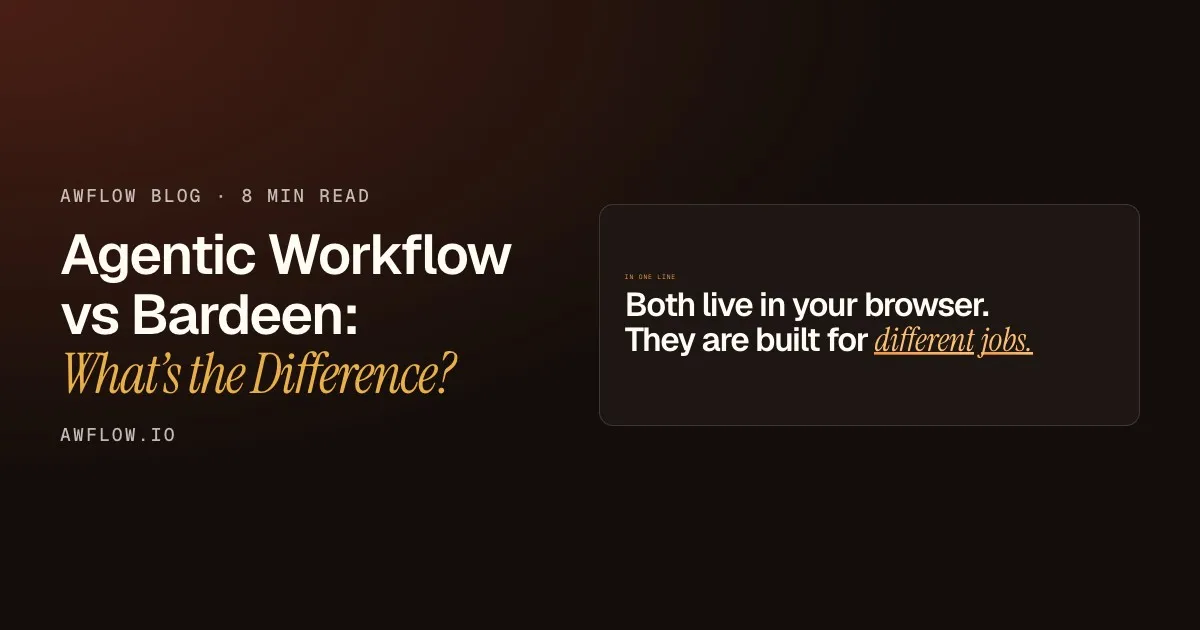
In one line
Both live in your browser. They are built for different jobs.
Different jobs: leads on one side, your own workflows on the other.Bardeen targets go-to-market teams; Agentic Workflow is a general node canvas with on-device AI.
Version texte
- In one line: Both live in your browser. They are built for different jobs.
Two tools, two philosophies
What is Bardeen?
Bardeen is an automation platform for go-to-market teams: sales, marketing, recruiting. Its focus is leads. An AI web scraper sources them, AI helps qualify them (“describe your ideal lead”), and contact enrichment finds how to reach them. It ships with scraper templates for sites such as GitHub, YouTube and Zillow, lets you create and fine-tune automations in natural language, and syncs lead data to Google Sheets, Airtable, Notion and CRMs.
You sign up for a Bardeen account, add the Chrome extension, and pay in credits: scraping, AI tools and enrichment use credits per row.
What is Agentic Workflow?
Agentic Workflow is a Chrome extension built around agentic automation: workflows and agents that read the page you are on, reason about it and act. You build on a visual canvas of nodes, with loops, branches and code where you want them. Nodes read live page content, AI steps reason over it, and action nodes do something with the result.
It is browser-native and model-agnostic. It works on any website you can open, including internal tools and sites with no public API, and it needs no account to start. You can use a cloud model (OpenAI, Anthropic, Gemini and others) or run AI on your device (Chrome built-in AI, WebLLM, Transformers.js, TensorFlow.js), so your data can stay on your machine.
How you start: sign up vs install.Bardeen links Get started to sign-up; AWFlow's local mode needs no account.
Version texte
- Bardeen: Built for sales and GTM teams ≈ Agentic Workflow: Built for anyone's browser work
- Bardeen: Scraper templates and prompts ≈ Agentic Workflow: A node canvas with loops and code
- Bardeen: AI in a credit-based service ≈ Agentic Workflow: Free AI on your own device
- Bardeen: Account and credits to start ≈ Agentic Workflow: Install, no account needed
Side by side
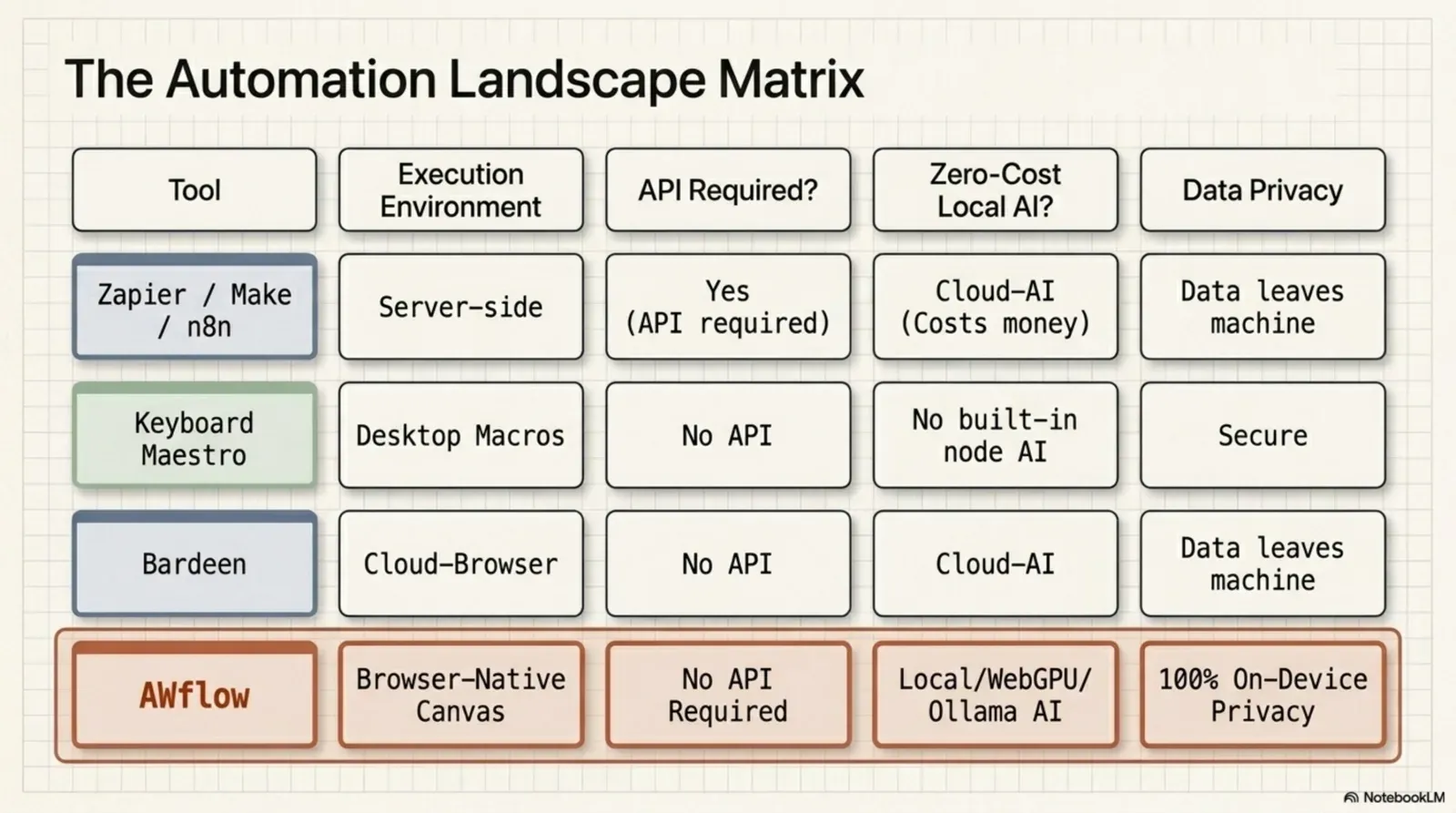
Here is the comparison row by row, from our reviewed comparison page. Bardeen wins two rows, and they stay in.
| Critère | AWFlow | Bardeen |
|---|---|---|
| Where it runs | In your browser, as an extension. Local mode keeps your data in the browser. | A Chrome extension, with Bardeen's service handling accounts and credits. |
| Setup | Install the extension. No account needed. | Sign up for a Bardeen account and add the Chrome extension. |
| Pricing model | Local mode is free with no usage limits from us. Cloud AI keys you add are billed by that provider. | 100 free credits, and paid plans with more. Scraping, AI tools and enrichment use credits per row. |
| On-device AI | Built in: Chrome built-in AI, WebLLM, Transformers.js and TensorFlow.js run on your device. | AI tools are part of its credit-based service. |
| Lead sourcing and enrichment | Reads the pages you open and can send results to your CRM (HubSpot, Pipedrive, Attio); no contact-enrichment service of its own. | An agentic web scraper to source leads, plus contact enrichment to reach them. |
| Sales tool integrations | 22 app integrations, Custom API and any website you can open. | Syncs lead data to Google Sheets, Airtable, Notion and CRMs, with import guides for tools such as Salesforce, HubSpot and Pipedrive. |
| Where your data lives | Workflows, memory, knowledge and keys stay in your browser in local mode. | Accounts and credit-based actions run through Bardeen's service; see its privacy policy. |
Your data. Stays in your browser with AWFlow.Workflows, memory, knowledge and keys stay local in local mode.
Version texte
- Where it runs: AWFlow: In your browser, as an extension. Local mode keeps your data in the browser.; Bardeen: A Chrome extension, with Bardeen's service handling accounts and credits.
- Setup: AWFlow: Install the extension. No account needed.; Bardeen: Sign up for a Bardeen account and add the Chrome extension.
- Pricing model: AWFlow: Local mode is free with no usage limits from us. Cloud AI keys you add are billed by that provider.; Bardeen: 100 free credits, and paid plans with more. Scraping, AI tools and enrichment use credits per row.
- On-device AI: AWFlow: Built in: Chrome built-in AI, WebLLM, Transformers.js and TensorFlow.js run on your device.; Bardeen: AI tools are part of its credit-based service.
- Lead sourcing and enrichment: AWFlow: Reads the pages you open and can send results to your CRM (HubSpot, Pipedrive, Attio); no contact-enrichment service of its own.; Bardeen: An agentic web scraper to source leads, plus contact enrichment to reach them.
- Sales tool integrations: AWFlow: 22 app integrations, Custom API and any website you can open.; Bardeen: Syncs lead data to Google Sheets, Airtable, Notion and CRMs, with import guides for tools such as Salesforce, HubSpot and Pipedrive.
- Where your data lives: AWFlow: Workflows, memory, knowledge and keys stay in your browser in local mode.; Bardeen: Accounts and credit-based actions run through Bardeen's service; see its privacy policy.
Where it runs
Both are extensions. Bardeen’s service handles your account and credit-based actions; in Agentic Workflow’s local mode, your workflows and data stay in the browser.
Setup
Bardeen starts with a sign-up. Agentic Workflow starts with an install: no account needed.
Pricing
Bardeen gives 100 free credits, then paid plans; scraping, AI and enrichment use credits per row. Agentic Workflow’s local mode is free with no usage limits from us; if you add a cloud AI key, that provider bills you.
AI on your device
Agentic Workflow runs AI models on your own device, for free. In Bardeen, AI tools are part of the credit-based service.
Finding leads
Bardeen wins here: an agentic scraper sources leads and contact enrichment finds how to reach them. Agentic Workflow reads the pages you open and can send results to a CRM, but it has no enrichment service.
Sales tools
Bardeen wins again: it syncs lead data to sheets, Notion, Airtable and CRMs, with import guides for Salesforce, HubSpot and Pipedrive.
Where your data lives
In local mode, Agentic Workflow keeps workflows, memory, knowledge and keys in your browser. Check Bardeen’s privacy policy for how it handles data.
If you’re also comparing desktop automation, see Agentic Workflow vs Keyboard Maestro.
Where your AI runs
The biggest practical difference is where the AI step runs and who pays for it. In a credit-based service, every row the AI touches is a request to someone else’s servers. With on-device AI, the model runs in your browser.
On your device: free, private, even offline.On-device models (WebLLM, Chrome AI) run in the browser after a one-time download.
Version texte
- Votre appareil: Votre navigateur · A credit-based service: Serveur d’une entreprise d’IA
- Votre navigateur → Serveur d’une entreprise d’IA: the page text, per row
- Serveur d’une entreprise d’IA → Votre navigateur: the AI result
- Cost: credits per row · Leaves your device: yes
- Serveur d’une entreprise d’IA → Votre appareil · Cost: free · Leaves your device: no · Works offline: yes
Which one should you pick?
Pick Bardeen if you want leads, found and enriched:
- Your work is prospecting and sales research
- You need contact enrichment for the leads you find
- You want ready-made scraper templates more than a canvas
- Your stack is built around CRMs and sales outreach tools
Pick Agentic Workflow if you want to build it your way:
Pick Agentic Workflow if
You want to build it your way
- You want loops, branches and code (fait)AWFlow
- You want AI on your device, free and private (fait)AWFlow
- You want agents that ask before acting (fait)AWFlow
- You want to start without an account (fait)AWFlow
- You want right-click and hotkey automations (fait)AWFlow
Triggers where you work.Context Menu, Hotkey, Page Load and side-panel runs.
Version texte
- You want to build it your way
- You want loops, branches and code
- You want AI on your device, free and private
- You want agents that ask before acting
- You want to start without an account
- You want right-click and hotkey automations
You can also use both. Source leads in Bardeen and build private research steps in Agentic Workflow, then hand the results over: an HTTP Request node can send them to any service that accepts a webhook.
It lands next to the lead in your CRM.Any CRM or tool that accepts a webhook.
Version texte
- A prospect's page: company site, open in a tab
- Agentic Workflow: summarises it on your device
- HTTP Request: sends the summary as JSON
- Your CRM: stores it with the lead
Verdict
Bardeen and Agentic Workflow are not really rivals; they solve different problems. Bardeen excels at finding, qualifying and enriching sales leads and syncing them to your sales tools. Agentic Workflow excels at building your own workflows and agents that read and act on any page, with AI that can run on your device. For a wider view, see the best browser automation tools in 2026. Bardeen details here reflect its public website as of October 2026; features and plans change, so check bardeen.ai for current terms.
À vous
Try a private research step
Open it in AWFlow and summarise any page with a model that runs in your browser.
Ouvrir dans AWFlow (s’ouvre dans un nouvel onglet)docs.awflow.io/examples/summarize-this-page.awfCall to action. Scan the code or click the link.Opens the Summarize this page docs example in AWFlow's import page.
Version texte
- Try a private research step · Open it in AWFlow and summarise any page with a model that runs in your browser. · https://docs.awflow.io/examples/summarize-this-page.awf
In short
- Bardeen: leads, found and enriched
- Agentic Workflow: your own workflows
- On-device AI is the big difference
Three. AI that stays on your device.Free, private, works offline.
Version texte
- In short
- Bardeen: leads, found and enriched
- Agentic Workflow: your own workflows
- On-device AI is the big difference