Search “best browser automation tool” and you get lists that mix a Chrome extension, a Python library, a cloud browser service and Zapier as if they did the same job. They don’t. “Browser automation” is five different kinds of product sharing one name, and the right pick depends far more on the kind than on the brand.
This guide sorts the field into those five types, says what each is good and bad at, what it costs to start, and which one fits an ops or sales team. One disclosure up front: we make Agentic Workflow (AWFlow), a no-code builder that runs in your browser. We’ve tried to be fair to the others, and every price and plan below links to the vendor’s own page, checked in October 2026.
The question to ask first
Where does your work actually happen: between apps, or on web pages?
On web pages: then the tool has to reach a browser.Logged-in sessions and dynamic pages are easiest to handle from inside a browser.
Version texte
- The question to ask first: Where does your work actually happen: between apps, or on web pages?
What are the types of browser automation tools?
Short answer: no-code builders, recorders, AI browser agents, developer libraries and cloud browser infrastructure. Pick the type first, then the tool.
One name, five products
The five types of browser automation tool
- No-code builders: drag steps on a canvas (fait)automatisé
- Recorders: do it once, replay it (fait)automatisé
- AI browser agents: describe the goal, the AI clicks (fait)automatisé
- Developer libraries: write the script in code (fait)automatisé
- Cloud browsers: rent browsers on a server (fait)automatisé
Cloud browsers when you need volume.Hosted browser sessions billed by time, driven by your code or agent.
Version texte
- The five types of browser automation tool
- No-code builders: drag steps on a canvas
- Recorders: do it once, replay it
- AI browser agents: describe the goal, the AI clicks
- Developer libraries: write the script in code
- Cloud browsers: rent browsers on a server
| Type | You build it by | Good at | Weak at | Examples |
|---|---|---|---|---|
| No-code builder | Connecting steps on a canvas | Repeatable jobs on pages, with logic and outputs | Very large volume | Agentic Workflow, Automa, Bardeen |
| Recorder | Doing the task once | Fast set-up for fixed clicks and forms | Breaks when the page changes | UI.Vision RPA, AWFlow’s recorder |
| AI browser agent | Describing the goal | Messy tasks you can’t script in advance | Slower, costs per step, less predictable | Browser Use, AWFlow’s Tools Agent |
| Developer library | Writing code | Full control, tests, CI | Needs a developer to maintain | Playwright, Puppeteer, Selenium |
| Cloud browser | Code or an agent, on rented browsers | Many sessions in parallel | Your logins and cost per hour | Browserbase, Browserless |
Where should browser automation run?
Short answer: where the thing you need is. Your own browser already has your logins; a server only has APIs; a cloud browser has scale but none of your sessions.
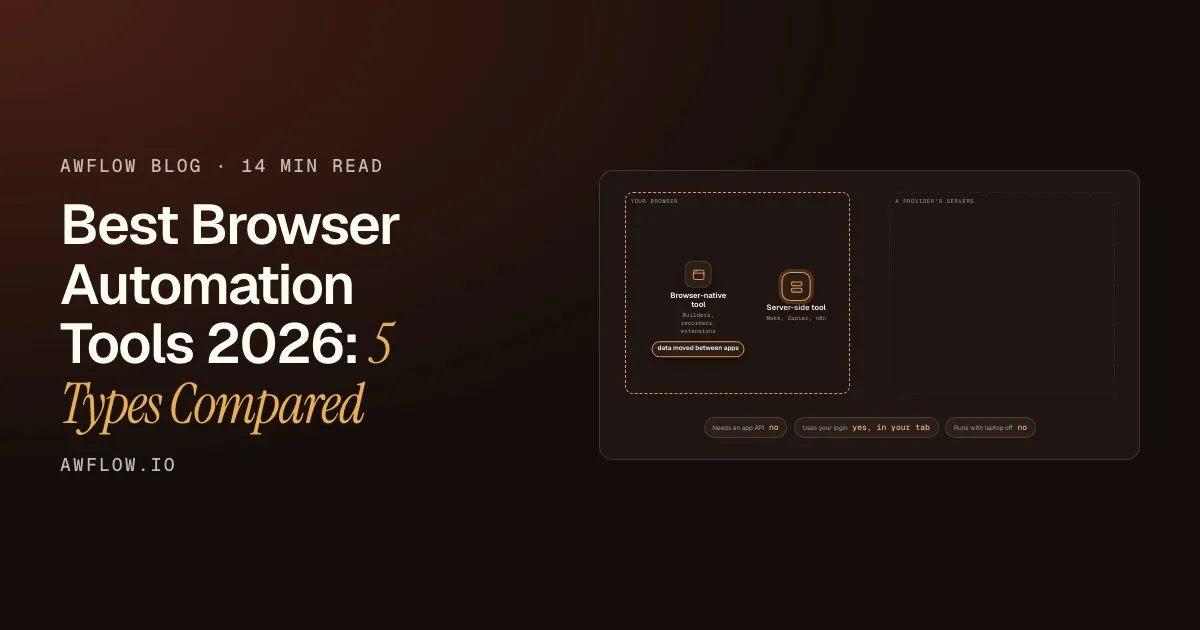
The first question splits the field in two. Server-side tools run on a provider’s machines and talk to apps through their APIs. Browser-native tools run where you browse, on the pages you have open.
Browser-native tools work on the page, in your session.No API needed; they run while the browser is open.
Version texte
- Your browser: Browser-native tool · A provider's servers: Server-side tool
- Browser-native tool → Server-side tool: an event, through an app's API
- Server-side tool → Browser-native tool: data moved between apps
- Needs an app API: yes · Runs with laptop off: yes
- Server-side tool → Your browser · Needs an app API: no · Uses your login: yes, in your tab · Runs with laptop off: no
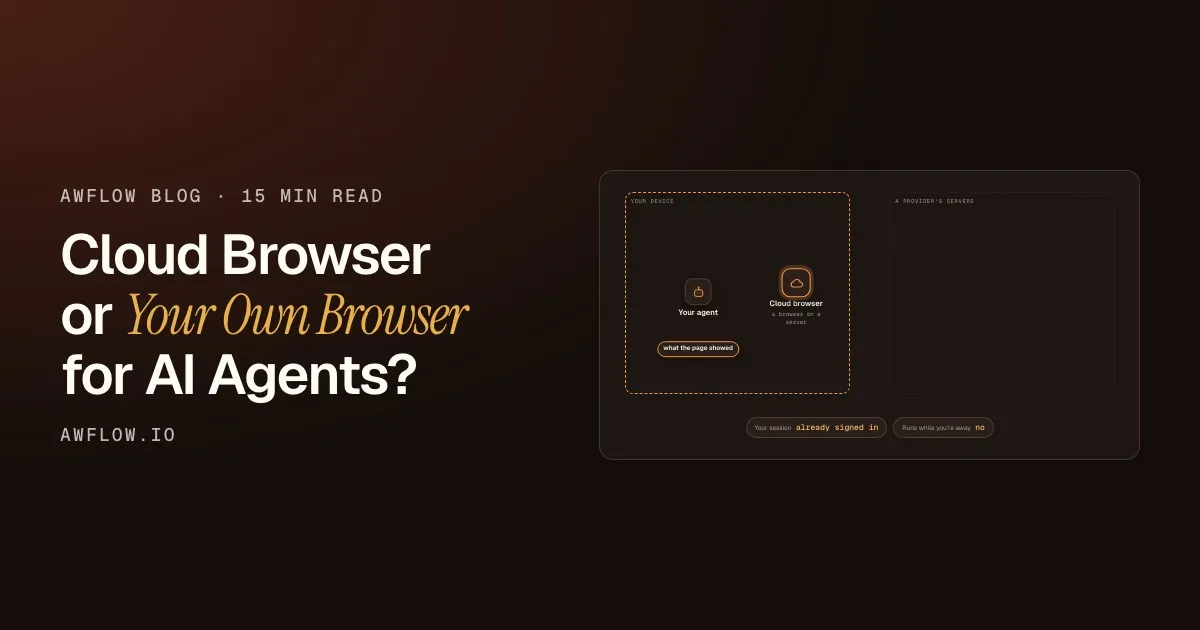
Cloud browsers sit in between: they are real browsers, but on someone else’s machine. That gives you volume, and it also means each session starts without your cookies, so signing in becomes something your code has to handle.
Which no-code browser automation tool should you use?
Short answer: a no-code builder that runs in your browser, if the people who know the process will also maintain it.
Agentic Workflow is a Chrome extension with a visual workflow builder. You connect nodes on a canvas: triggers (a schedule, a page load, a page change, a right-click, a hotkey), page actions (read text, tables and structured data, fill and submit forms, click, wait for an element), AI steps and outputs to apps such as Google Sheets, Airtable, Notion, HubSpot, Pipedrive and Slack. Workflows run in the same browser as your pages, so they use the sessions you are already signed in to. Local mode is free with no account, workflows and credentials stay in your browser, and AI can run on your device (WebLLM, Chrome’s built-in AI, Transformers.js, TensorFlow.js) or through Ollama on your computer. The trade-off: it runs while your browser is open.
Automa is a browser extension for Chrome and Firefox where you connect blocks to fill forms, scrape data and run tasks on a schedule. Its source is available under the AGPL, with a separate commercial licence.
Bardeen is a Chrome extension backed by Bardeen’s service, built for go-to-market teams: an AI web scraper to source leads, AI qualification and contact enrichment, synced to Sheets, Airtable, Notion and CRMs. It starts with 100 free credits; scraping and AI tools use one credit per row and enrichment three (pricing). We compare it in detail in Agentic Workflow vs Bardeen.
New to the idea? Browser automation for non-developers and DOM automation without code start from zero.
What is the best software for recording browser actions?
Short answer: a recorder that turns your clicks into editable steps, so you can fix one step instead of re-recording everything.
Recorders are the fastest way from “I do this every Monday” to an automation: you press record, do the task once, and replay it. UI.Vision RPA is a free extension for Chrome and Firefox, usable for private and commercial work, that records and replays macros and can import Selenium IDE scripts. In AWFlow, the Record actions button in a UI Automation node captures your clicks and typing as steps you can edit, parameterise with values from a sheet and run on a schedule; recording clicks into replayable workflows explains how it works under the hood.
iMacros, long the default answer to this question, was discontinued by its owner Progress (Wikipedia), so it is not a 2026 option.
The honest weakness of every recorder: a replay finds elements by selectors, and when a site redesigns, a step can stop matching. Pick a tool that lets you inspect and fix one step.
Reads the page and picks each step itself.
An agent decides as it goes: flexible, less predictable.LLM-selected actions per step; cost and latency per decision.
Version texte
- Who decides the next click Recorder: Predictable high · Handles change low · Same clicks, same order, every run.
- Who decides the next click Builder: Predictable high · Handles change some · Fixed steps, plus conditions and loops you set.
- Who decides the next click AI agent: Predictable lower · Handles change high · Reads the page and picks each step itself.
Are AI browser agents better than recorded automations?
Short answer: for routine work, no. Agents shine on messy one-off tasks; recorded or built workflows are cheaper, faster and more predictable on the hundredth run.
An AI browser agent reads a snapshot of the page and chooses the next action itself. Browser Use is an open-source (MIT) library for this, with a paid, metered cloud. In AWFlow, the Tools Agent can be given a Browser Tool that clicks, fills, selects, submits or navigates on the page, and every one of those calls waits for your approval before it runs. Why AI agents need a browser, not just an API goes deeper.
The trade-off is in the TradeoffDial above: every step an agent takes is a model call, so it is slower and costs more per run than replaying fixed steps.
When should you use Playwright, Puppeteer or Selenium?
Short answer: when a developer will own the automation, you need tests or CI, or you will run it at volume.
Playwright and Puppeteer are free, open-source (Apache 2.0) libraries that drive browsers from code; Selenium is the long-standing open-source option with bindings for many languages. They give you full control and fit into test suites and CI. They also need a developer to write and maintain the scripts, and somewhere to run the browsers.
That “somewhere” is the fifth type. Browserbase rents hosted browsers: a free plan with one browser hour, then Developer at $20 a month for 100 browser hours and Startup at $99 a month for 500. Browserless bills in units of 30 seconds of browser time: 1,000 free units a month, with paid plans from $25 a month. If your team is weighing a cloud browser against the browser it already has, we cover that choice in cloud browser or your own browser?.
Not browser automation, but often confused with it
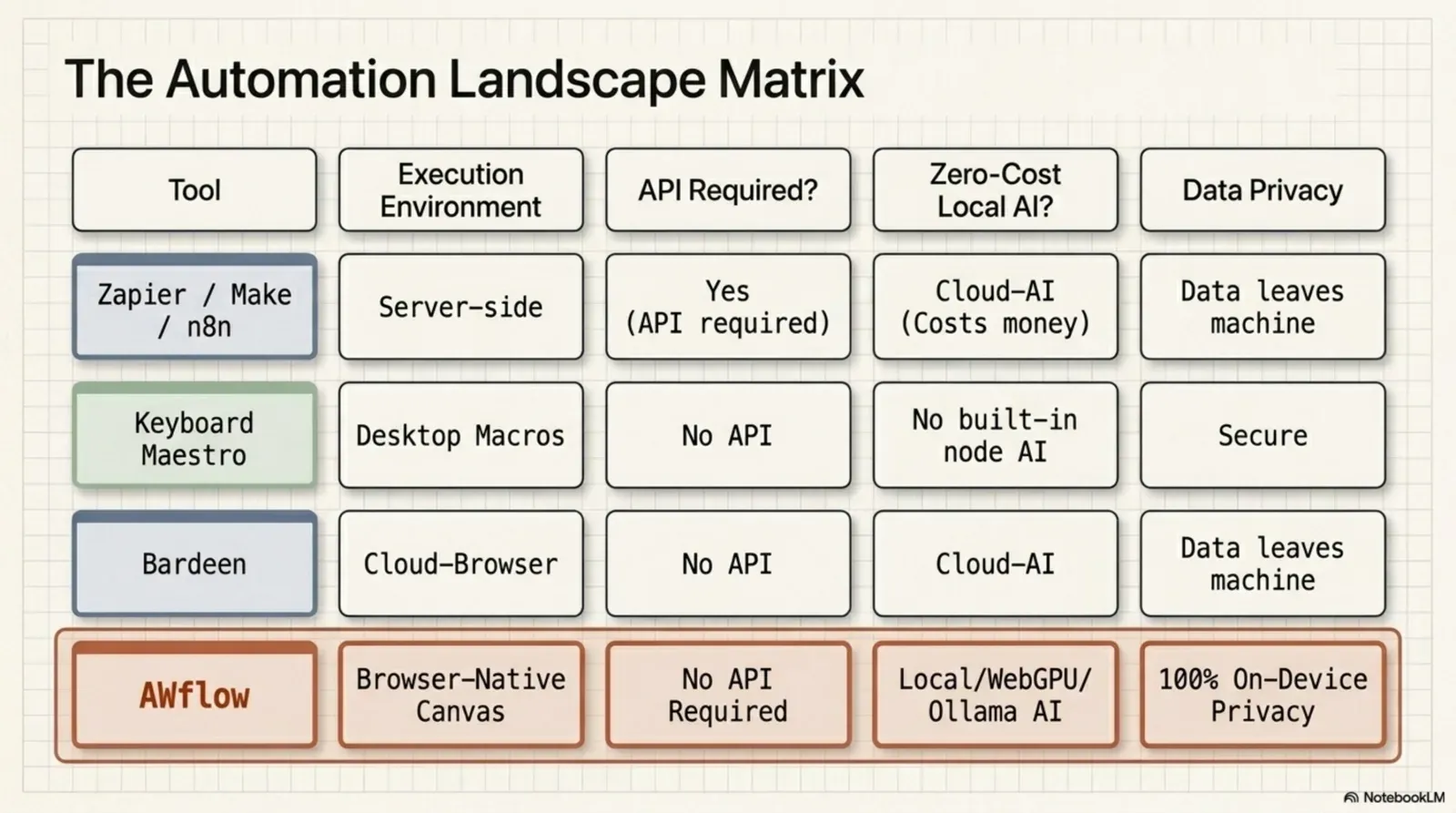
Make, Zapier and n8n are excellent workflow automation tools, and they top many “browser automation” lists, but they run on servers and connect apps through APIs rather than acting on the web page in your tab.
| Tool | What it is | Free to start (as of Oct 2026) | Our comparison |
|---|---|---|---|
| Make | Hosted visual scenarios, 3,000+ apps | Free plan: 1,000 credits a month, two active scenarios | AWFlow vs Make |
| Zapier | Hosted app-to-app automation, 8,000+ apps | Free plan: 100 tasks a month, two-step Zaps | AWFlow vs Zapier |
| n8n | Self-hostable workflow engine, fair-code licence | Community Edition free when you self-host; n8n Cloud billed by executions | AWFlow vs n8n |
Desktop macro tools sit outside the browser too; see Agentic Workflow vs Keyboard Maestro.
What does browser automation cost? Options under $200 a month
Short answer: every type has a free way to start. Under $200 a month you can run a no-code builder locally for free, or rent cloud browsers on an entry plan.
| Option | How it is billed | Entry point (vendor pages, Oct 2026) |
|---|---|---|
| Agentic Workflow (local mode) | Free; cloud AI keys you add are billed by that provider | Free, no account; on-device AI costs nothing |
| Automa, UI.Vision RPA | Free extensions | Free |
| Bardeen | Credits per row | 100 free credits; paid plans add credits |
| Playwright, Puppeteer, Selenium | Free libraries; you pay for where they run | Free |
| Browser Use | Free library; metered cloud | Free locally; cloud billed by use |
| Browserbase | Plans with browser hours | Free (1 hour), $20/month (100 hours), $99/month (500 hours) |
| Browserless | Units of 30 seconds of browser time | 1,000 free units a month; paid from $25/month |
Plans change often; follow the links for current terms before you budget.
The best automation tool is the one with the most integrations.
The best tool is the one that can reach where your work happens: the page, the app, or both.
Flip it. Reach beats count.A page without an API is unreachable for an API-only tool, whatever its catalogue size.
Version texte
- The best automation tool is the one with the most integrations.
- The best tool is the one that can reach where your work happens: the page, the app, or both.
What is the best browser automation tool for ops and sales teams?
Short answer: a no-code tool that works on pages you are already logged into and writes results to a Sheet or your CRM, so nobody has to maintain code.
What ops and sales teams usually need:
- Logged-in pages. The work lives in portals, CRMs and LinkedIn, behind your login. A browser-native tool uses the session you already have; a server or cloud browser has to sign in on its own.
- Output where the team works. Rows in Google Sheets or Airtable, records in HubSpot, Pipedrive or Attio, a message in Slack.
- Record once, run per row. Record the form you fill, then run it for every row of a sheet.
- A human before anything is sent. AWFlow’s Wait for Approval step pauses a run until someone approves it.
- Hand-off to Zapier or Make. AWFlow’s HTTP Request node can send results to any webhook URL, including a Zapier or Make webhook. (On Zapier, webhook triggers need a paid plan, per Zapier’s help centre.)
For lead sourcing with built-in contact enrichment, Bardeen is built for exactly that. For team-wide app-to-app automation that must run with every laptop closed, a server-side tool is the better fit. For LinkedIn work specifically, read our guide first.
Which browser automation tool is right for you?
Petit sondage
Which kind of automation do you need most?
Résultats d’exempleReveal. (Example results.)Example results, labelled on screen.
Version texte
- Which kind of automation do you need most?
- On web pages I open: 44% · Between cloud apps: 31% · Sales leads: 12% · Many sessions at scale: 13%
- Work happens on pages you open, often behind a login → a no-code builder in your browser (add its recorder for fixed clicks).
- The task is messy and different each time → an AI browser agent, with approval before anything is sent.
- A developer will own it, or it belongs in tests and CI → a library.
- You need hundreds of sessions in parallel → cloud browsers.
- You are connecting cloud apps that all have APIs → a server-side workflow tool (Make, Zapier, n8n).
And the honest limit of the browser-native option, ours included: it runs while your browser is open, on your machine. It will not run a thousand sessions in parallel, and it is not meant to.
FAQ
What are the best browser automation tools for repetitive web tasks? For the same clicks and forms every week: a recorder or a no-code builder in your browser (AWFlow, Automa, UI.Vision RPA). For code-owned automation: Playwright or Puppeteer.
Which browser automation tools support login automation? Tools that run in your own browser use the session you are already signed in to, so there is nothing to automate about the login itself. Libraries and cloud browsers start without your session, so your script has to sign in or load a saved session.
Can I do browser automation without code? Yes. No-code builders and recorders are made for that; browser automation for non-developers shows how.
Is there free browser automation software? Yes: AWFlow’s local mode, Automa, UI.Vision RPA, and the open-source libraries are free. Bardeen, Browserbase and Browserless have free plans with limits.
Does a browser automation tool need my computer to be on? Browser-native tools, yes: they run while your browser is open. Server-side tools and cloud browsers keep running without your computer.
Can a no-code browser tool connect to Zapier or Make? AWFlow can send data out to a Zapier or Make webhook with its HTTP Request node. Starting an AWFlow workflow from Zapier or Make is not available today.
Try it
À vous
Turn any web table into a CSV
Open it in AWFlow, go to a page with a table, and run it: no code, no account, in your own browser.
Ouvrir dans AWFlow (s’ouvre dans un nouvel onglet)docs.awflow.io/examples/table-to-csv.awfCall to action. Scan the code or click the link.Opens the Table to CSV docs example in AWFlow's import page.
Version texte
- Turn any web table into a CSV · Open it in AWFlow, go to a page with a table, and run it: no code, no account, in your own browser. · https://docs.awflow.io/examples/table-to-csv.awf
In short
- Pick the type before the tool
- Where it runs decides what it can reach
- Free to start, in every type
Three. Try before you budget.Free tiers and open-source options exist in every type.
Version texte
- In short
- Pick the type before the tool
- Where it runs decides what it can reach
- Free to start, in every type