Run the same task twice with the same input. Does your AI agent take the same path both times? If you are not sure, you have met the trade-off this post is about.
Every product with an AI feature is now “building agents”. AWFlow has agents too: you can create them, give them skills, chat with them and let them run things for you. But underneath, they run on workflows. This post explains why we made that choice and how it shows up in the code. It is the first in a series on how AWFlow works inside.
The trouble with pure agents
A pure agent is a loop: the model looks at the state, picks the next action, observes the result and repeats. It decides every step at run time.
- Tour 1ObservePage is openThinkRead it firstActReads the page text
- Tour 2ObserveTwo prices on itThinkCompare with last weekActSearches old notes
- Tour 3ObservePrice droppedThinkTell the userActWrites the answer
- Done, by a path it chose this time
It stops when it thinks it is done. Next run, the path may differ.Termination by the model's own judgement or a step limit; the path is not fixed. Example laps.
Version texte
- 1. Observe: Page is open · Think: Read it first · Act: Reads the page text
- 2. Observe: Two prices on it · Think: Compare with last week · Act: Searches old notes
- 3. Observe: Price dropped · Think: Tell the user · Act: Writes the answer
- Done, by a path it chose this time
That flexibility is the point, and also the problem:
- Different path every run. Same task, same input, a new plan each time.
- Hard to debug. When something goes wrong, you read a transcript instead of pointing at a step.
- Scary unattended. Would you schedule it for 3am with nobody watching?
- Every step costs a model call, including the steps that never needed any thinking (“open the page”, “append a row”).
What a workflow gives you
A workflow is a graph you can read: a trigger, some steps, an output. (If the term is new, what is an agentic workflow covers the basics.)
- Same input, same path. It is deterministic by construction.
- Every run is recorded with each step’s inputs and outputs, so a failure points at one box.
- Safe to schedule, because it only does what is drawn.
Put the two side by side and the workflow wins on predictability, debuggability, cost and running unattended. The agent wins on one thing: handling the case nobody drew a box for.
| Workflow | Autonomous agent | |
|---|---|---|
| Same path every run | Yes | No |
| When it breaks | Point at one step | Read the transcript |
| Cost per run | Fixed | Grows with each step |
| Handles the unexpected | Only what you drew | Yes |
| Safe unattended | Yes | Only with guardrails |
It is less a choice between two things than a dial. At one end, the graph decides everything. At the other, the model does.
A new plan every time.
All agent: handles surprises, but a new plan and a model call at every step.Model-chosen control flow; cost grows with steps. Positions are illustrative.
Version texte
- Who decides the next step Workflow: Same path always · Surprises drawn only · Model calls none · Same steps, same order, every run.
- Who decides the next step Hybrid: Same path always · Surprises in AI step · Model calls AI steps · Fixed steps; the AI fills in one value.
- Who decides the next step Agent: Same path rarely · Surprises yes · Model calls every step · A new plan every time.
So the useful question isn’t “workflow or agent?” It is where each one belongs.
A deterministic skeleton, with AI in the slots
Our answer fits in one line.
Let the model decide values. Let the graph decide what happens.
The graph decides what happens next. The model never picks the path.The AI node returns data; an If node routes on it.
Version texte
- Let the model decide values. Let the graph decide what happens.
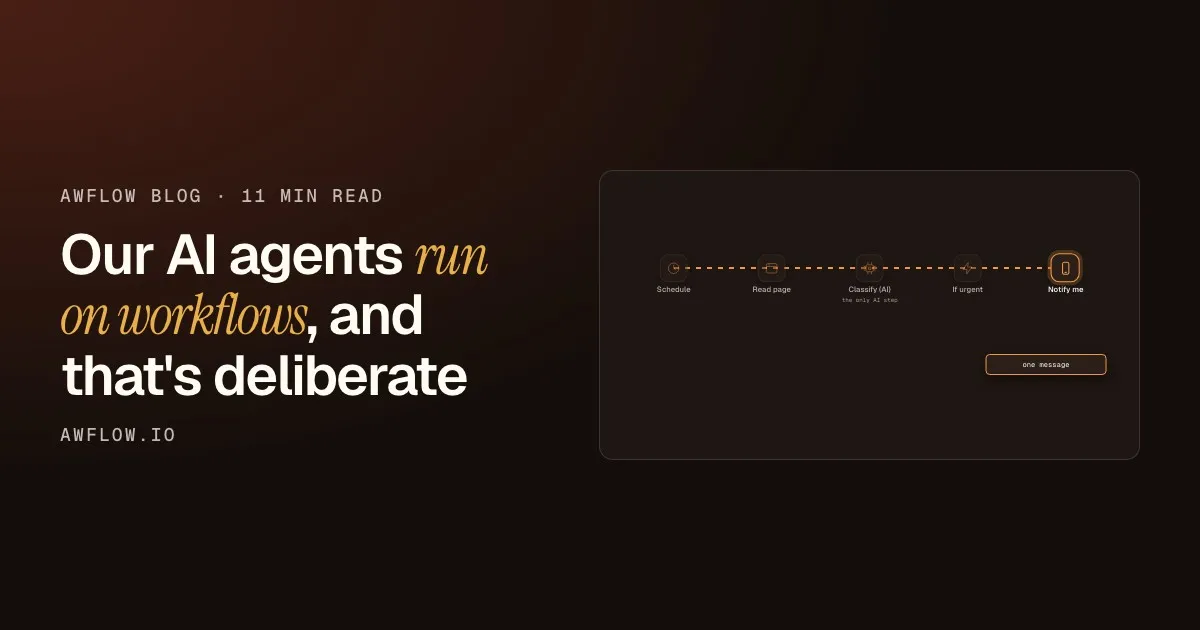
In AWFlow, the workflow is the skeleton. Here is a small one that checks a page every morning and tells you only when something is urgent.
You get a message only when it matters.Notification node. One model call per run, in one known place. Example workflow.
Version texte
- Schedule: every morning
- Read page: the page text
- Classify (AI): "urgent"
- If urgent: yes: go on
- Notify me: one message
It starts on a schedule
The trigger is drawn, so you know exactly when it runs. Nothing wakes up because a model felt like it.
It reads the page
Opening a page and reading its text needs no judgement. A plain node does it, the same way every time, and costs no model call.
The AI step decides a value
This is the slot where judgement is needed. The model reads messy text and returns one value: “urgent” or not.
The graph decides what happens next
An If node looks at that value and picks the path. The model never chooses which box comes next.
You get a message only when it matters
The run ends in one place, recorded step by step. If it goes wrong, you point at a box.
You get a model’s judgement where it is needed, the predictability of a flowchart everywhere else, and you only pay for model calls in the steps that need judgement. The same idea runs through the engine. When our assistant generates workflows with small local models and the model gets the graph structure wrong (a missing trigger, a dangling edge), we fix it in code instead of asking the model to try again. Our post on LangChain and LangGraph in the browser shows that build graph and its repair loop.
Even our agents are workflows
When you give an agent a routine (“check this page every morning and tell me what changed”), AWFlow doesn’t spin up a hidden agent loop with its own scheduler. It builds an ordinary workflow: one of the existing triggers, followed by a “Run agent” node.
The answer is saved as a chat you can open and continue.saveToChat defaults to on; the reply is stored as a conversation.
Version texte
- Schedule · Page load · Element change · Run agent · Your agent or Aria · Saved chat
- Schedule → Run agent: or
- Page load → Run agent: or
- Element change → Run agent: or
- Run agent → Your agent or Aria: hands the task
- Run agent → Saved chat: the answer
The “Run agent” node hands the task to one of your agents (or to Aria, the built-in assistant). The agent uses its own model, instructions, memory, skills and rules.
Entrées
trigger outputitemRéglages
Sorties
replytextagentNametextconversationIdidOut comes the reply, ready for the next step.Outputs reply, agentId, agentName and an optional conversationId.
Version texte
- Run agent (AI)
- trigger output (item)
- Agent: an @handle, or Aria by default · Task: what to do, in plain words · Save as a chat: on by default
- reply (text), agentName (text), conversationId (id)
Because a routine is just a workflow, it gets everything the engine already does:
- scheduling, including catch-up runs
- run history, like any other workflow
- editing on the canvas: no hidden agent loop, nothing you can’t open and change
We didn’t build a second runtime for agents. We reused the deterministic one.
When nobody is watching, the agent doesn’t improvise
Agents have rules: each kind of action is allowed, asked first, or blocked. In a chat, “ask” shows an approval card and you click. In a background routine there is nobody to click.
It shows up in Activity for you to deal with later.Declined actions are counted and listed in the agent's Activity as needing the user.
Version texte
- Agent → Agent rules: wants an "ask" action
- Agent rules → Agent: nobody to approve: declined
- Agent rules → Activity: listed: needs you
So in a background run, an action marked “ask” is declined, not guessed, and listed in the agent’s Activity for you to deal with later. Predictable even when it is intelligent.
A rule of thumb
Rule of thumb
Use a workflow step when…
- You can name the steps (fait)automatisé
- It must run unattended (fait)automatisé
- You need the same result every time (fait)automatisé
The result must be the same every time.Repeatability: same input, same path.
Version texte
- Use a workflow step when…
- You can name the steps
- It must run unattended
- You need the same result every time
Use an AI step when:
- the step needs judgement
- the input is messy text or a web page
- a wrong guess is cheap, or a human reviews it
In our experience, most real automations are mostly the first kind, with one or two judgement calls in the middle. Model the first kind as a graph and put AI in exactly those one or two slots.
Takeaways
- Treat agents as a step type, not the runtime
- The model decides values, the graph decides control flow
- Reuse your deterministic engine for agent runs
- Unattended: decline and surface, never guess
No guessing when nobody is there.Ask actions are declined in background runs and listed in Activity.
Version texte
- Takeaways
- Treat agents as a step type, not the runtime
- The model decides values, the graph decides control flow
- Reuse your deterministic engine for agent runs
- Unattended: decline and surface, never guess
The smallest version of this idea is a workflow with exactly one AI slot: read the page, let a local model summarise it, show the result. Everything around the AI step is drawn.
One AI slot
Open a workflow with one AI step
Read the page, summarise it with a local model, show it. Swap the AI step for your own judgement call.
Ouvrir dans AWFlow (s’ouvre dans un nouvel onglet)docs.awflow.io/examples/summarize-this-page.awfTry it. A drawn workflow with one AI step in the middle.Docs example: Run now, Read the current page, Summarize it with a local WebLLM model, Show the summary.
Version texte
- Open a workflow with one AI step · Read the page, summarise it with a local model, show it. Swap the AI step for your own judgement call. · https://docs.awflow.io/examples/summarize-this-page.awf