Private by physics, not by policy.
Models run inside your browser, on your hardware — there is nowhere for your text to go. No key, no bill.
Three runtimes in the tab. Two more nearby.
AWFlow picks the engine for each model. You never configure a server — the browser is the server.
 01
01WebLLM
Language models · WebGPUChat and text-generation models like Llama, Qwen and Phi, running on your graphics card through WebGPU.
 02
02Transformers.js
ONNX · vision, text, audioThe widest range of tasks: classification, captions, object detection, summaries, translation, embeddings and Whisper speech-to-text.
 03
03TensorFlow.js
Vision and embeddingsVision and embedding models like MobileNet and COCO-SSD, on WebGPU with a WebGL or WASM fallback.

Chrome built-in AI
Gemini Nano, shipped with Chrome. Nothing to download in AWFlow. Not available in Firefox.

Ollama
Already running models on your computer? AWFlow finds them and lists them in the pickers.
Read, listen, see — without the cloud.
- WebLLM
Chat
Ask, draft and rewrite with a private model.
- Llama
- Qwen
- Phi
- Transformers.js
Summarise
Condense long text on your device.
- DistilBART
- Transformers.js
Classify
Sort text into your own labels.
- Transformers.js · TF.js
Embeddings
Power on-device knowledge search.
- Transformers.js
Image captions
Describe what a picture shows.
- ViT-GPT2
- Transformers.js · TF.js
Object detection
Find and box things in images.
- COCO-SSD
- Transformers.js
Speech-to-text
Transcribe audio with Whisper, offline.
- Whisper
Model names are examples; availability depends on your browser and device.
Honest about your hardware.
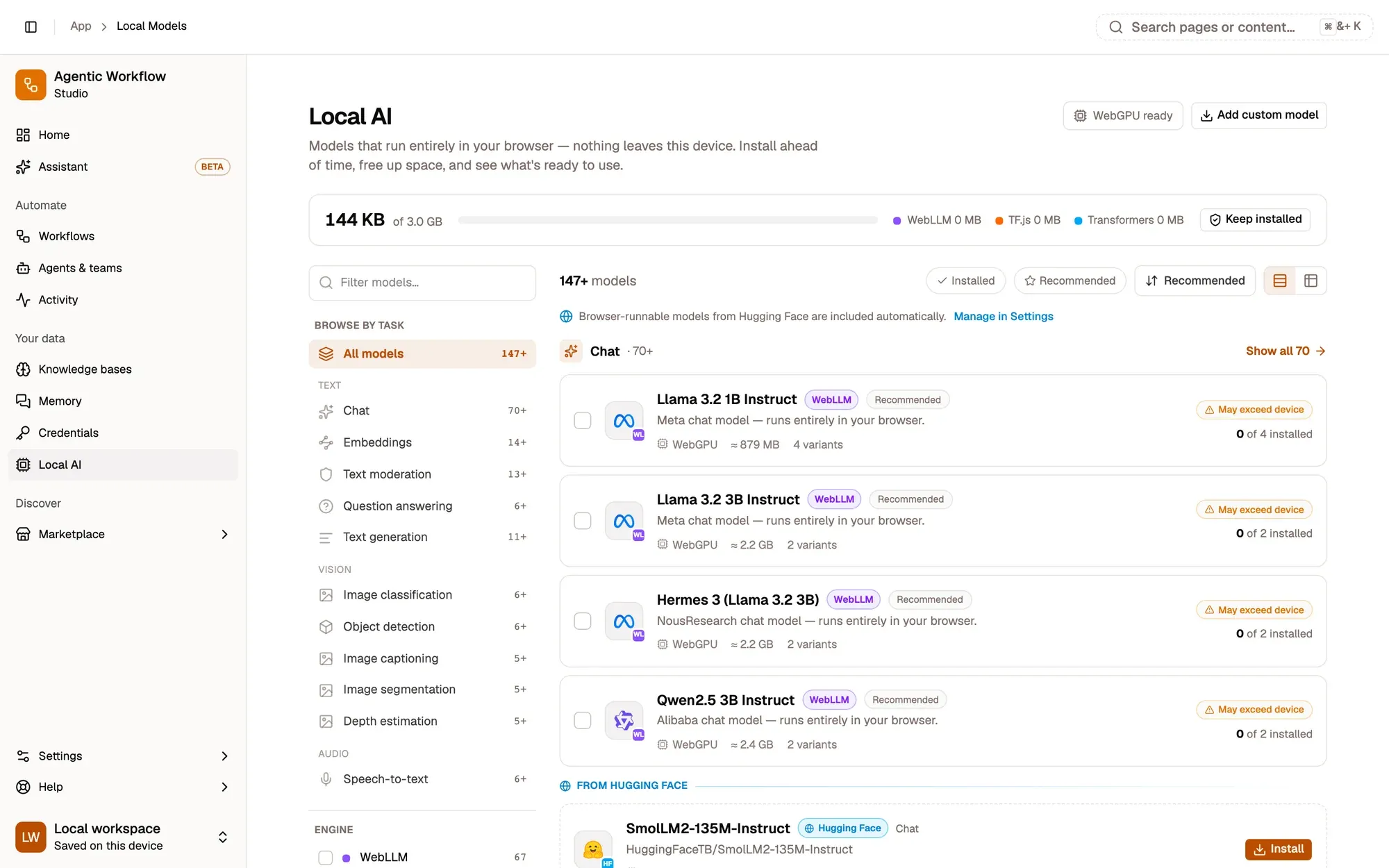
Before you download anything, the model manager shows how well each model fits your device and tells you plainly.
WebGPU check
Language models need WebGPU. Where your browser or graphics card can't offer it, the model says Not supported here.
Size before download
Every variant shows its estimated size up front, so nothing surprises your disk or your data plan.
Exceeds memory
If a model is likely too big for your memory, it says so. You can still install it, with eyes open.
Illustrative — real sizes and verdicts appear in the model manager.
Install, compare, remove in a click.
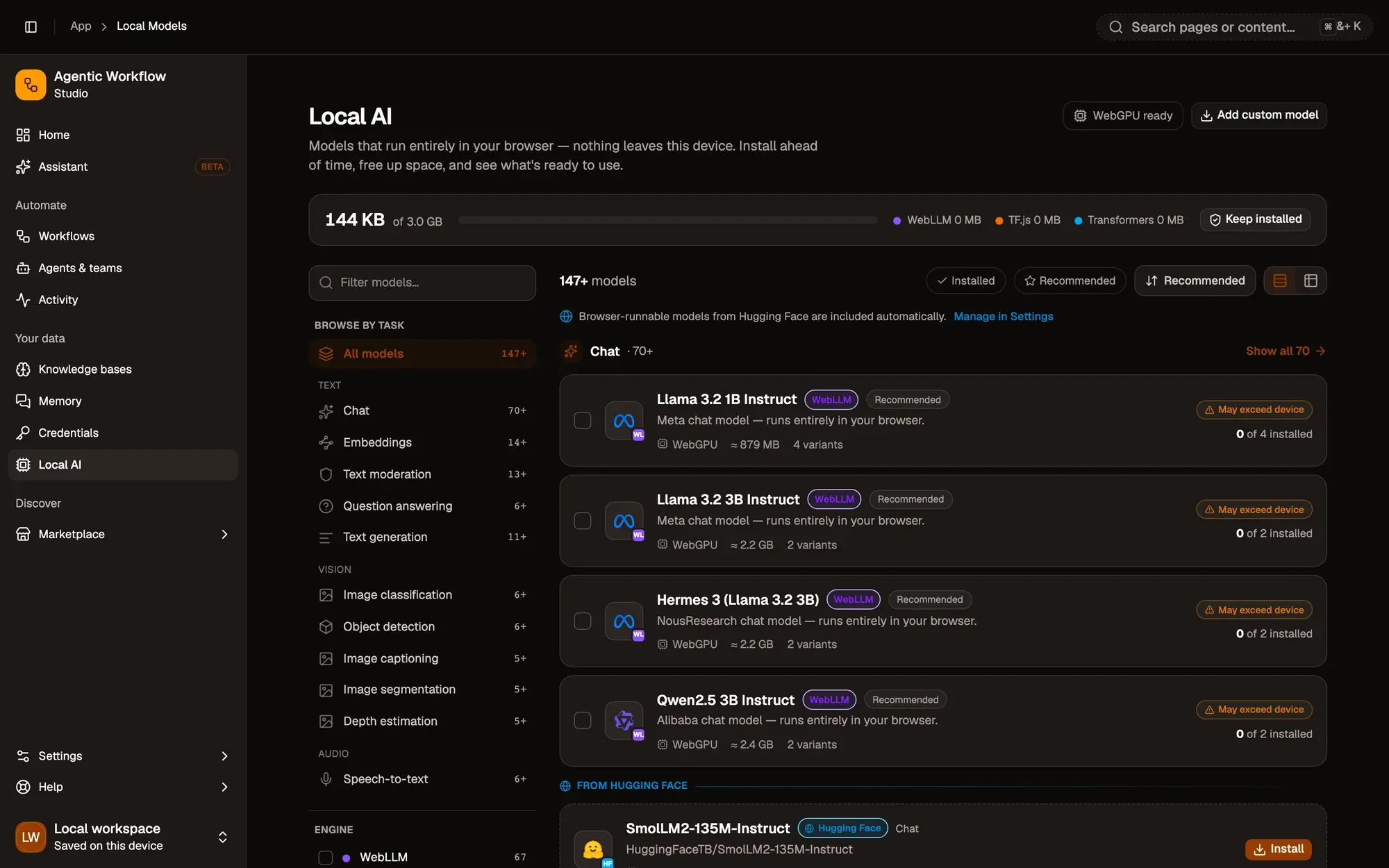
See every model, grouped by task. Compare up to three side by side, measured on your own device, and free up space when you're done.
Bring your own key. Pay the provider, not us.
For bigger jobs, connect your own provider with your own API key, or a model server on your computer. Your browser calls it directly; AWFlow never relays the request.
 OpenAI
 Anthropic
 Google
 Mistral
 Groq
Groq DeepSeek
 xAI
xAI OpenRouter
 Azure OpenAI
- Ollama
Keys stay in your browser — protect them with the optional passphrase vault. Privacy & trust →
Templates that never phone home.
All local templates →- Runs locally
Summarize This Page
A short, skimmable summary of the page you're on, written on your device.
WebLLMView → - Runs locally
Explain This Page Simply
A plain-language explanation of the page you're on that anyone can follow. Runs on your device.
Chrome built-in AIView →  Runs locally
Local Research Agent
Ask a question and a local agent looks it up on Wikipedia and the web, and does the math.
WebLLMView →
Your device is enough.
Install AWFlow and run your first on-device summary in minutes. No key, no account.