Make (formerly Integromat) is one of the most visually powerful automation platforms around, loved for its scenarios and its deep integration library. Agentic Workflow is a browser extension that automates tasks directly on the web pages you use every day.
At first glance they look like competitors. In practice, they solve different problems. Here is the honest breakdown.
The difference
Make connects apps in the cloud. Agentic Workflow works on the page in front of you.
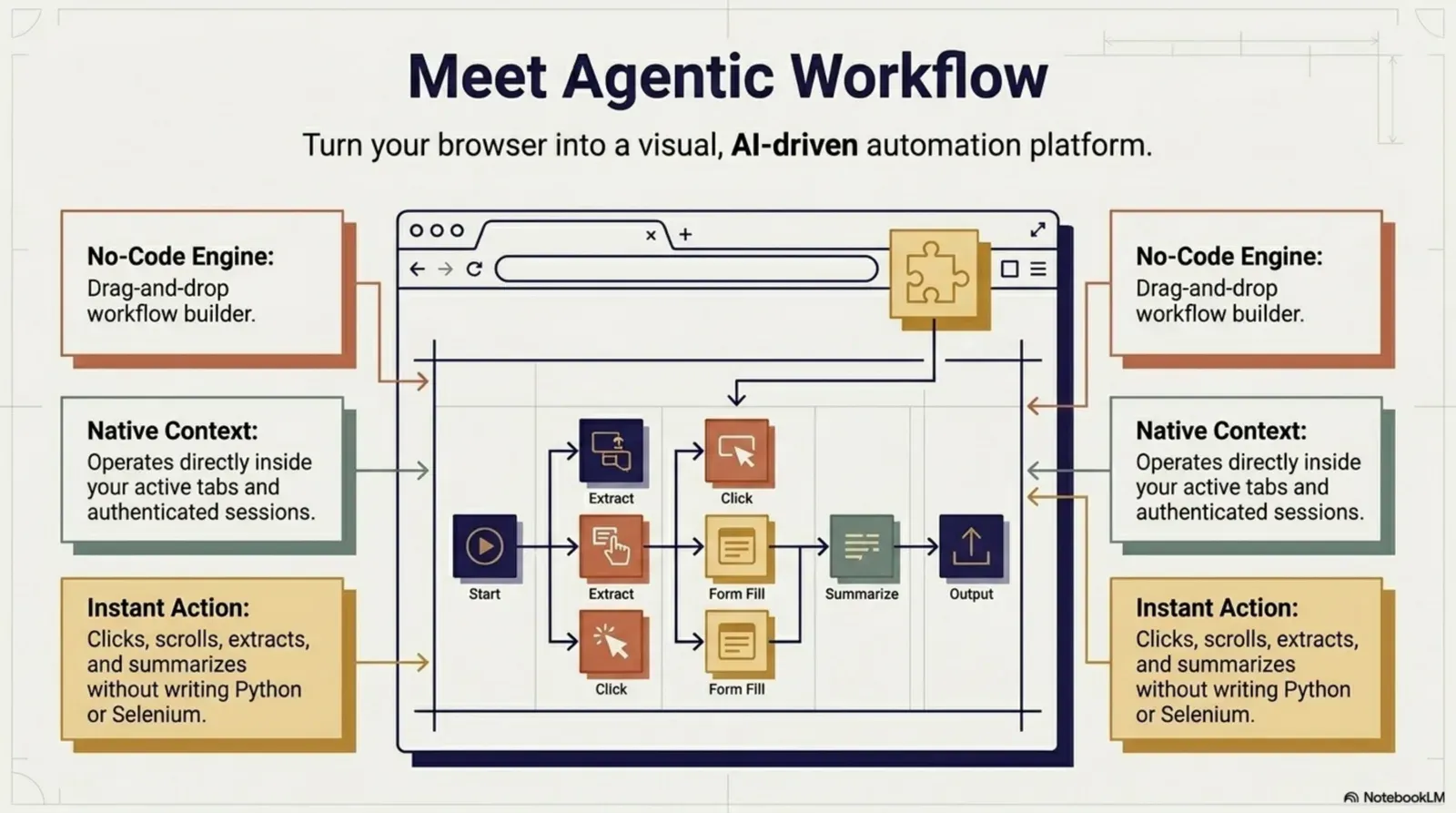
The page in front of you, signed in as you.Reads, clicks and fills in your own tab, with per-site access you approve.
Version texte
- The difference: Make connects apps in the cloud. Agentic Workflow works on the page in front of you.
How each tool works
How Make works
Make is a cloud automation platform where you build scenarios: visual flowcharts that connect apps and services through their APIs. When a trigger fires (a form submission, an incoming webhook, a scheduled time), Make runs the scenario on its servers and moves data between apps.
Make is known for advanced routing, error handling and data transformation (routers, iterators and aggregators), and for its catalogue of more than 3,000 pre-built apps, plus an HTTP app for any service with an API. It is popular for marketing automation, e-commerce and business operations.
- Runs on: Make’s cloud platform
- Connects: 3,000+ apps through their APIs, webhooks and HTTP
- Best for: complex multi-app automation with advanced data transformation
How Agentic Workflow works
Agentic Workflow is a browser extension that runs automation inside your browser session. Instead of calling app APIs from the cloud, it reads and acts on the live web pages in front of you: extracting data, filling forms, running AI on page content and showing results next to the page.
There is no cloud processing, no usage quota from us in local mode, and the target website doesn’t need an API. If you can see it in the browser, Agentic Workflow can work with it.
- Runs in: your browser, while it is open
- Works on: any website, API or not
- Best for: browser-based tasks: research, data extraction, AI on live content
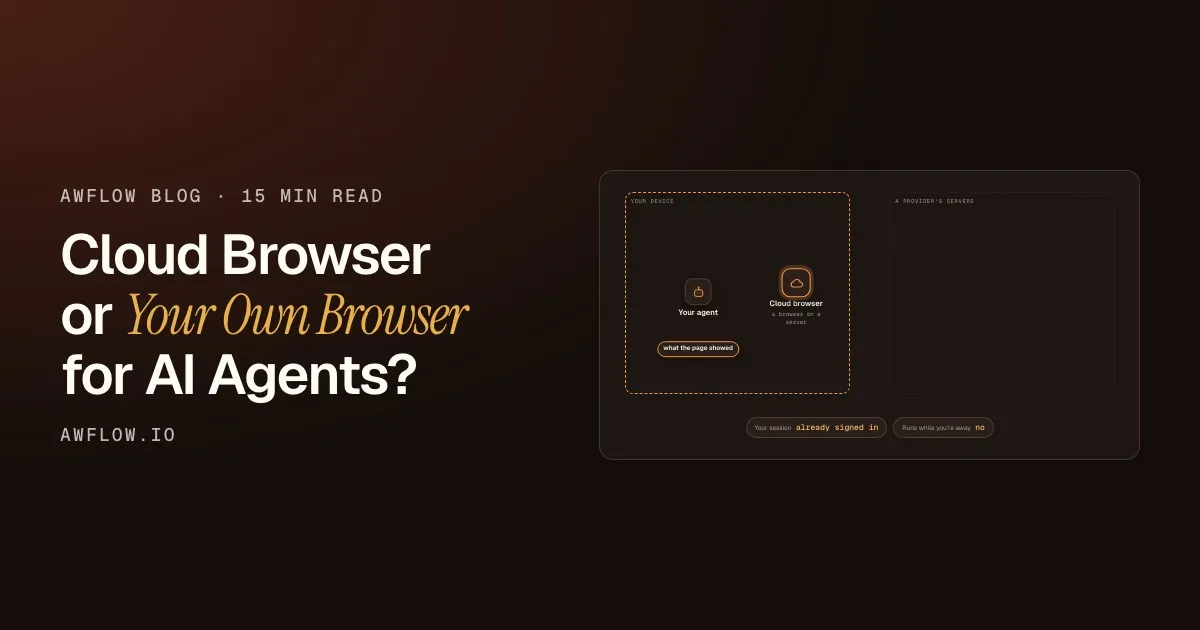
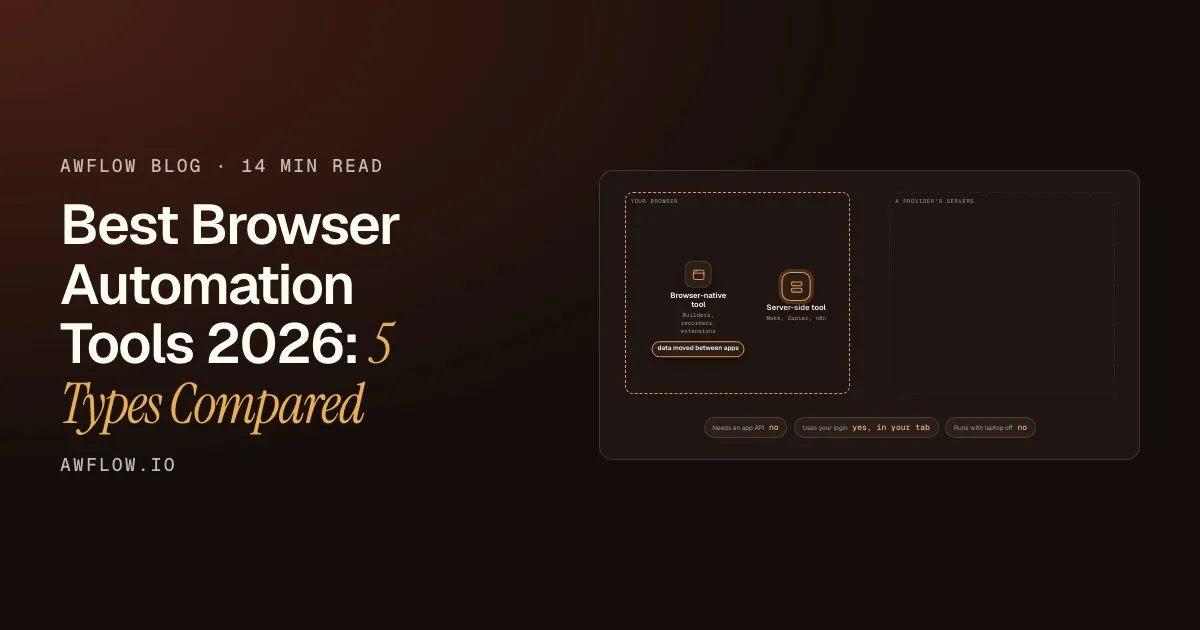
Agentic Workflow runs in your browser instead.No API needed for the page; but it runs only while the browser is open.
Version texte
- Your browser: You and your tabs · Make's cloud: A Make scenario
- You and your tabs → A Make scenario: a webhook or app event
- A Make scenario → You and your tabs: data moved between apps
- Needs an app API: yes · Runs with laptop off: yes
- A Make scenario → Your browser · Needs an app API: no · Runs with laptop off: no · Data leaves browser: no
Side by side
From our reviewed comparison page. Make wins three of these rows, and they stay in.
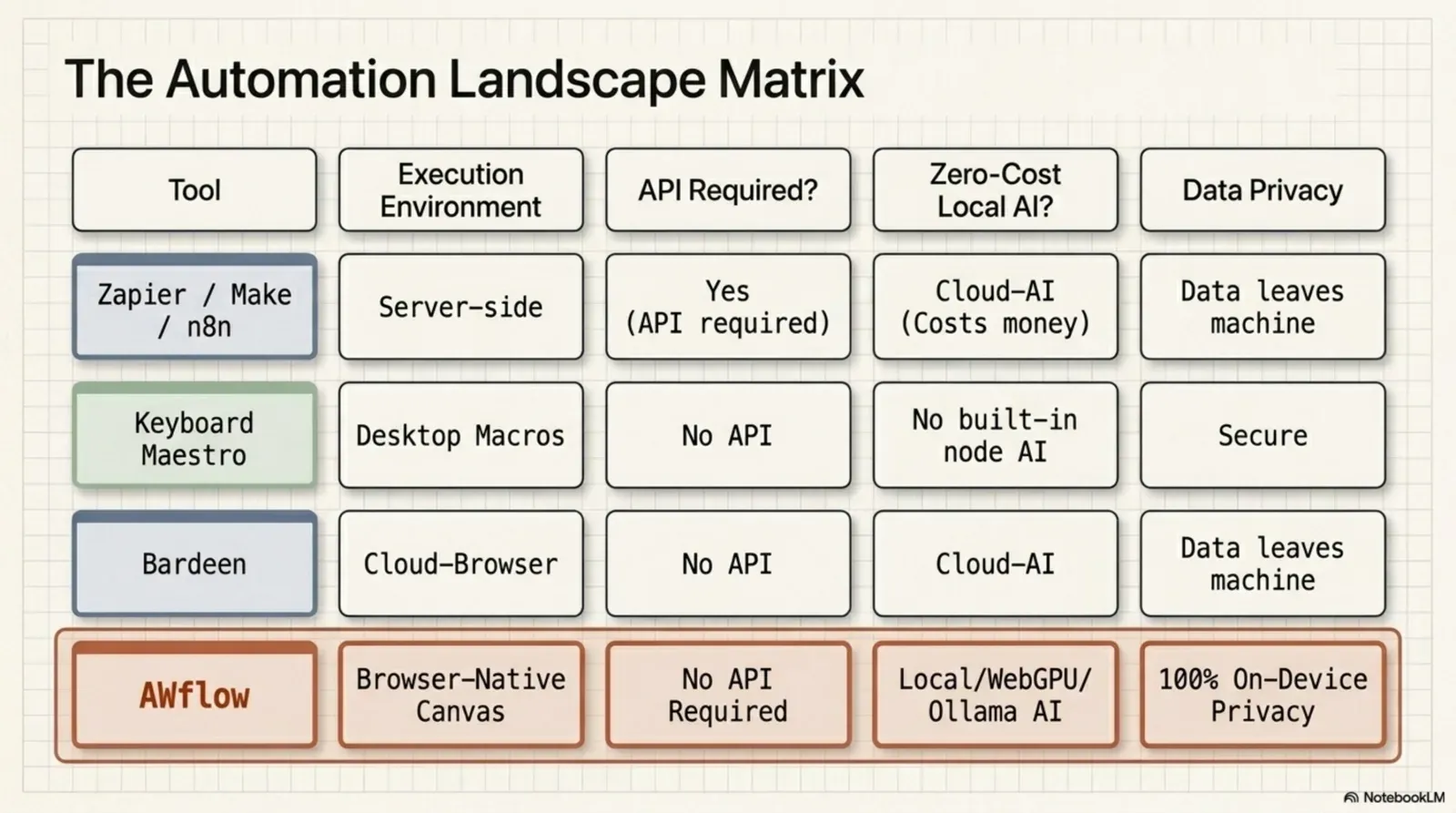
| Critère | AWFlow | Make |
|---|---|---|
| Where it runs | In your browser, as an extension. Runs while the browser is open. | On Make's cloud platform. |
| Setup | Install the extension. No account, no server, no email. | Create a Make account, then connect each app. |
| Pricing model | Local mode is free with no usage limits from us. Cloud AI keys you add are billed by that provider. | A free plan (1,000 credits a month, two active scenarios); paid plans are priced by monthly credits. |
| Acts on web pages you are logged into | Yes — reads, clicks and fills in your own tab, with per-site access you approve. | Connects services through app modules and its HTTP app rather than acting in your browser tab. |
| Free on-device AI | Built in: Chrome built-in AI, WebLLM, Transformers.js and TensorFlow.js run on your device. | AI tools on Make include cloud providers such as OpenAI, Anthropic Claude and Azure OpenAI. |
| 24/7 cloud execution | No. Workflows need the browser open. Long waits (up to 30 days) survive closing the tab. | Yes. Scenarios run on schedules and webhooks in the cloud. |
| Data mapping | Visual data mapping and expressions, plus code steps where you want them. | Very strong: routers branch a scenario, iterators turn arrays into bundles, and aggregators combine them. |
| Integrations breadth | 22 app integrations, plus Custom API (OpenAPI), HTTP requests and any website you can open. | More than 3,000 pre-built apps, plus an HTTP app for any service with an API. |
Integrations. Make wins on breadth.More than 3,000 apps vs Agentic Workflow's integrations plus any website.
Version texte
- Where it runs: AWFlow: In your browser, as an extension. Runs while the browser is open.; Make: On Make's cloud platform.
- Setup: AWFlow: Install the extension. No account, no server, no email.; Make: Create a Make account, then connect each app.
- Pricing model: AWFlow: Local mode is free with no usage limits from us. Cloud AI keys you add are billed by that provider.; Make: A free plan (1,000 credits a month, two active scenarios); paid plans are priced by monthly credits.
- Acts on web pages you are logged into: AWFlow: Yes — reads, clicks and fills in your own tab, with per-site access you approve.; Make: Connects services through app modules and its HTTP app rather than acting in your browser tab.
- Free on-device AI: AWFlow: Built in: Chrome built-in AI, WebLLM, Transformers.js and TensorFlow.js run on your device.; Make: AI tools on Make include cloud providers such as OpenAI, Anthropic Claude and Azure OpenAI.
- 24/7 cloud execution: AWFlow: No. Workflows need the browser open. Long waits (up to 30 days) survive closing the tab.; Make: Yes. Scenarios run on schedules and webhooks in the cloud.
- Data mapping: AWFlow: Visual data mapping and expressions, plus code steps where you want them.; Make: Very strong: routers branch a scenario, iterators turn arrays into bundles, and aggregators combine them.
- Integrations breadth: AWFlow: 22 app integrations, plus Custom API (OpenAPI), HTTP requests and any website you can open.; Make: More than 3,000 pre-built apps, plus an HTTP app for any service with an API.
Where each tool excels
Avant
Pick Make when
- 24/7 with laptops closed
- Routers and iterators
- Inbound webhooks
- Apps only Make has
Cloud apps
Pipelines between services, running around the clock.
Après
Pick Agentic Workflow when
- Pages with no API
- AI on the page you read
- Free, on-device AI
- Right-click and hotkeys
Web pages
The work happens in your browser, often behind your login.
Drag the line to compare.The slider works with the keyboard too.
Version texte
- Before: Pick Make when, Cloud apps. Pipelines between services, running around the clock.
- After: Pick Agentic Workflow when, Web pages. The work happens in your browser, often behind your login.
- Compare before and after
Make is the right choice when:
- Scenarios must run 24/7 without your computer
- You need complex routing, iterators and aggregators across many apps
- You need inbound webhooks and server-to-server integrations
- You rely on an app only Make connects to
Agentic Workflow is the right choice when:
- The work happens on web pages, including ones behind your login
- You need AI to work on the page you’re reading, without leaving the tab
- You want to start in a minute, with no account and no usage bill
- Your data is sensitive and you’d rather keep it on your device
Use both
Make and Agentic Workflow are complementary: they work at different layers. Many automation-savvy users run both: Make for the backend pipelines, Agentic Workflow for the browser layer. Let Agentic Workflow do the browser-side step (reading a page you’re logged into, filling a form, summarising on-device), then hand the result to a Make custom webhook with the HTTP Request node.
Your apps get the data, around the clock.Make's modules route it to each app.
Version texte
- A page behind your login: an order list in a supplier portal
- Agentic Workflow: reads the table in your tab
- HTTP Request: posts the rows as JSON
- Make custom webhook: starts the scenario
- Your other apps: CRM, invoices, Slack
Make details here reflect its public docs and pricing pages as of October 2026; plans and limits change, so check make.com for current terms. More comparisons: Agentic Workflow vs Zapier and Agentic Workflow vs n8n.
À vous
Try the browser side
Open it in AWFlow: it reads a table on the page you are on and copies it as CSV.
Ouvrir dans AWFlow (s’ouvre dans un nouvel onglet)docs.awflow.io/examples/table-to-csv.awfCall to action. Scan the code or click the link.Opens the Table to CSV docs example in AWFlow's import page.
Version texte
- Try the browser side · Open it in AWFlow: it reads a table on the page you are on and copies it as CSV. · https://docs.awflow.io/examples/table-to-csv.awf
In short
- Make: cloud apps, 24/7
- Agentic Workflow: the pages in your browser
- Hand off with a webhook to use both
Three. Together via a webhook.HTTP Request → Make custom webhook.
Version texte
- In short
- Make: cloud apps, 24/7
- Agentic Workflow: the pages in your browser
- Hand off with a webhook to use both