People compare n8n and Agentic Workflow (AWFlow) as if one had AI agents and the other didn’t. That was true of workflow tools a few years ago. Today both let an AI step choose what happens next: n8n has an AI Agent node, AWFlow has a Tools Agent node.
So the useful question is not “which one is agentic?” but where does the agent act? n8n’s agent works from a server, through APIs. AWFlow’s agent works in your browser, on the page you’re signed in to. This post compares the two on the four things every agentic workflow needs: tools, a stop rule, memory and a human check.
The real difference
Both have AI agents. One acts on a server, one in the browser you use.
The difference is where they act: your signed-in browser.n8n reaches services through APIs from a server; AWFlow acts on the page in your session.
Version texte
- The real difference: Both have AI agents. One acts on a server, one in the browser you use.
What makes a workflow agentic
A regular workflow follows its arrows: the same steps, in the same order, every run. An agentic workflow has at least one AI step that reads the situation and chooses the next action, usually by calling a tool. It then looks at the result and decides again, lap after lap, until it has an answer.
That loop is powerful and slightly dangerous, which is why every agent needs four things around it: tools it may call, a stop rule so it can’t loop forever, memory so it knows what was said before, and a human check before anything with side effects. The full explainer, with examples, is in What is an agentic workflow?.
- Lap 1ThinkSearch for open rolesCall a toolWeb SearchRead the result8 results
- Lap 2ThinkOpen the 3 bestCall a toolBrowser ToolRead the resultDetails read
- Lap 3ThinkCheck them against my notesCall a toolThinkRead the result2 roles fit
- Done, or max iterations: it answers with what it has
It stops when it has an answer, or at the limit.Max iterations (default 10): at the limit, the Tools Agent answers with what it has.
Version texte
- 1. Think: Search for open roles · Call a tool: Web Search · Read the result: 8 results
- 2. Think: Open the 3 best · Call a tool: Browser Tool · Read the result: Details read
- 3. Think: Check them against my notes · Call a tool: Think · Read the result: 2 roles fit
- Done, or max iterations: it answers with what it has
Agents on both sides
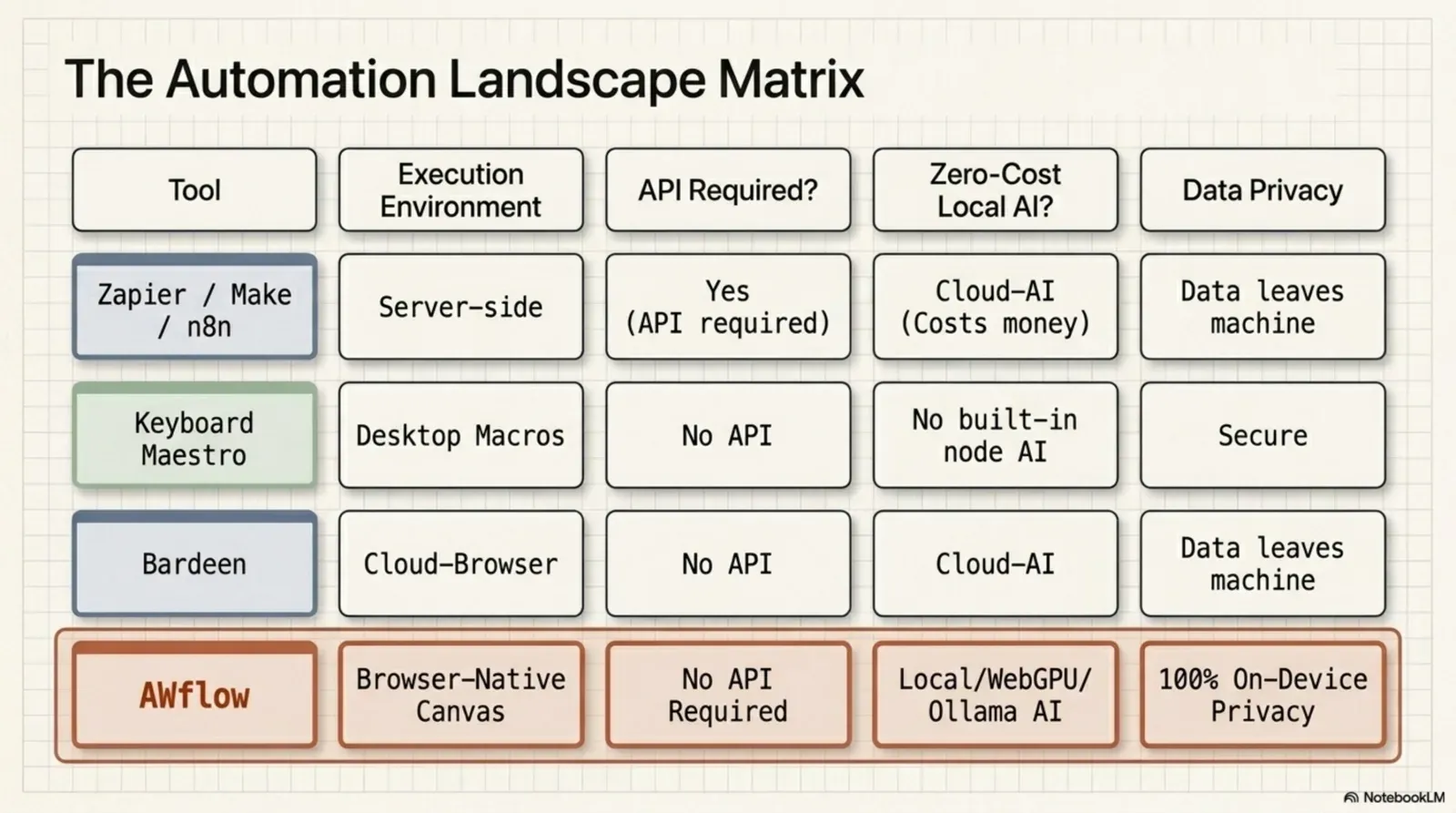
Here are the mechanics side by side (the stop rule is in the loop above: AWFlow’s Tools Agent stops after a maximum number of iterations, 10 by default). They come from AWFlow’s node definitions and from n8n’s public docs (checked 18 October 2026): the AI Agent node, Simple Memory and human review for tools. n8n has tools, memory and a human check too, so the rows are even.
| Critère | AWFlow | n8n |
|---|---|---|
| The agent node | Tools Agent: plans an action and runs it, calling tools | AI Agent node; since 1.82.0 every AI Agent works as a Tools Agent |
| Tools it can call | Browser Tool, Workflow as Tool, MCP Client, Web Search, HTTP Request, Wikipedia, Calculator, Think | Tool sub-nodes attached to the agent; at least one is required |
| Memory | Chat Memory: a conversation per key, this run only or shared across workflows | Simple Memory (session key + window length), or Postgres and Redis chat memory |
| Human check | Each Browser Tool action asks you first; Wait For Approval pauses a run | Human review on AI Agent tool calls (2.6+): the approver sees the tool and its inputs |
| Where the agent acts | In your browser, on the page you are signed in to | On a server, reaching services through nodes and APIs |
The real difference: where the agent acts.Rendered page in your session vs server-side API calls.
Version texte
- The agent node: AWFlow: Tools Agent: plans an action and runs it, calling tools; n8n: AI Agent node; since 1.82.0 every AI Agent works as a Tools Agent
- Tools it can call: AWFlow: Browser Tool, Workflow as Tool, MCP Client, Web Search, HTTP Request, Wikipedia, Calculator, Think; n8n: Tool sub-nodes attached to the agent; at least one is required
- Memory: AWFlow: Chat Memory: a conversation per key, this run only or shared across workflows; n8n: Simple Memory (session key + window length), or Postgres and Redis chat memory
- Human check: AWFlow: Each Browser Tool action asks you first; Wait For Approval pauses a run; n8n: Human review on AI Agent tool calls (2.6+): the approver sees the tool and its inputs
- Where the agent acts: AWFlow: In your browser, on the page you are signed in to; n8n: On a server, reaching services through nodes and APIs
The last row is the one that decides. An n8n agent is at its best when everything it needs has an API: a database, a CRM, an inbox. An AWFlow agent is at its best when the work lives on web pages: a portal with no API, a dashboard behind your login, a form you fill every week. Its Browser Tool can click, fill, type, select and submit on the page, and every one of those actions waits for your approval.
Agentic workflow memory
“Memory” sounds like the agent learns about you. In a workflow, it’s simpler and more useful: the agent keeps a conversation, stored under a key, so the next message or the next run can pick up where the last one stopped.
- In n8n, Simple Memory keeps the last messages of a session (you set the session key and how many messages to keep); Postgres and Redis chat memory store them in a database you run.
- In AWFlow, the Chat Memory node keeps the conversation under a key you choose, for example one per user with
{{ $input.userId }}. You decide whether it lasts for this run only or across runs, and whether other workflows using the same key share it. The conversations are stored in your browser.
The agent picks up where it stopped because its chat memory is stored under the same key.
The saved conversation an agent reads before it answers, so it remembers what was said earlier.
Messages stored under a key (session or conversation id). AWFlow Chat Memory: scope this run or across runs, this workflow or shared; kept in the browser.
What it means, in one line.Definition with related terms.
Version texte
- The agent picks up where it stopped because its chat memory is stored under the same key.
- chat memory: The saved conversation an agent reads before it answers, so it remembers what was said earlier. Messages stored under a key (session or conversation id). AWFlow Chat Memory: scope this run or across runs, this workflow or shared; kept in the browser. (Agentic workflow, Context window, Session key)
Memory costs context: every remembered message is sent to the model again. Your context window is a budget, not a bucket explains how to keep it small.
How each tool works
How n8n works
n8n is a fair-code, self-hostable workflow automation tool. You build workflows in a visual node editor, connecting triggers and actions across a very large catalogue of integrations (n8n.io lists more than 2,300): databases, APIs, webhooks, email, spreadsheets and more.
Because it runs on a server (your own, or n8n Cloud), it can run automations continuously in the background, even when your computer is off. It supports custom code in JavaScript or Python and gives you full control over your data and infrastructure.
- Runs on: a server you control (Docker, a VPS) or n8n Cloud
- Agents reach: APIs, databases, webhooks, files, cloud services
- Best for: developers and teams who want server-side automation with full data ownership
How Agentic Workflow works
Agentic Workflow is a browser extension that automates tasks on the web pages you visit. It needs no server: install the extension, build a workflow on a visual canvas, and run it on any website.
Its nodes read page content, click and fill elements, run AI models on your device or through a provider, and show results in the browser. Beyond workflows, you can also give a task to one of your agents with the Run agent node, or chat with them directly.
- Runs in: your browser, while it is open
- Agents reach: the pages you are signed in to, plus web search, HTTP and MCP tools
- Best for: people whose work happens in the browser and who want AI with no DevOps
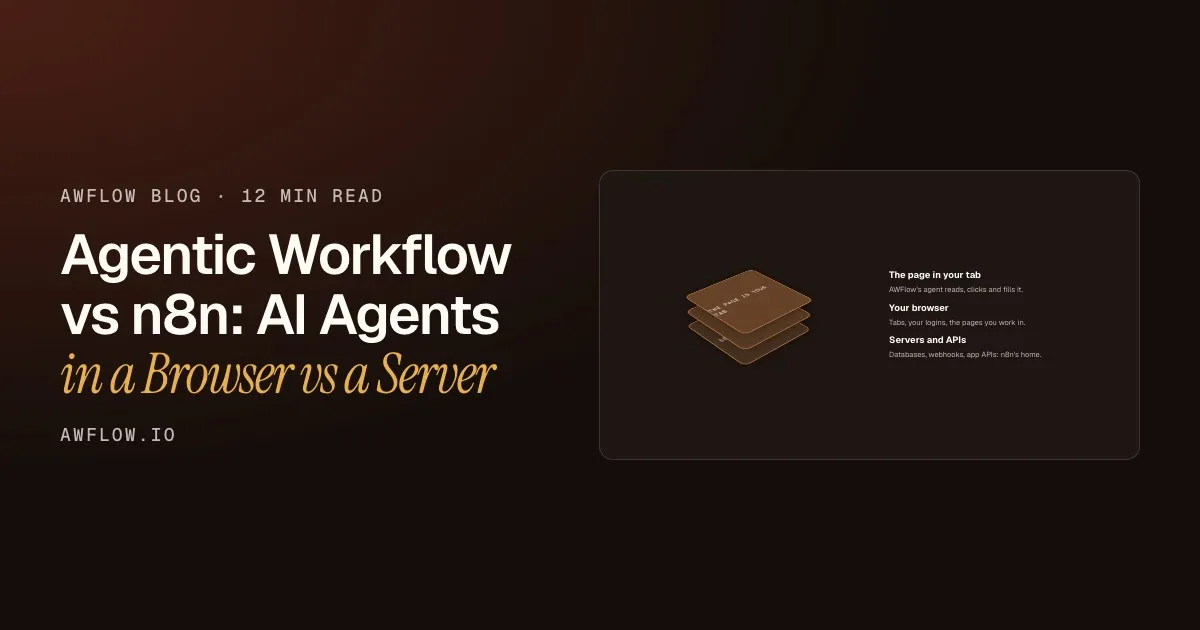
- The page in your tabAWFlow's agent reads, clicks and fills it.
- Your browserTabs, your logins, the pages you work in.
- Servers and APIsDatabases, webhooks, app APIs: n8n's home.
Peel it apart: servers, your browser, the page itself.n8n's agent works at the API layer; AWFlow's acts on the rendered page in your session.
Version texte
- The page in your tab / Your browser / Servers and APIs
- The page in your tab: AWFlow's agent reads, clicks and fills it. · Your browser: Tabs, your logins, the pages you work in. · Servers and APIs: Databases, webhooks, app APIs: n8n's home.
Side by side
Beyond agents, from our reviewed comparison page. n8n wins three of these rows, and they stay in. Full comparison →
| Critère | AWFlow | n8n |
|---|---|---|
| Where it runs | In your browser, as an extension. Runs while the browser is open. | On a server: your own (self-hosted) or n8n Cloud. |
| Setup | Install the extension. No account, no server, no email. | Start an n8n Cloud trial, or deploy it yourself (for example with Docker). |
| Pricing model | Local mode is free with no usage limits from us. Cloud AI keys you add are billed by that provider. | Free Community Edition when you self-host (you pay for hosting). n8n Cloud plans are priced by monthly workflow executions. |
| Acts on web pages you are logged into | Yes — reads, clicks and fills in your own tab, with per-site access you approve. | Works from the server through integration nodes and HTTP requests rather than in your own browser tab. |
| Local AI | Built in: Chrome built-in AI, WebLLM, Transformers.js and TensorFlow.js run on your device. Ollama too. | Can use local models you run yourself, for example through its Ollama nodes. Cloud AI providers with your keys. |
| Self-hosting | Nothing to host. Data stays in your browser in local mode; there is no server to self-host. | Yes — a core strength. Full control over your own instance and data. |
| 24/7 cloud execution | No. Workflows need the browser open. Long waits (up to 30 days) survive closing the tab. | Yes. Schedules and webhooks run around the clock on the server. |
| Integrations breadth | 22 app integrations, plus Custom API (OpenAPI), HTTP requests and any website you can open. | A far larger catalogue: n8n.io lists more than 2,300 integrations, and community nodes add more. |
Integrations. n8n wins on breadth.More than 2,300 integrations plus community nodes.
Version texte
- Where it runs: AWFlow: In your browser, as an extension. Runs while the browser is open.; n8n: On a server: your own (self-hosted) or n8n Cloud.
- Setup: AWFlow: Install the extension. No account, no server, no email.; n8n: Start an n8n Cloud trial, or deploy it yourself (for example with Docker).
- Pricing model: AWFlow: Local mode is free with no usage limits from us. Cloud AI keys you add are billed by that provider.; n8n: Free Community Edition when you self-host (you pay for hosting). n8n Cloud plans are priced by monthly workflow executions.
- Acts on web pages you are logged into: AWFlow: Yes — reads, clicks and fills in your own tab, with per-site access you approve.; n8n: Works from the server through integration nodes and HTTP requests rather than in your own browser tab.
- Local AI: AWFlow: Built in: Chrome built-in AI, WebLLM, Transformers.js and TensorFlow.js run on your device. Ollama too.; n8n: Can use local models you run yourself, for example through its Ollama nodes. Cloud AI providers with your keys.
- Self-hosting: AWFlow: Nothing to host. Data stays in your browser in local mode; there is no server to self-host.; n8n: Yes — a core strength. Full control over your own instance and data.
- 24/7 cloud execution: AWFlow: No. Workflows need the browser open. Long waits (up to 30 days) survive closing the tab.; n8n: Yes. Schedules and webhooks run around the clock on the server.
- Integrations breadth: AWFlow: 22 app integrations, plus Custom API (OpenAPI), HTTP requests and any website you can open.; n8n: A far larger catalogue: n8n.io lists more than 2,300 integrations, and community nodes add more.
Which one to pick
Pick n8n when:
- Your agent’s tools are APIs, databases and webhooks
- Workflows must run 24/7, even when every laptop is closed
- You want to self-host and control the server and its data
- A team or ops group owns the automation infrastructure
Pick Agentic Workflow if
Your agent needs the browser
- Pages behind your login, with no API (fait)AWFlow
- An approval before every page action (fait)AWFlow
- Memory and models that stay on your device (fait)AWFlow
- Start in a minute: no server, no account (fait)AWFlow
- Right-click, hotkey and side-panel runs (fait)AWFlow
Triggers where you work.Context Menu, Hotkey, Page Load, side panel.
Version texte
- Your agent needs the browser
- Pages behind your login, with no API
- An approval before every page action
- Memory and models that stay on your device
- Start in a minute: no server, no account
- Right-click, hotkey and side-panel runs
Use both
Many technical users run both. Let AWFlow do the browser-side part (read a page behind your login, let an agent decide what matters), then hand the result to an n8n webhook with the HTTP Request node. n8n carries on server-side, around the clock.
n8n carries on, around the clock.Server-side workflow continues to your services.
Version texte
- Page behind your login · Agentic Workflow · On-device model · n8n webhook · Your services
- Agentic Workflow → Page behind your login: reads
- Agentic Workflow → On-device model: summarises
- Agentic Workflow → n8n webhook: HTTP Request
- n8n webhook → Your services: 24/7
Questions people ask
Is n8n an agentic workflow tool?
Yes. n8n’s AI Agent node calls tools in a loop, with chat model, memory and tool sub-nodes, and since version 1.82.0 every AI Agent node works as a Tools Agent. It can also ask a human to review tool calls. What it does not change is where it runs: on a server, through APIs.
What is agentic workflow memory?
The conversation an agent keeps between messages or runs, stored under a key such as a user id. In n8n you pick Simple Memory or a database-backed memory; in AWFlow the Chat Memory node keeps it in your browser, for one run or across runs.
Do I need n8n or AWFlow for an agentic workflow?
Whichever is closer to where the work happens. If every tool your agent needs has an API and must run 24/7, n8n. If the work happens on web pages you are signed in to, AWFlow. If both, use the webhook hand-off above.
n8n details here reflect its public docs and pricing pages as of October 2026; plans and limits change, so check n8n.io for current terms. More comparisons: Agentic Workflow vs Zapier, Agentic Workflow vs Make, and how our own agents run on workflows.
À vous
Try the browser side
Open it in AWFlow: it summarises the page you are on with a model that runs in your browser.
Ouvrir dans AWFlow (s’ouvre dans un nouvel onglet)docs.awflow.io/examples/summarize-this-page.awfCall to action. Scan the code or click the link.Opens the Summarize this page docs example in AWFlow's import page.
Version texte
- Try the browser side · Open it in AWFlow: it summarises the page you are on with a model that runs in your browser. · https://docs.awflow.io/examples/summarize-this-page.awf
In short
- Both tools have AI agents now
- n8n's acts on a server, AWFlow's in your browser
- Tools, stop rule, memory, human check
Three. Check the four mechanics.Tools, max iterations, chat memory, approval.
Version texte
- In short
- Both tools have AI agents now
- n8n's acts on a server, AWFlow's in your browser
- Tools, stop rule, memory, human check