Builder notes
Wait three days, then check again. With the tab closed.
The hook. A wait that outlives the tab.Durable suspend: a run parked in storage, resumed by a browser alarm.
Version texte
- Builder notes: Wait three days, then check again. With the tab closed.
“Browser automation dies when you close the tab” is the standard objection to running workflows in an extension. For a while it was true for AWFlow too: a workflow with a “wait 3 days, then check again” step only worked if you left a tab open for three days.
This post is about how runs can now pause for up to 30 days, survive a closed tab, a browser restart or an extension update, and resume where they stopped. It’s the same mechanism that lets a run pause for a human approval.
Browser automation dies when you close the tab.
A paused run is saved to storage, and a browser alarm wakes it up again, even days later.
Flip it. Save the run, let the browser wake it.Checkpoint in chrome.storage.local, wake-up via chrome.alarms, resume in the app page.
Version texte
- Browser automation dies when you close the tab.
- A paused run is saved to storage, and a browser alarm wakes it up again, even days later.
The constraint: MV3 has no long-lived process
In Manifest V3 the background is a service worker, and Chrome suspends it when it’s idle. setTimeout(resume, 3 * DAY) is useless there: the worker is gone long before the timer fires. The page that runs the engine (the extension’s app tab) can be closed by the user at any time.
The constraint
A long wait can't be something waiting in memory.
Memory is the problem. The wait has to live somewhere else.Durable state must survive process death: storage plus an externally owned timer.
Version texte
- The constraint: A long wait can't be something waiting in memory.
So a long wait has to be two things:
- a serialized snapshot of the run, stored somewhere that survives restarts, and
- a wake-up call that the browser itself owns.
In an extension, those are chrome.storage.local and chrome.alarms. If you want the bigger picture of what a browser can and can’t do compared with a server, browser vs server automation covers it.
How a run pauses
Let a node ask to pause
Normally a node’s execute() returns output. A node that needs to wait returns a suspend request instead:
type SuspendRequest = {
  resumeKey: string;              // filled in by the engine
  kind: 'approval' | 'timer' | (string & {});
  prompt?: string;                // shown in the "waiting" row
  meta?: Record<string, unknown>; // e.g. { resumeAt: 1735689600000 }
};
The engine spots it and throws a SuspendSignal to unwind the work queue back to the place where the queue and visited sets are in scope. That’s where the checkpoint gets written. (One subtlety: the node runner’s own catch must re-throw this signal instead of turning it into a node failure.)
Write a checkpoint that’s actually resumable
My first version stored “which node paused, plus its input”. It broke immediately on real workflows. A useful checkpoint needs everything the scheduler would need to continue as if nothing happened.
- Parent linkA paused sub-workflow must still resume its parent.
- Node scratchpadsPer-node state: loop cursors, batch offsets.
- Data so farNode outputs and run variables, so references resolve.
- What runs nextThe queue, visited and wasVisited sets.
- Where it pausedThe paused node, its input, the kind and its meta.
Peel it apart: five layers, each one needed to carry on.pausedNodeId/pausedInput, queue/visited/wasVisited, nodeOutputs/runVariables, nodeExecutionCtx, parentLink.
Version texte
- Parent link / Node scratchpads / Data so far / What runs next / Where it paused
- Parent link: A paused sub-workflow must still resume its parent. · Node scratchpads: Per-node state: loop cursors, batch offsets. · Data so far: Node outputs and run variables, so references resolve. · What runs next: The queue, visited and wasVisited sets. · Where it paused: The paused node, its input, the kind and its meta.
Here is the shape in code:
const checkpoint = {
  resumeKey, workflowId, pausedNodeId, kind, meta,
  pausedInput,
  queue: queue.map(n => n.id),     // what was about to run
  visited: [...visited],
  wasVisited: [...wasVisited],     // see below
  nodeOutputs,                     // so downstream $('Node') references still resolve
  runVariables: runVariables.snapshot(),
  nodeExecutionCtx,                // per-node scratchpads: loop cursors, batch offsets
  parentLink,                      // a paused sub-workflow must still resume its parent
  createdAt: new Date().toISOString(),
};
Two bugs taught me the less obvious fields:
- Loops. An iterating Loop node is moved out of
visitedon each pass. If you only save outputs ofvisitednodes, a pause inside a loop body resumes with the loop’s current item gone. Save outputs fromvisited ∪ wasVisited. - Batch cursors. A “Split in Batches” node keeps its offset in a per-node scratchpad. Capture the scratchpad of every node, not just visited ones, because the loop node is exactly the one that’s been un-marked when you pause.
Serialize defensively, fail loudly
Node outputs are user-controlled (a Code node can return anything), so a BigInt or a circular reference would crash the run at the moment it tries to pause. So the checkpoint goes through a few guards before it is stored.
Save it under the run's resume key.Stored in chrome.storage.local with an index key next to it.
Version texte
- Node outputs: { total: 10n, self: [Circular] }
- Tolerant replacer: BigInt → string, cycles dropped
- Size check: under the 4 MB cap
- Store as plain JSON: suspend:<resumeKey> + an index key
If the checkpoint can’t be saved, the run fails loudly at that node. A pause that silently didn’t persist would be the worst outcome: the user thinks it’s waiting and nothing ever resumes it.
How it wakes up
For a timer suspend, saving the checkpoint also arms a one-shot alarm named after the resume key:
if (cp.kind === 'timer' && typeof cp.meta?.resumeAt === 'number') {
  chrome.alarms.create(`resume:${cp.resumeKey}`, { when: cp.meta.resumeAt });
}
In practice the app page asks the service worker to do it, because the worker owns the alarms API and the onAlarm listener. Here is the full round, from pause to resume.
It carries on as if nothing happened.Queue, visited sets, outputs, variables and scratchpads are rebuilt; the run continues.
Version texte
- App page → storage.local: save checkpoint
- App page → Service worker: arm the resume alarm
- Service worker → chrome.alarms: create resume:<key>
- chrome.alarms → Service worker: onAlarm, days later
- Service worker → App page: open the tab, pass the key
- App page → storage.local: load checkpoint
- storage.local → App page: queue, outputs, variables
The run saves itself
The engine writes the checkpoint before anything else happens.
It asks for a wake-up call
The app page messages the service worker, which owns the alarms.
The browser holds the alarm
A one-shot alarm named resume:<key> is set for the deadline.
Days later, it fires
The worker’s onAlarm sees the resume: prefix: this is a parked run, not a scheduled workflow.
The worker opens the app
The engine lives in the app page, so the worker finds or opens that tab and passes the resume key.
The page loads the checkpoint
Everything the scheduler needs is read back from storage.
The run carries on
Queue, visited sets, outputs and variables are rebuilt, and the next node runs.
Re-arm the alarms you lost
Alarms don’t survive everything. An extension update, for example, can clear them. So on startup the worker reconciles: list the timer checkpoints, list the existing alarm names, and create the missing ones.
function computeMissingResumeAlarms(checkpoints, existingAlarmNames) {
  const existing = new Set(existingAlarmNames);
  return checkpoints
    .filter(cp => cp.kind === 'timer' && typeof cp.meta?.resumeAt === 'number')
    .filter(cp => !existing.has(`resume:${cp.resumeKey}`))
    .map(cp => ({ name: `resume:${cp.resumeKey}`, when: cp.meta.resumeAt }));
}
It’s a pure function, so it’s trivially unit-tested, and it’s the piece that makes the design trustworthy rather than “usually works”. A deadline already in the past fires right away, so a laptop that was asleep through the deadline resumes as soon as the browser is back.
| Checkpoint | Resume at |
|---|---|
| resume:a1 | Thursday 09:00 |
| resume:b2 | next Monday |
| resume:c3 | yesterday |
| Checkpoint | Resume at | On startup |
|---|---|---|
| resume:a1 | Thursday 09:00 | alarm exists: skip |
| resume:b2 | next Monday | missing: re-create |
| resume:c3 | yesterday | past due: fires now |
Missing alarms come back. Past deadlines fire right away.Only missing resume:<key> alarms are created; a when in the past fires immediately.
Version texte
- Checkpoint | Resume at: resume:a1 | Thursday 09:00 · resume:b2 | next Monday · resume:c3 | yesterday
- Reconcile on startup
- Checkpoint | Resume at | On startup: resume:a1 | Thursday 09:00 | alarm exists: skip · resume:b2 | next Monday | missing: re-create · resume:c3 | yesterday | past due: fires now
Where the thresholds come from
- Under 1 minute stays in memory.
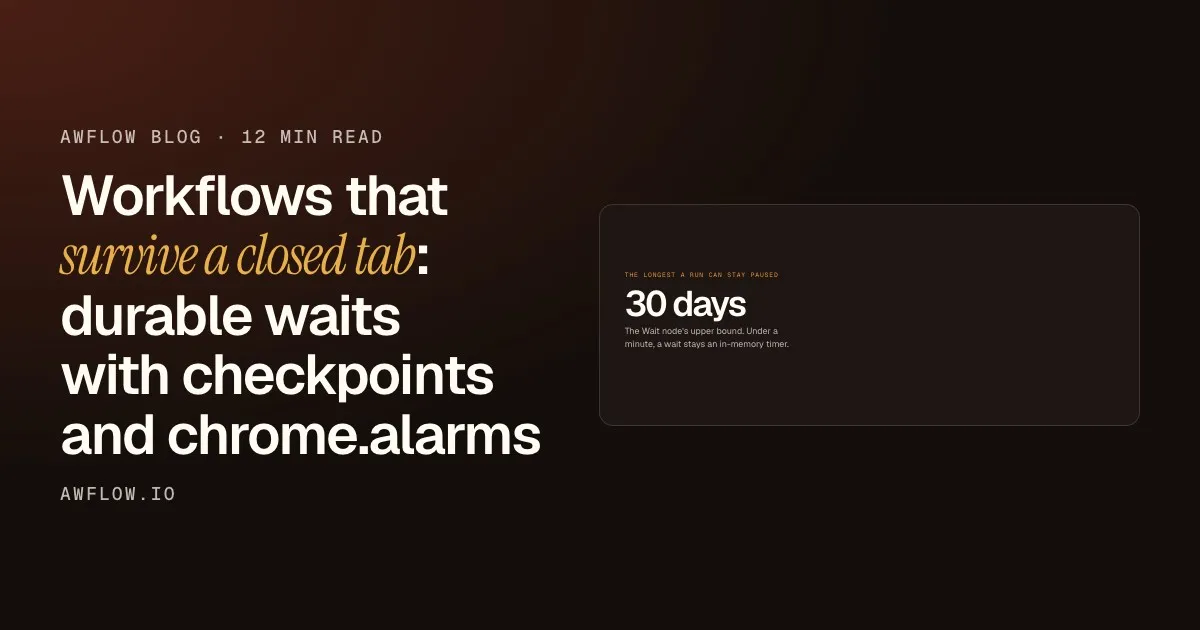
chrome.alarmsdoesn’t fire reliably below about a minute, and a 5-second wait isn’t worth a storage round-trip. Short waits stay plain timers. - Up to 30 days. An upper bound, so nobody schedules an alarm for 2031 by typo.
- One pause per input, not per item. A Wait node pauses once for the whole batch. Per-item pauses can’t be checkpointed cleanly. If you want per-item waits, wrap the step in a Loop.
Thirty days, with the tab closed and the browser restarted.WAIT_MAX_MS = 30 days in the Wait node; a longer wait is capped at 30 days.
Version texte
- The longest a run can stay paused: 30 days
One mechanism, many kinds
Once the plumbing existed, other kinds came almost for free:
approvalpauses until a person clicks approve. Because it’s waiting on a human, the extension signals it: a badge, a sound, and an OS notification when the app isn’t focused. It can even render the approval card on the web page you’re on.- “Poll until” resumes on a timer, checks a condition, and if it’s not met yet, suspends again. A resume that is allowed to re-suspend turned out to be the key primitive.
- Sub-workflows pause with a
parentLink, so the parent run continues once the child finishes.
The approval kind is the easiest to see in a real workflow. This docs example fills a web form from saved values, but stops before touching the page until you approve:
Fill Form from JSON
Run it. Every step shows what it did.One run; each node's output is shown on the canvas (example outputs).
Version texte
- fill-form-from-json.awf
- started
- name, email, message
- waiting for your approval
- 3 fields filled
- form submitted
If page watching is your use case rather than forms, monitoring competitor prices shows the other side: a trigger that reacts when a page changes.
The honest limit
This is durable, not always-on. The alarm fires when the browser is running. If your laptop is off at the deadline, the run resumes when you next open Chrome, not at 3:00:00 sharp.
The honest limit
Durable, not always-on.
But it needs the browser running. Laptop off means it resumes later.Alarms only fire while Chrome runs; past-due alarms fire on next start.
Version texte
- The honest limit: Durable, not always-on.
For “every 30 seconds, 24/7” you still want a server. For “wait until Thursday, check the price, ask me before buying”, it’s enough, and there’s nothing to host.
Try it
A workflow that waits for you
Open it in AWFlow, change the values and the field ids, and run it: it pauses for your approval before filling.
Ouvrir dans AWFlow (s’ouvre dans un nouvel onglet)docs.awflow.io/examples/fill-form-from-json.awfCall to action. Viewers scan the code, readers click the link.Docs example with an approval pause: the same suspend mechanism as a timed wait.
Version texte
- A workflow that waits for you · Open it in AWFlow, change the values and the field ids, and run it: it pauses for your approval before filling. · https://docs.awflow.io/examples/fill-form-from-json.awf
If you’re building something similar in your own extension, here is the short version.
Pause, durably
- Serialize everything the scheduler needs
- Let the browser own the wake-up
- Reconcile alarms on startup
- Fail loudly if you can't persist
Never pretend to wait. A failed save fails the run.If the checkpoint can't be stored, the node fails instead of silently parking.
Version texte
- Pause, durably
- Serialize everything the scheduler needs
- Let the browser own the wake-up
- Reconcile alarms on startup
- Fail loudly if you can't persist
AWFlow is free to install. I’m happy to answer questions, especially from anyone who’s done this with IndexedDB instead of storage.local.