Most people think automation means a script that does the same thing every time: fill this form, click that button, send this email. For decades, that was exactly right. But something has shifted. A new kind of automation doesn’t just execute steps; it thinks about them. It’s called an agentic workflow, and it changes what’s possible when you put AI to work in your browser.
An agentic workflow doesn't just follow steps: it looks at what's in front of it and decides what to do.
An automation with an AI step that reads the situation and chooses what to do next, instead of only following fixed rules.
A workflow whose control flow depends on model output: perception (inputs from pages or data), reasoning (an LLM decides) and action (tools, page actions, API calls), often in a loop.
What it means, in one line.Definition with related terms.
Version texte
- An agentic workflow doesn't just follow steps: it looks at what's in front of it and decides what to do.
- agentic workflow: An automation with an AI step that reads the situation and chooses what to do next, instead of only following fixed rules. A workflow whose control flow depends on model output: perception (inputs from pages or data), reasoning (an LLM decides) and action (tools, page actions, API calls), often in a loop. (AI agent, LLM, Workflow)
This article explains what agentic workflows are, how they differ from traditional rule-based automation, and why the browser is an ideal place to run them.
What is traditional automation?
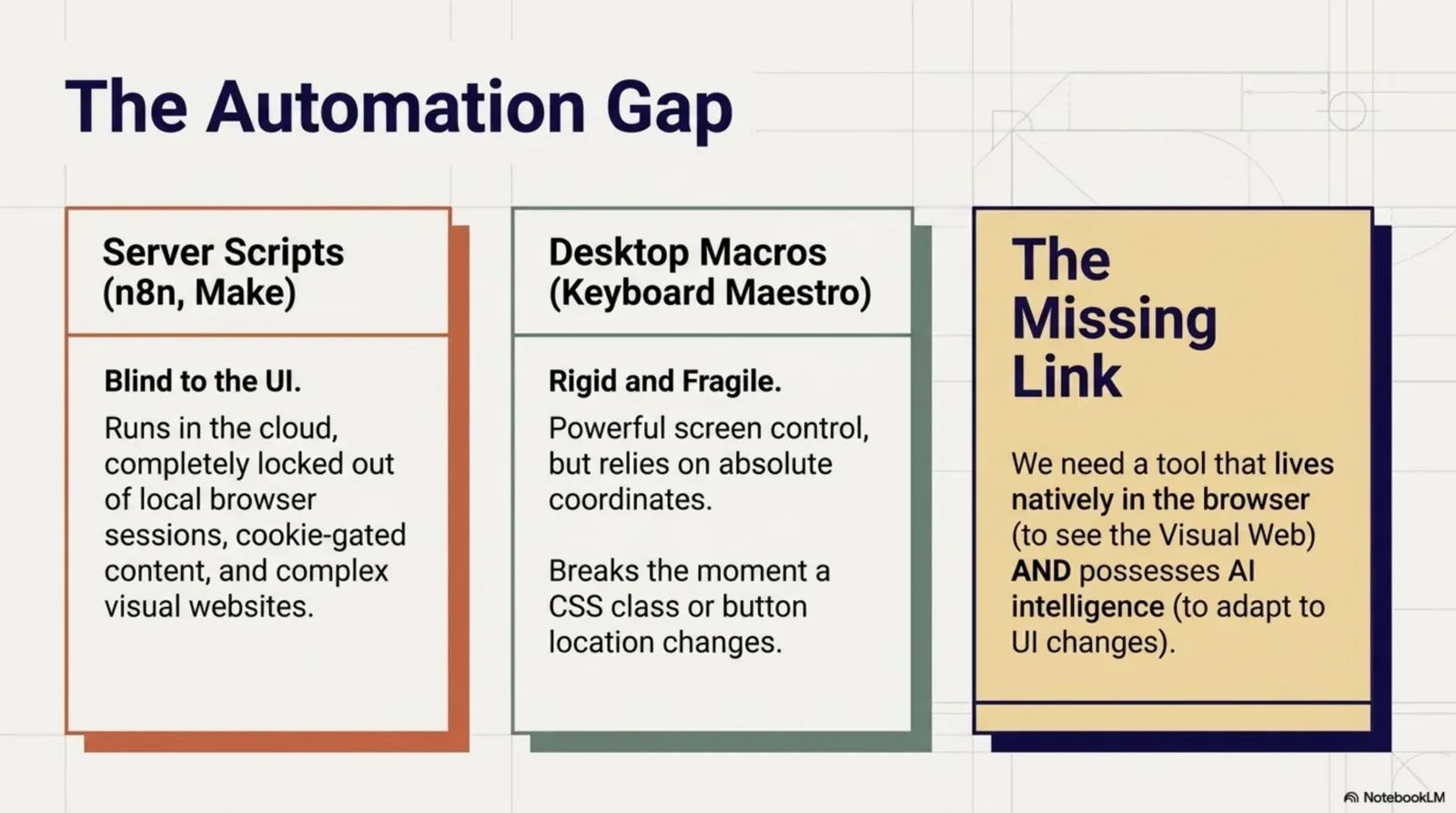
Traditional automation, whether built in Zapier, Make, UiPath or a shell script, follows a fixed path. You define a trigger (“when a row is added to this spreadsheet”) and a fixed sequence of actions (“send an email, update the CRM, post to Slack”). Every run is the same, because the logic is hard-coded.
That works very well for structured, predictable tasks: syncing data between two SaaS tools, sending scheduled reports, routing form submissions.
The limit is fragility. When the page layout changes, the data arrives in an unexpected shape, or the task needs interpretation, rule-based automation breaks. It can’t reason about what it sees; it only follows its script.
What makes a workflow “agentic”?
An agentic workflow adds one or more AI steps that can:
- Observe: read the current state of a web page, a document or a data source
- Reason: decide what to do based on context, instructions and goals
- Act: interact with the page, call APIs, generate content or trigger the next steps
- Adapt: change course when something unexpected happens, instead of crashing
The key word is agency. An agentic workflow is autonomous within a scope you define. It handles variety that would stop a rule-based system.
- Tour 1RéfléchirChercher des restaurants prochesAgirOuvre un site de réservationObserver12 résultats, la plupart complets
- Tour 2RéfléchirFiltre : 4 personnes à 20 hAgirApplique le filtreObserverPlus que 3 tables
- Tour 3RéfléchirChoisir le mieux notéAgirRéserveObserverConfirmation à l’écran
- Objectif atteint : table réservée
Il s’arrête quand l’objectif est atteint.Arrêt par vérification de l’objectif ou par une limite d’itérations.
Version texte
- 1. Réfléchir: Chercher des restaurants proches · Agir: Ouvre un site de réservation · Observer: 12 résultats, la plupart complets
- 2. Réfléchir: Filtre : 4 personnes à 20 h · Agir: Applique le filtre · Observer: Plus que 3 tables
- 3. Réfléchir: Choisir le mieux noté · Agir: Réserve · Observer: Confirmation à l’écran
- Objectif atteint : table réservée
Lap 1: think, act, observe
The agent decides on a first step, does it, and looks at what happened: here, most restaurants are full.
Lap 2: adjust
It uses what it saw to try something better: a filter for four people at 8 pm.
Lap 3: close to done
Three tables left. It picks the best rated and books it.
It stops when the goal is reached
A goal check (or a maximum number of laps) ends the loop. Rule-based automation can’t do this: it would have run its fixed steps and stopped at “most are full”.
The four core properties
1. Perception
An agentic workflow reads its environment: structured and unstructured content from a live page, a PDF, or text in an image. It doesn’t need a perfect API; it works with what’s on the screen.
2. Reasoning
At the heart of it is a language model (LLM). The LLM is the decision layer: classifying content, summarising, choosing between options, or turning raw data into a structured output. Reasoning turns perception into meaningful action.
3. Action
Then the workflow acts. In the browser, that means clicking, filling forms, extracting data, sending requests or passing results to other tools. Action gives the workflow real-world impact: not just analysis, but change.
4. Memory
An agent that forgets everything between messages can’t hold a conversation or pick up where it stopped. Agentic workflow memory is the saved conversation the agent reads before it answers, stored under a key (one per user, for example). In AWFlow, the Chat Memory node keeps it in your browser, for one run only or across runs, and you choose whether other workflows with the same key share it. Memory also costs context: every remembered message is sent to the model again.
Agentic vs rule-based automation
| Critère | AWFlow | Rule-based automation |
|---|---|---|
| Logic | Dynamic: an AI step reads the context | Fixed and predictable |
| Unexpected input | Adapts: reasons about what it sees | Breaks on edge cases |
| Input it needs | Unstructured is fine: pages, text, PDFs | Structured data |
| Predictability | Varies with the model: add checks and approvals | Same result every run |
| Setup | A visual builder, plus a prompt | A visual builder, or code |
| Privacy | Can run entirely on your device | Depends on the tool |
Privacy: local models keep it on your device.WebLLM or Ollama.
Version texte
- Logic: AWFlow: Dynamic: an AI step reads the context; Rule-based automation: Fixed and predictable
- Unexpected input: AWFlow: Adapts: reasons about what it sees; Rule-based automation: Breaks on edge cases
- Input it needs: AWFlow: Unstructured is fine: pages, text, PDFs; Rule-based automation: Structured data
- Predictability: AWFlow: Varies with the model: add checks and approvals; Rule-based automation: Same result every run
- Setup: AWFlow: A visual builder, plus a prompt; Rule-based automation: A visual builder, or code
- Privacy: AWFlow: Can run entirely on your device; Rule-based automation: Depends on the tool
Tools like n8n now have AI agent nodes too; Agentic Workflow vs n8n compares how the two handle tools, memory and approvals, and where each agent acts.
Rule-based automation remains the right tool when every run must be identical. Agentic workflows shine where the input varies or needs judgement, and the best workflows mix both: fixed steps where you can, an AI step where you must, and an approval step before anything important.
Why the browser is the ideal environment
Almost all knowledge work happens in the browser: email, CRM, project management, research, social media, support. That makes it the natural place for agentic workflows, and browser automation has never been more accessible to non-developers.
A browser-native agent can read the live page without an API, work with web apps the way a person does, react to the page changing in real time, and act in your session without sharing your credentials with a third-party server. With local models (WebLLM in the browser, or Ollama), the whole loop of perception, reasoning and action can run on your device.
Real-world examples
In the browser, today
Agentic workflows you can build
- Summarise a page into key insights (fait)automatisé
- Qualify a lead and draft a message (fait)automatisé
- Sort a support ticket and pre-fill a reply (fait)automatisé
- Watch a competitor's prices (fait)automatisé
- Fill a complex form from context (fait)automatisé
Forms: the right value in each field.Get Forms Schema → an LLM maps fields → Form Fill, after your approval.
Version texte
- Agentic workflows you can build
- Summarise a page into key insights
- Qualify a lead and draft a message
- Sort a support ticket and pre-fill a reply
- Watch a competitor's prices
- Fill a complex form from context
See the 5-tab problem for the research case and five browser tasks AI can handle for more.
Build your first agentic workflow
Agentic Workflow is a Chrome extension that brings this to your browser, with no code and no server. You build on a visual canvas:
- A trigger: when it runs (a click, page load, a hotkey, a schedule)
- A page node: point and click to capture content from any page
- An AI node: pass the content to a model with your instruction
- An action: use the result to fill a form, copy it, send a request or trigger another step
Or describe what you want to Aria, the built-in assistant, and review the workflow it drafts. For tasks that need several steps of reasoning, AWFlow agents combine a model with skills, knowledge, memory, and rules that allow an action, ask you first or block it.
Page LoadRead the ticket textGet All TextSort it into one of 3 typesText ClassifierDraft a reply for that typeBasic LLM ChainYou review it before it's saved.A proposed change applied on approval.
Version texte
- When I open a support ticket, sort it as billing, bug or question, and draft a reply I can edit.
- Start when a ticket page opens (Page Load) · Read the ticket text (Get All Text) · Sort it into one of 3 types (Text Classifier) · Draft a reply for that type (Basic LLM Chain)
- Done: a 4-step workflow. It shows the type and a draft reply in the side panel; nothing is sent.
- Ticket triage · 4 nodes added
Everything runs in your browser. With a local model, nothing reaches an outside server: agentic automation that’s private by default. That’s also why AI agents need a browser, not just an API.
À vous
Your first agentic step
Open it in AWFlow: it reads the page and lets a model decide what matters. Change the instruction and make it yours.
Ouvrir dans AWFlow (s’ouvre dans un nouvel onglet)docs.awflow.io/examples/summarize-page-llm-chain.awfCall to action. Scan the code or click the link.Opens the Summarize page (LLM chain) docs example in AWFlow's import page.
Version texte
- Your first agentic step · Open it in AWFlow: it reads the page and lets a model decide what matters. Change the instruction and make it yours. · https://docs.awflow.io/examples/summarize-page-llm-chain.awf
In short
- Rules follow steps; agents read the situation
- Observe, reason, act, in a loop
- The browser is where it all happens
Three. Run it where you work.Browser-native, optionally fully local.
Version texte
- In short
- Rules follow steps; agents read the situation
- Observe, reason, act, in a loop
- The browser is where it all happens