The same form, filled in seconds.
Keep your answers once, then let AWFlow fill the form in front of you. It asks for your OK first and then submits.

Typing it again is not a skill.
Order forms, reports, sign-ups, timesheets: the fields barely change, but you type them every time. Browser autofill guesses, and it never knows the fields specific to your work.
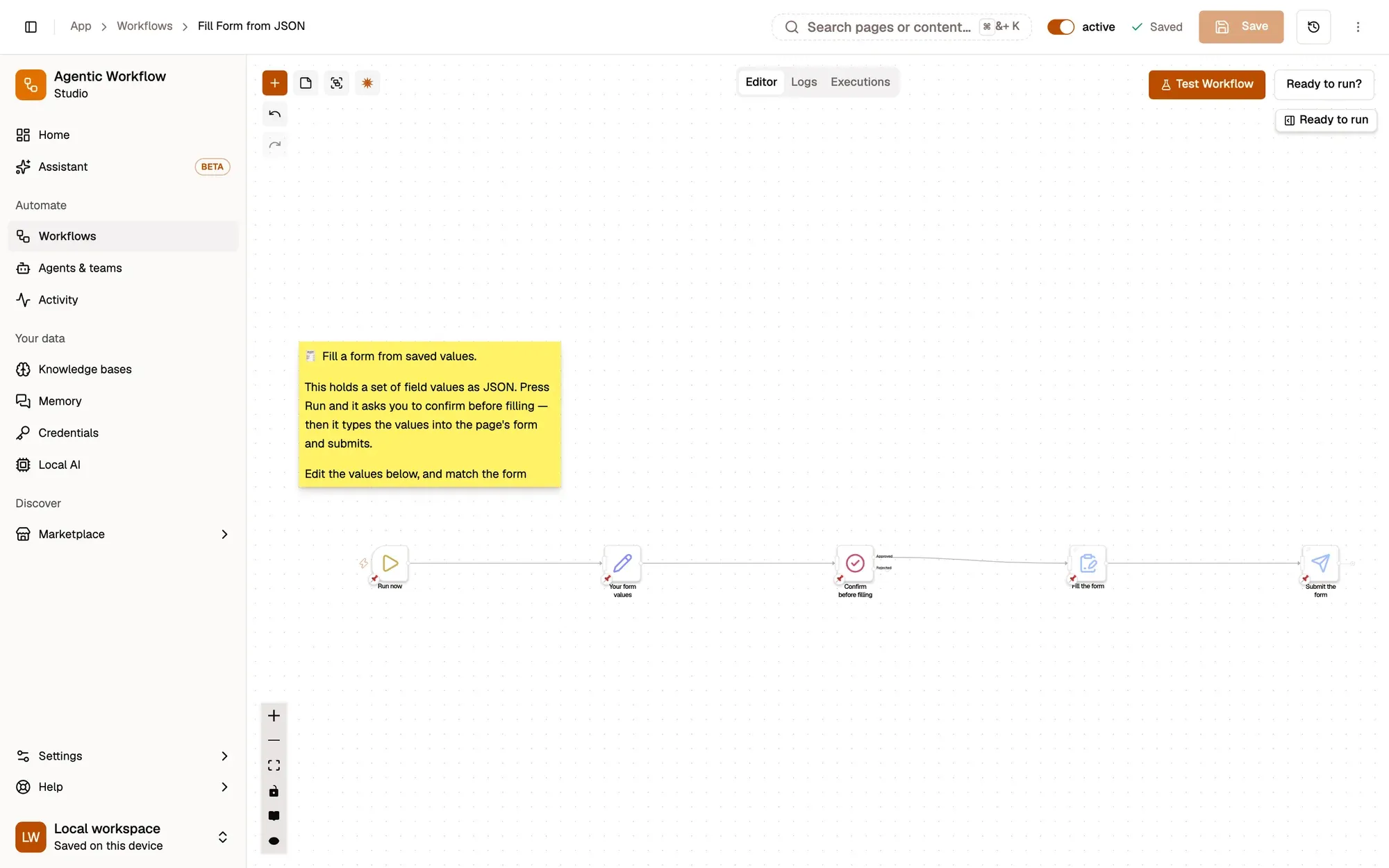
Three steps. You stay in control.
Save your values
An Edit Fields step holds the answers you reuse. Change them whenever you like.
Open the form and run it
Open the form in a tab and run the workflow. A Wait for Approval step asks Fill and submit this form? and nothing is typed until you approve.
Approve
AWFlow fills the form on the page in front of you, field by field, then submits it.
Start from a safe recipe.
 AWFlow team
Just the essentials.
- RequiredThe AWFlow extensionChrome, Edge, Brave or another Chromium browser; Firefox 140 or later also works.
- RequiredYour valuesThe answers you reuse
- OptionalAn accountLocal workspaces need no login. Installing from the Marketplace needs you to be signed in; the docs recipe can be imported as a file.
Same pattern, other forms.
- Repeat
Repeat visits
Run the same recipe each time you open the form
- Steps
Multi-page forms
Add one fill step per page of the form.
- Banners
Cookie banners
Dismiss them automatically with the Auto-Accept Cookies template.
Before you trust it.
Does it submit without asking?
Not with this recipe. The Wait for Approval step pauses the run until you approve, and nothing is typed before that. Remove it only for forms where that is safe.
Where are my values stored?
In the workflow. In a local workspace that is your browser; signed in, a workflow you save to the cloud is stored in your account. Don't put passwords in form values: use a credential and the optional local secret vault.
Does it work on any site?
On most standard web forms. Please respect each site's terms of use.
Fill it once. Reuse it forever.
Free to start. Build in a local workspace with no login; installing from the Marketplace needs you to sign in. Set up your first form in a few minutes.