Stop refreshing. Let the price come to you.
AWFlow watches the product page for you and tells you when it actually changes.

Watching a page is a job nobody wants.
You keep a tab open, reload it between meetings, and still miss the moment. Store alerts, when they exist, are slow, vague, or want your email. And many prices sit on pages that only show up the way you see them, signed in, in your own browser.
Three steps. Then forget about it.
Open the product page
Install a price watcher, then open the page you want to watch in a normal tab, signed in if the price needs it.
Point at the price
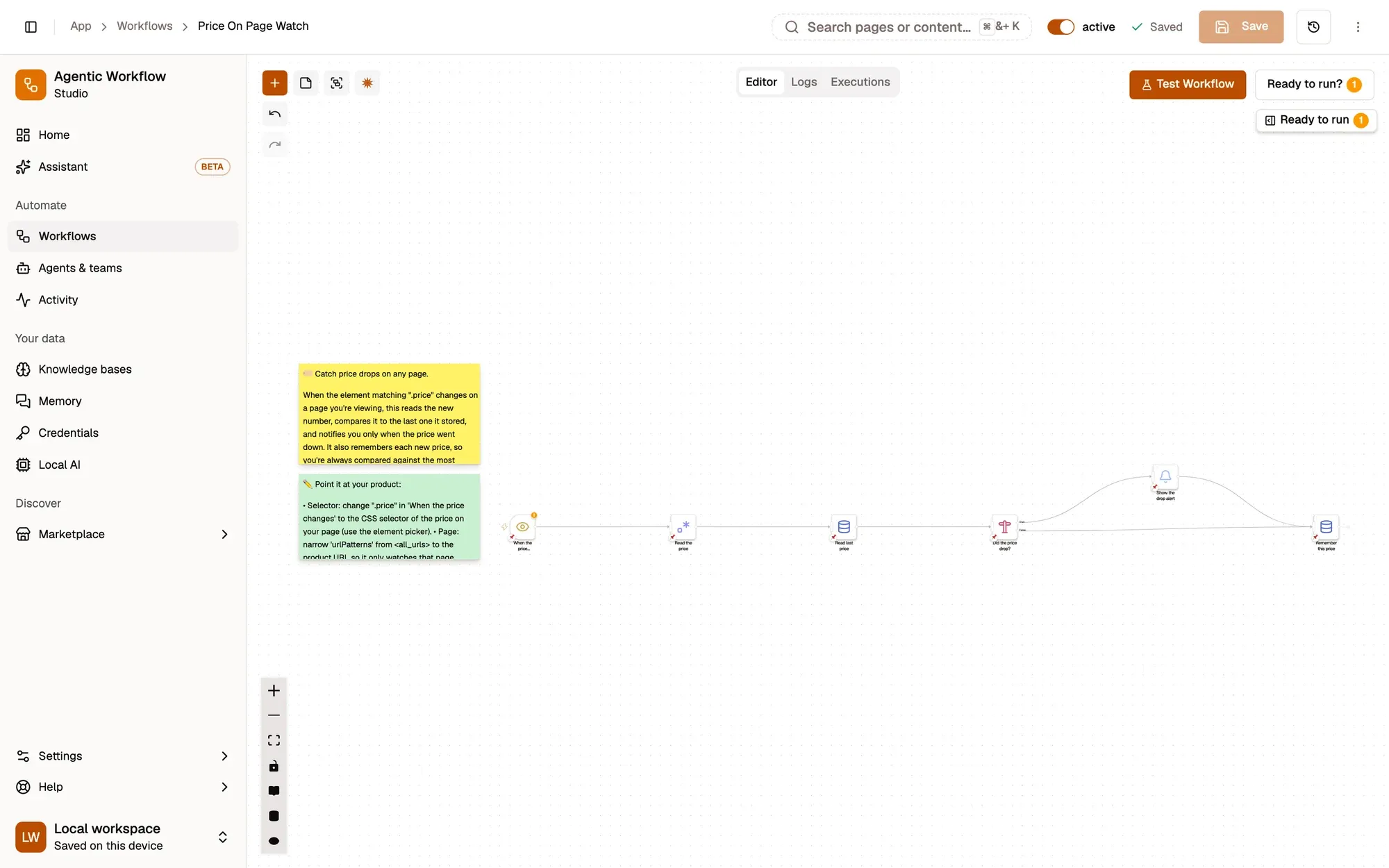
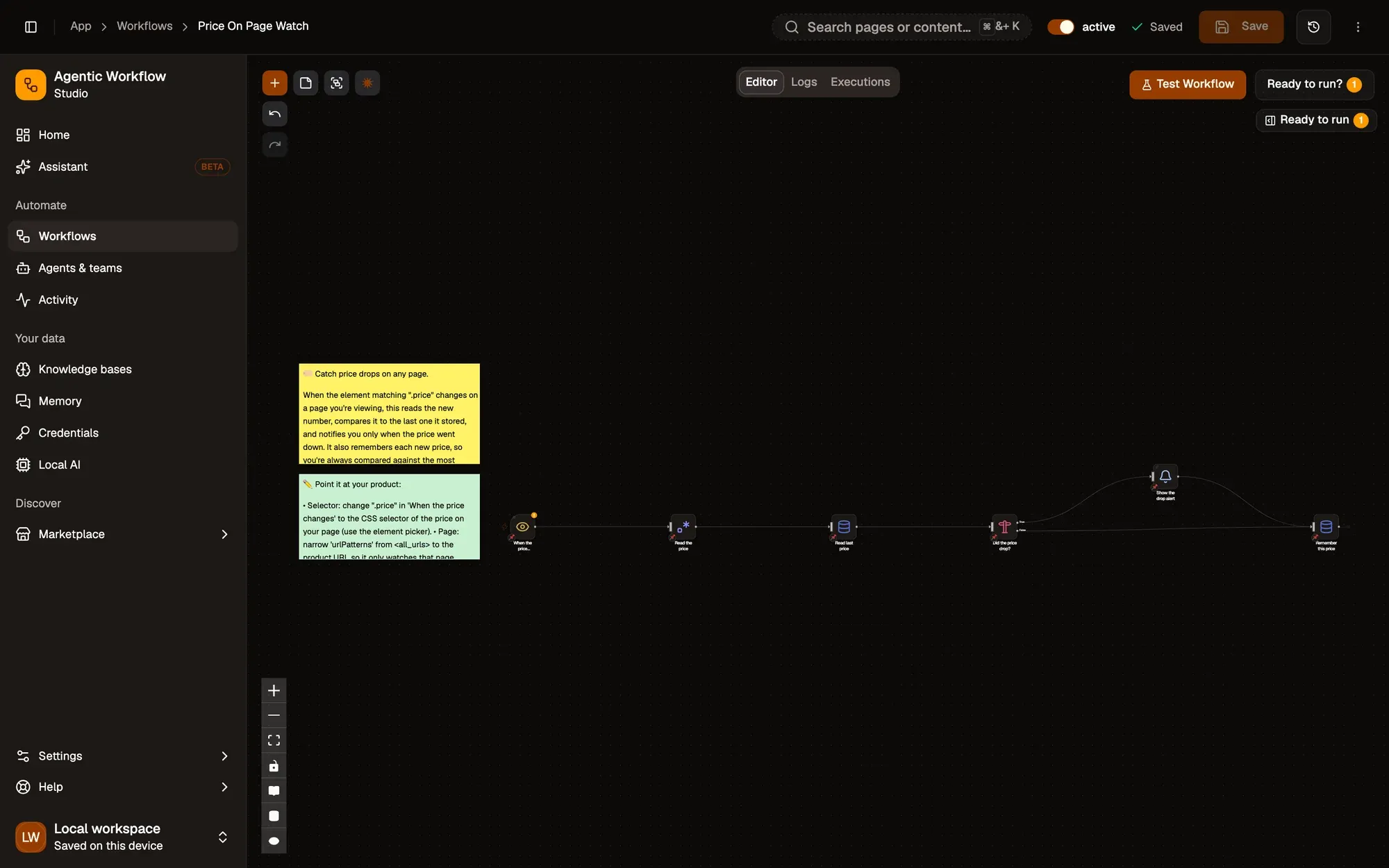
Use the element picker (the crosshair on the trigger) to click the price on the page. AWFlow watches that exact element from now on.
Let it watch
An Element Change trigger reacts when the price changes. The docs recipe compares it with the last price it saw and shows a notification only on a drop; the marketplace template sends you a Telegram message.
Start from a working recipe.

Price Drop Alert
Watch a price on any page and get a Telegram message the moment it changes.
WatchTouches Telegram AWFlow teamFree
Log Page to Google Sheets
Right-click a product page to add its title, link and the date to a Sheet, and build your own price history.
CaptureTouches Google SheetsAWFlow teamFreeScreenshot Page to Telegram
Send a full-page screenshot to your Telegram chat in one right-click, as proof of the price.
CaptureTouches TelegramAWFlow teamFree
Less than you think.
- RequiredThe AWFlow extensionChrome, Edge, Brave or another Chromium browser; Firefox 140 or later also works.
- OptionalAn accountYou can build and run in a local workspace with no login. Installing from the Marketplace needs you to be signed in; docs recipes can be imported as files.
- OptionalA push appntfy or Pushover for phone notifications, or use Telegram or Slack instead.
Change one step, watch anything.
- Stock
Back in stock
Watch the stock label instead of the price. The Back-in-Stock Alert template does this.
- Jobs
New job posts
Watch a careers page and alert on new entries.
- Housing
Rent listings
Point the same trigger at a listings page you care about.
Before you set it up.
Does my browser need to stay open?
Yes. AWFlow runs in your browser, and Element Change watches a page while it is open in a tab. Pin the tab and let it run in the background.
Which shops does it work with?
Any page you can open in your browser, including ones that need you to be signed in. Please respect each site's terms and keep checks reasonable.
Can it watch several products?
Yes. Install the template once per product, or add one row per element to the trigger's CSS selectors and any of them can fire it.
Is anything sent to AWFlow?
In a local workspace, no: the workflow and what it reads stay in your browser. Signed in, workflows you save to the cloud are stored in your account. Notifications go to the service you choose, such as Telegram.
Close the tab. We'll tell you.
Free to start. Build in a local workspace with no login; installing from the Marketplace needs you to sign in. Your first price watcher takes a few minutes.