In 3 seconds
Still copying prices by hand?
The hook. Say it before anything else.A 3-second opener: the countdown ring times the hook before the first chapter.
Text version
- In 3 seconds: Still copying prices by hand?
The 5-tab problem
Count the tabs you need for one small job. To check a competitor’s price you open their shop, then a second shop, then your spreadsheet, then a chat assistant to compare, then your inbox to tell the team. That is five tabs for one job.
The pattern
You open five tabs to do one job.
One job. That is the whole idea of a workflow.A workflow chains those steps so each one passes its output to the next.
Text version
- The pattern: You open five tabs to do one job.
Each of those tabs is really a step. Put the steps in order and you have a workflow.
Your inbox becomes a notification.A notify node sends the result to your phone.
Text version
- Your five tabs: The shop page ≈ One workflow: Trigger: the page loads
- Your five tabs: Hunting for the price ≈ One workflow: AI step: read the price
- Your five tabs: The spreadsheet ≈ One workflow: Rule: did it drop?
- Your five tabs: Your inbox ≈ One workflow: Notify me
It adds up quickly. Here is what one morning habit costs in a week:
One price check, per week
3h 12m
Five competitor pages, checked by hand every morning. Example figures
Where it goes: most of it is finding and copying.Finding and copying are the steps an AI extract node and a sheet node replace.
Text version
- One price check, per week: 3h 12m
- Opening tabs: 38 min
- Finding prices: 61 min
- Copying to a sheet: 54 min
- Comparing: 39 min
Price checks are only one example. These five browser tasks follow the same pattern:
From the post
5 browser tasks AI can take over
- Summarise long pages (done)automated
- Pull prices and names into a sheet (done)automated
- Fill the same form again and again (done)automated
- Watch a page for changes (done)automated
- Collect images from a page (done)automated
Collecting images.Scraping: a node collects the image URLs from the page and downloads them.
Text version
- 5 browser tasks AI can take over
- Summarise long pages
- Pull prices and names into a sheet
- Fill the same form again and again
- Watch a page for changes
- Collect images from a page
Let the browser do it
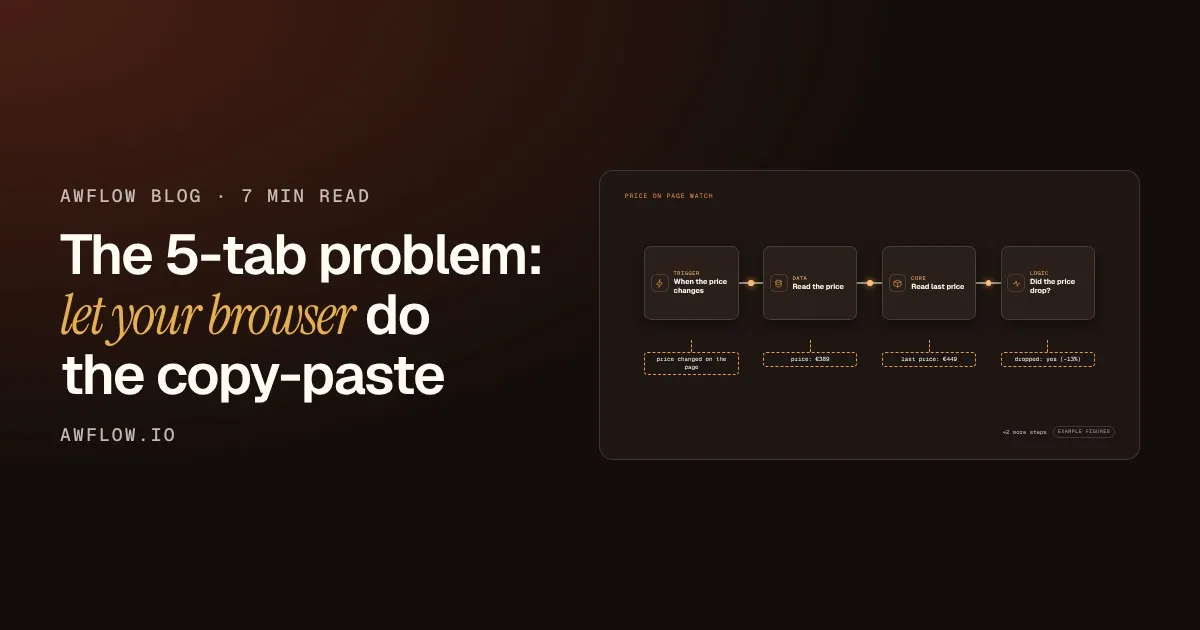
Here is the price check as one workflow. It starts on its own, and each step passes its result to the next.
Price On Page Watch
Run it. Every step shows what it produced.Run: each node's output is shown on the canvas; the last steps alert you and store the price.
Text version
- price-on-page-watch.awf
- price changed on the page
- price: €389
- last price: €449
- dropped: yes (−13%)
It starts on its own
The trigger fires when the price on the page you watch changes. You do not schedule anything or press a button.
It reads the page
The workflow reads the price on the page the way you would, and keeps it as clean data.
It remembers
It compares the new price with the last one it saw, so you only hear about real changes.
A simple rule decides
If the price fell, the workflow continues. Otherwise it stops quietly.
Every step shows its result
When it runs, you can see what each step produced. That makes it easy to check, and to fix.
Building it takes a few actions, all on the same screen. Each mark shows where it happens.
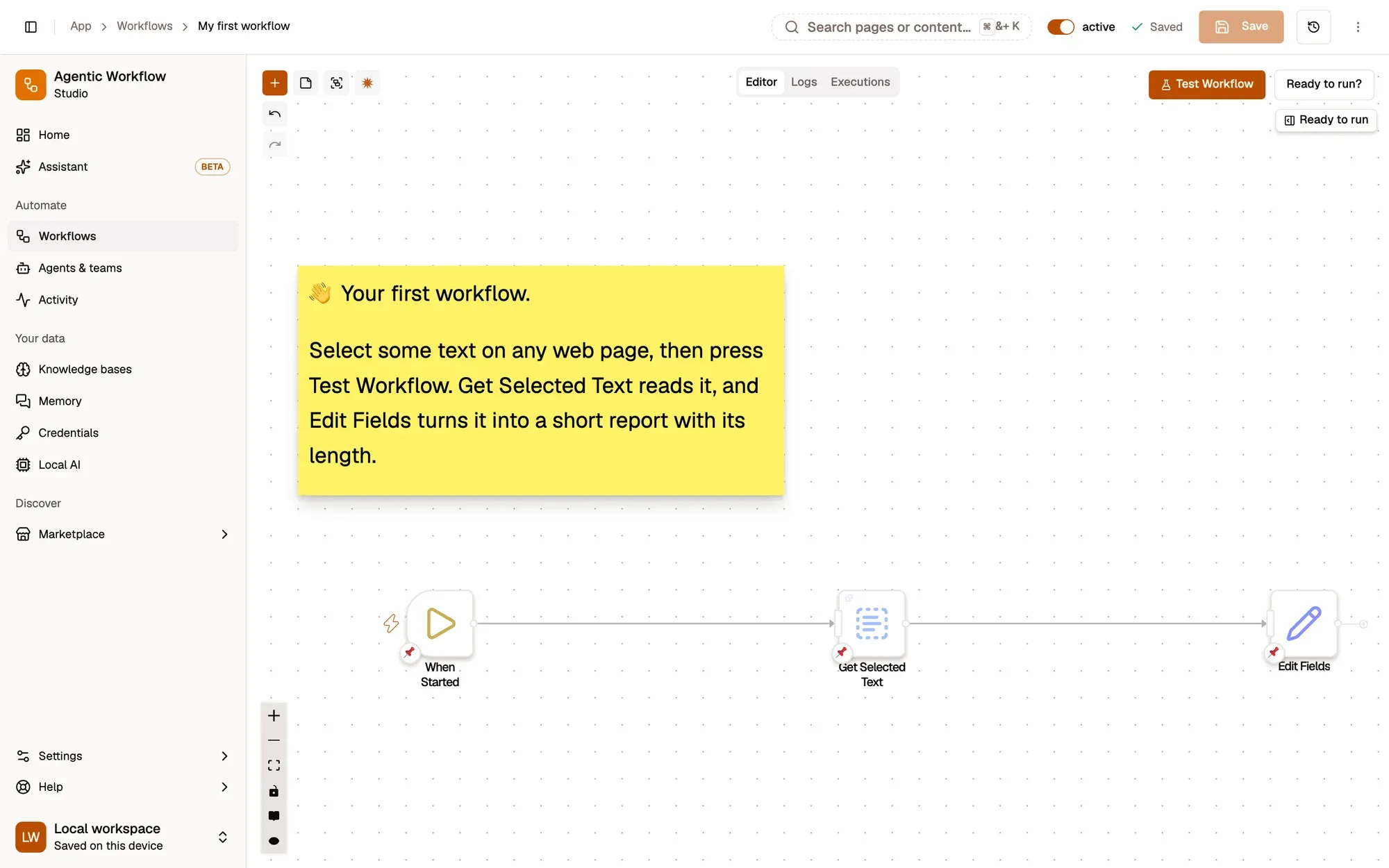
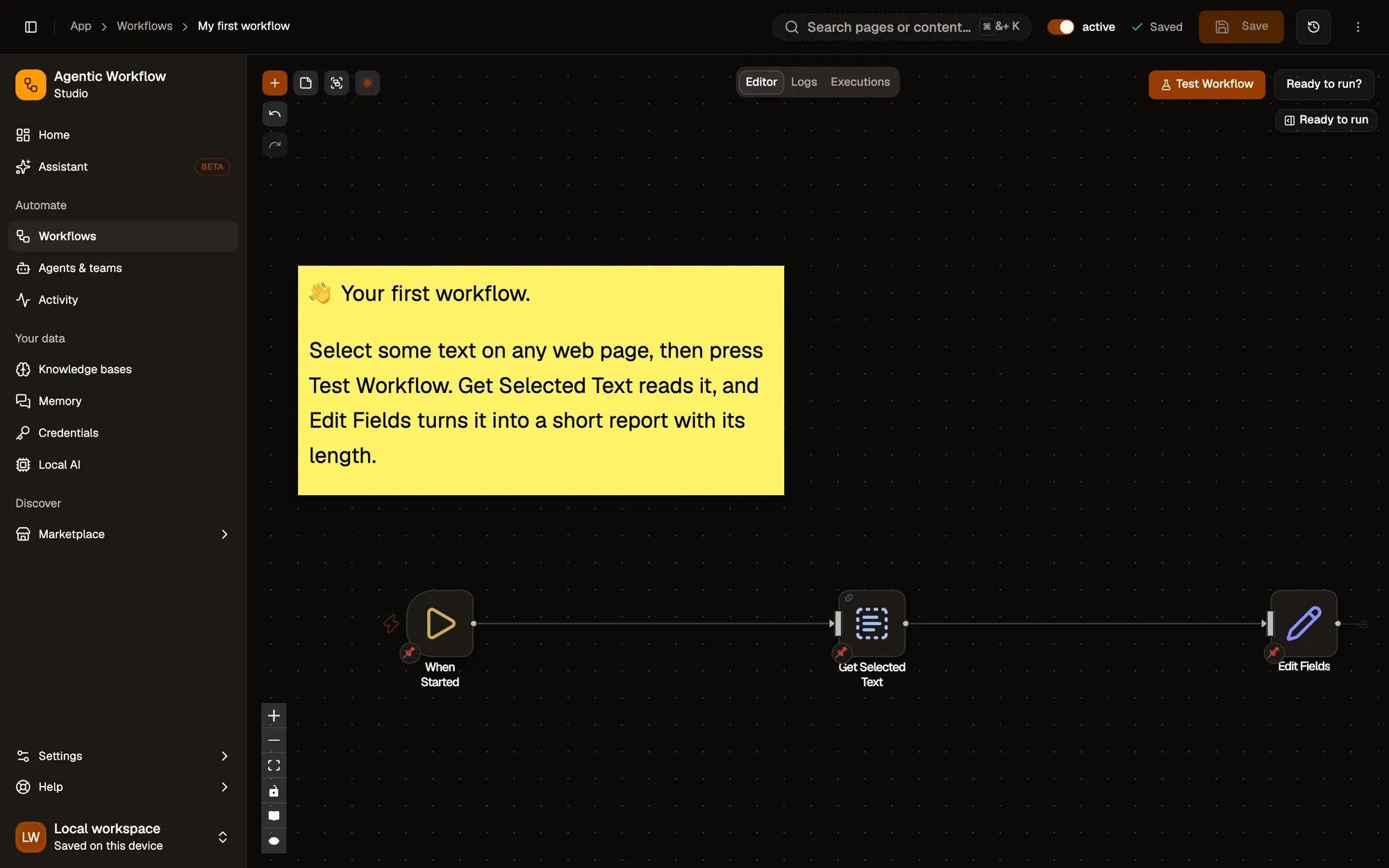
Three actions, one screen.Three nodes configured on one canvas, with no code.
Text version
- 1. Read from the page: Pick what to read.
- 2. Shape the data: Keep only what you need.
- 3. Run it: Watch each step light up.
It runs on the real page, in your own browser, while you are signed in to your own accounts.
shop.example.com/barista-pro
- Page loadedshop.example.com
- Price found€389 (was €449)
- Dropped 13%above your 10% rule
- Notification sentto your phone
It runs on the page. Every step shows up in the log.A content script reads the DOM; the run log streams each node's result.
Text version
- shop.example.com/barista-pro: Barista Pro espresso machine · €389
- Price watch
- Page loaded: shop.example.com · Price found: €389 (was €449) · Dropped 13%: above your 10% rule · Notification sent: to your phone
There is one more difference, and it matters for privacy.
AWFlow runs inside your browser, so nothing has to leave.Local execution reuses your browser session; no data leaves the device.
Text version
- Your browser: Your browser · Someone else's server: Cloud automation
- Your browser → Cloud automation: your login + page data
- Cloud automation → Your browser: the result
- Round trip: ≈ 2 s · Your data leaves: yes
- Cloud automation → Your browser · Network: none · Your data leaves: no
Two places a workflow can run
Most automation tools run on their own servers. AWFlow runs in your browser.
A cloud tool needs your keys
To work on a site for you, a server needs your login and a copy of the page.
It sends the result back
That works, and it is fast. Each run is still a round trip through someone else’s computer.
Your data took a trip
Your session, the page content and the result all passed through a server you do not control.
Or it stays with you
When the workflow runs inside your browser, it uses the session you already have. Nothing leaves.
Drag the handle to compare the two mornings.
Before
The manual way
- Shop A
- Shop B
- Sheet
- Chat
- Inbox
47 min
Every morning, by hand.
After
With one workflow
- Watch
- Extract
- Notify
40 s
Runs while you do something else.
Drag the line to compare the two mornings.The slider compares both states; it works with the keyboard too.
Text version
- Before: The manual way, 47 min. Every morning, by hand.
- After: With one workflow, 40 s. Runs while you do something else.
- Compare before and after
What about you? Pick one to see how other readers answered.
Quick poll
Which browser chore eats most of your day?
Example resultsReveal. Copying between tabs wins. (Example results.)Example results, labelled on screen: there is no poll backend.
Text version
- Which browser chore eats most of your day?
- Copying data between tabs: 41% · Filling the same forms: 23% · Checking pages for changes: 21% · Summarising long reads: 15%
Try it
You can copy the whole workflow and change the shop link for your own.
Your turn
Steal this workflow
Open it in AWFlow, point it at the shop page you watch, and it runs in your browser.
Open in AWFlow (opens in a new tab)docs.awflow.io/examples/price-on-page-watch.awfCall to action. Viewers scan the code, readers click the link.The link opens the docs example in AWFlow's import page; the QR code encodes the same link.
Text version
- Steal this workflow · Open it in AWFlow, point it at the shop page you watch, and it runs in your browser. · https://docs.awflow.io/examples/price-on-page-watch.awf
What we covered
- One job, five tabs
- One workflow does the clicks
- It runs in your browser
Three. It stays in your browser.Chapter 3: local execution; data stays on the device.
Text version
- What we covered
- One job, five tabs
- One workflow does the clicks
- It runs in your browser