Small numbers
A fraction of a cent per run. Then it runs a thousand times.
The hook. Say it before anything else.A 3-second opener before the first chapter.
Text version
- Small numbers: A fraction of a cent per run. Then it runs a thousand times.
An AI step in an automation costs so little per run that nobody checks it. Then the automation runs on a schedule, on every page in a list, for every email that arrives, and the bill arrives weeks later.
This post shows how to estimate the cost of an AI step before you build it, where the money actually goes, and a design that keeps most of the work on a free model running on your own device. The prices in the calculator are placeholders: always use your provider’s current price list.
How AI is billed
Most AI providers charge by the token, a small piece of text: roughly three-quarters of an English word, or about four characters. They usually charge one rate for what you send in and another for what the model writes back. So the cost of an AI step follows one formula:
The formula
Cost = tokens per run × runs × price per token
Tokens per run is the number people never measure.Input and output tokens are usually priced separately.
Text version
- The formula: Cost = tokens per run × runs × price per token
Put your own numbers in. The defaults are placeholders, not anyone’s price list:
Placeholder prices. Use your provider's real ones.
Example figuresYour monthly bill. Double the runs and it doubles.Divided by 1,000 to turn thousands of tokens into millions. Placeholder defaults.
Text version
- Runs per month: 600 runs · Tokens per run: 3 thousand · Price per million tokens: 1 USD
- Your AI bill per month: 1.80 USD
The page is the bill
The surprise for most people is where the tokens come from. To summarise an article, the whole article goes into the prompt. The three bullets that come back are tiny by comparison.
A short answer comes out. Nearly all the cost went in.Output is a few dozen tokens; input dominates for long sources. Estimates.
Text version
- The page: about 1,600 tokens · Your instruction: about 20 tokens
- about 1,600 tokens + about 20 tokens → One model call
- One model call → Three bullets: about 60 tokens
That has a practical consequence. The cheapest optimisation is to send less: read only the part of the page you need, such as the article body instead of the whole page with its menus and footer. Two other costs hide in automations: chains call the model several times per run, and each call pays for its own input; retries pay again for the whole call.
Free is free per use, not free of trade-offs
A model that runs in your browser has no per-use bill. Once its files are downloaded, every run costs nothing, even offline. That changes how you design: you can run an AI step on every row of a long list without doing the sum.
A free on-device model is always the cheaper choice.
It costs nothing per run, but you pay in a download, disk space, speed and a smaller model. Use it where it is good enough.
The fact. Choose it for the jobs a smaller model gets right.Test on your own inputs; keep paid models for the steps that need them.
Text version
- A free on-device model is always the cheaper choice.
- It costs nothing per run, but you pay in a download, disk space, speed and a smaller model. Use it where it is good enough.
The AWFlow docs put the three places a model can run side by side:
| In your browser (Web LLM) | Cloud, with your key | Your computer (Ollama) | |
|---|---|---|---|
| Cost | Free | A little per run, billed by the provider | No per-call cost |
| Privacy | Nothing leaves your device | The prompt, page text included, goes to the provider | Stays on your computer |
| Best when | Nothing to install, nothing may leave the browser | You need the strongest reasoning and reliable tool use | Data must stay on your machine and you can run a model server |
Pay only for the hard part
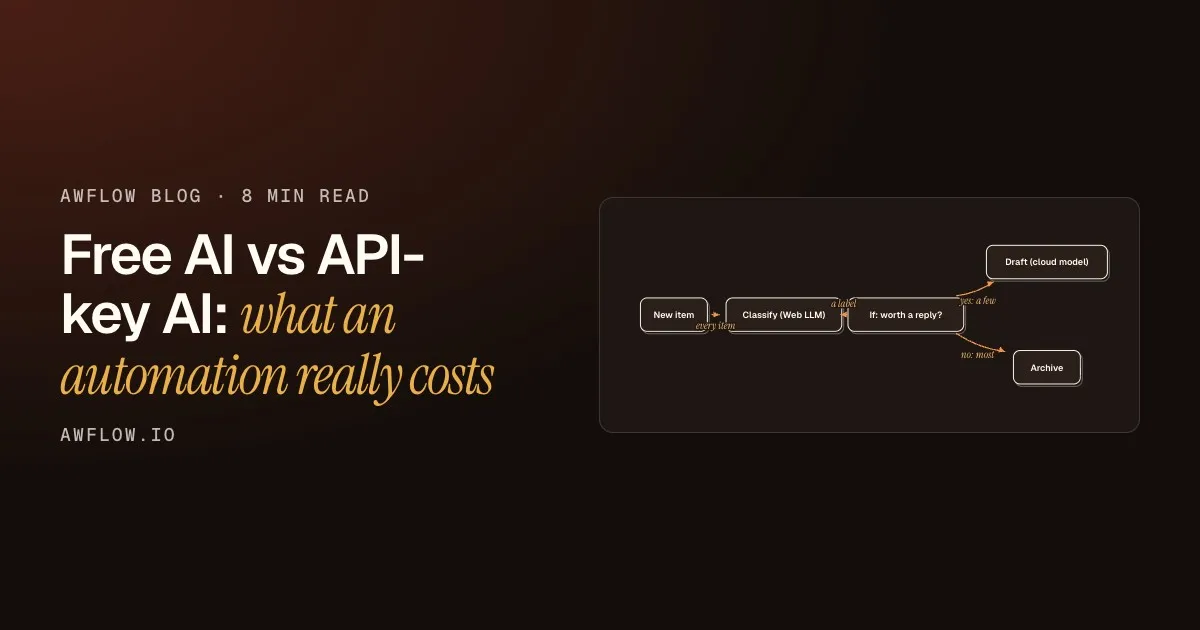
You rarely need one model for the whole workflow. A common design is to let a free model do the sorting on everything, and send only the few items that need real writing or reasoning to a paid model:
The rest never cost a thing.Most runs end on the free branch.
Text version
- New item · Classify (Web LLM) · If: worth a reply? · Draft (cloud model) · Archive
- New item → Classify (Web LLM): every item
- Classify (Web LLM) → If: worth a reply?: a label
- If: worth a reply? → Draft (cloud model): yes: a few
- If: worth a reply? → Archive: no: most
A free sorter, a rule, a paid writer
The workflow has two AI steps on purpose: one cheap, one strong.
Everything gets sorted for free
The model in your browser labels every item. Thousands of items cost the same as one: nothing.
A simple rule decides
An If step reads the label and splits the flow.
Only a few reach the paid model
The cloud model sees the items that deserve a carefully written answer.
The rest cost nothing
Most items stop on the free side. Your bill now scales with the work that matters.
It is easy to build because, in AWFlow, a model is a plug. An AI step such as Basic LLM Chain has a Model slot underneath it. Put Web LLM in it for the free sorter, and Chat OpenAI, Chat Anthropic or Chat Google with your API key for the writer. Nothing else in the workflow changes.
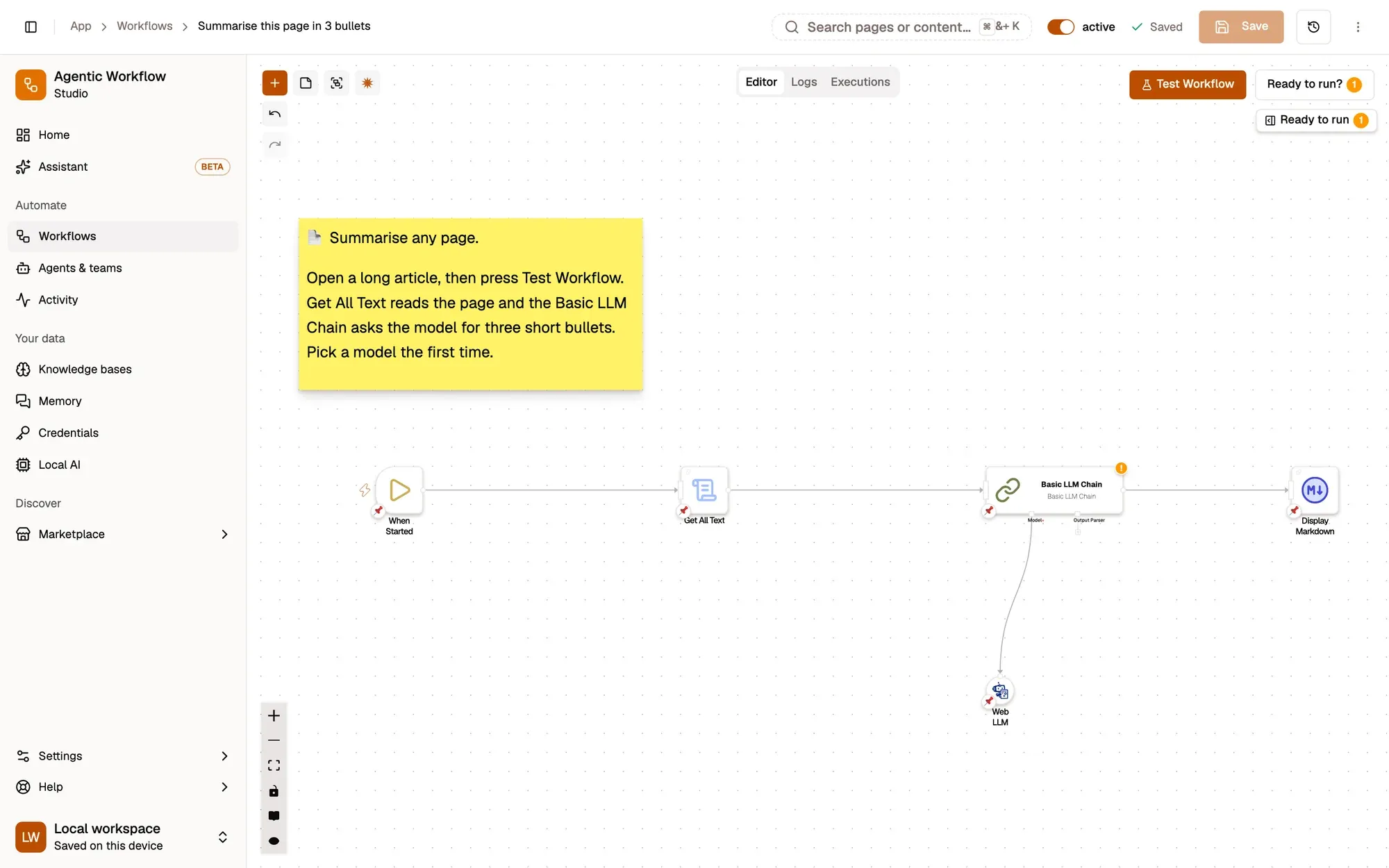
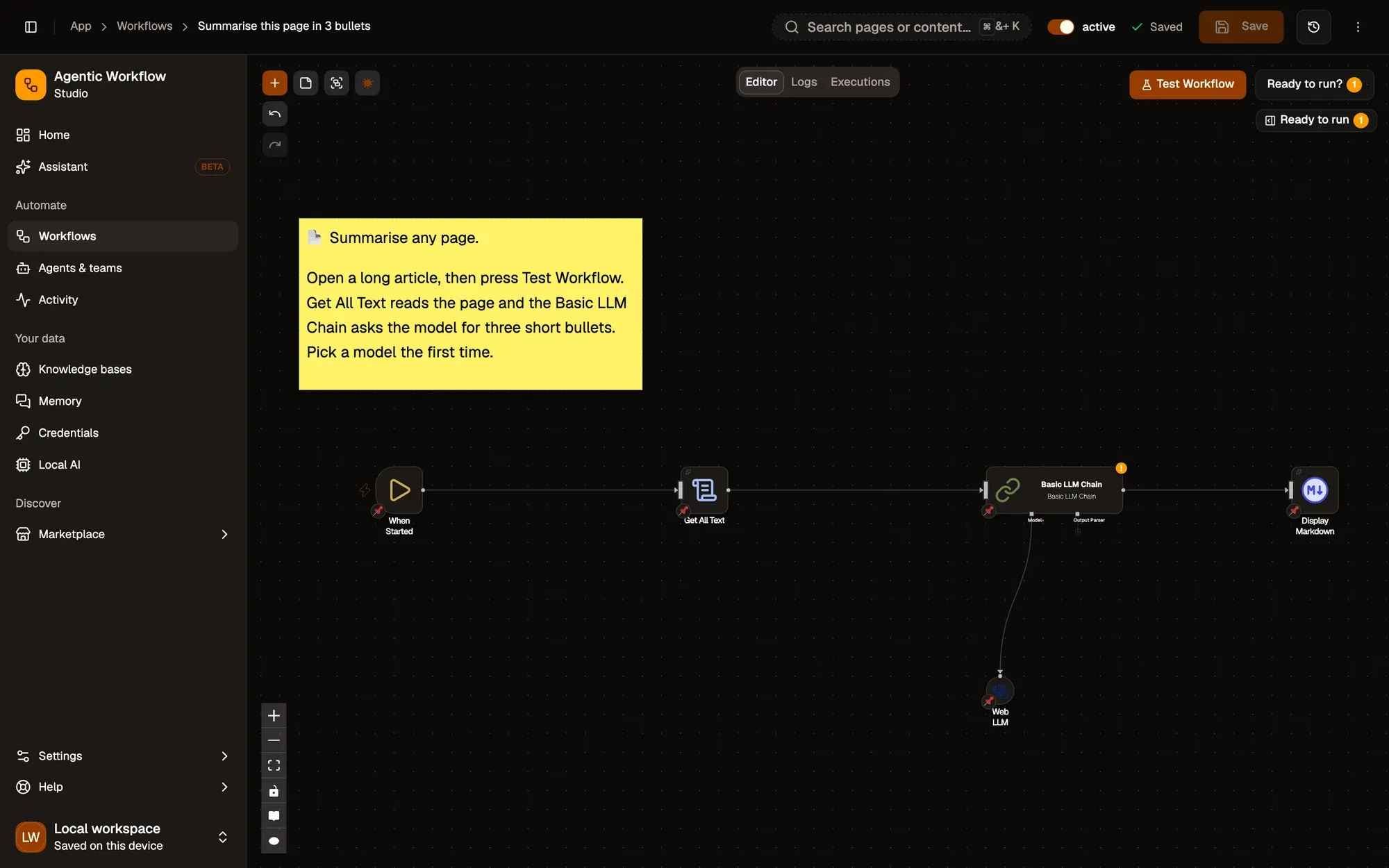
Same workflow, different bill.Only the dependency node changes.
Text version
- 1. The AI step: Holds the prompt.
- 2. The model slot: Free in-browser, or a cloud model.
Cloud providers are called directly from your browser with your own key; AWFlow does not run or relay those calls, and the key is stored as a credential.
Don’t forget the platform bill
The AI is only part of what an automation costs. The tool that runs the workflow often has its own meter. From our reviewed comparison with n8n, which we keep up to date:
| Feature | AWFlow | n8n |
|---|---|---|
| Pricing model | Local mode is free with no usage limits from us. Cloud AI keys you add are billed by that provider. | Free Community Edition when you self-host (you pay for hosting). n8n Cloud plans are priced by monthly workflow executions. |
| Local AI | Built in: Chrome built-in AI, WebLLM, Transformers.js and TensorFlow.js run on your device. Ollama too. | Can use local models you run yourself, for example through its Ollama nodes. Cloud AI providers with your keys. |
Local AI. An even row: both can use local models.n8n can use local models you run yourself, for example through Ollama nodes; AWFlow also runs them in the browser.
Text version
- Pricing model: AWFlow: Local mode is free with no usage limits from us. Cloud AI keys you add are billed by that provider.; n8n: Free Community Edition when you self-host (you pay for hosting). n8n Cloud plans are priced by monthly workflow executions.
- Local AI: AWFlow: Built in: Chrome built-in AI, WebLLM, Transformers.js and TensorFlow.js run on your device. Ollama too.; n8n: Can use local models you run yourself, for example through its Ollama nodes. Cloud AI providers with your keys.
What we covered
- Cost = tokens per run × runs × price
- The page you send is the bill
- Sort for free, pay only for the hard part
Three. A free model triages, a paid one writes.Branch with an If node; swap the Model slot per step.
Text version
- What we covered
- Cost = tokens per run × runs × price
- The page you send is the bill
- Sort for free, pay only for the hard part