Quick question
879 MB or 5 GB? Same model. Which one do you download?
The hook. Say it before anything else.A 3-second opener before the first chapter.
Text version
- Quick question: 879 MB or 5 GB? Same model. Which one do you download?
Open any catalogue of AI models that run on your own computer and you meet a wall of names: Llama-3.2-1B-Instruct-q4f16_1, Qwen2.5-3B, q0f32. Most people pick one at random, wait for a long download, and find out it will not load.
There is a better way, and it comes down to one number. This guide shows you how to read it, how to read the cryptic names, and how to install, test and keep a model. The screenshots come from AWFlow’s Local AI page, but the method works anywhere.
Start from the job, not the model
A model is built for a kind of work. Chat and drafting, searching your own documents, labelling images, transcribing audio: each is a different task, and the models for one task cannot do another. So the first filter is the job.
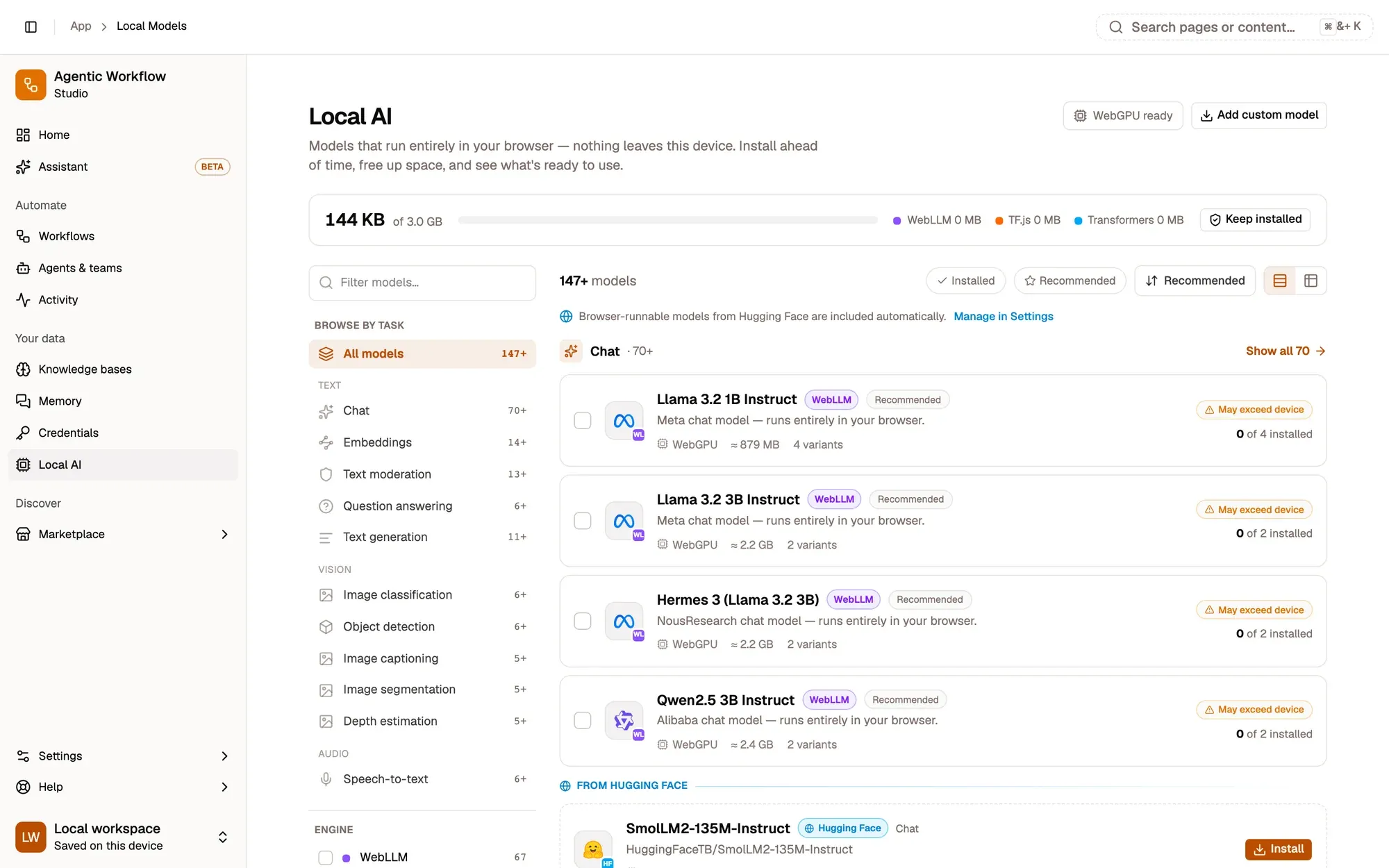
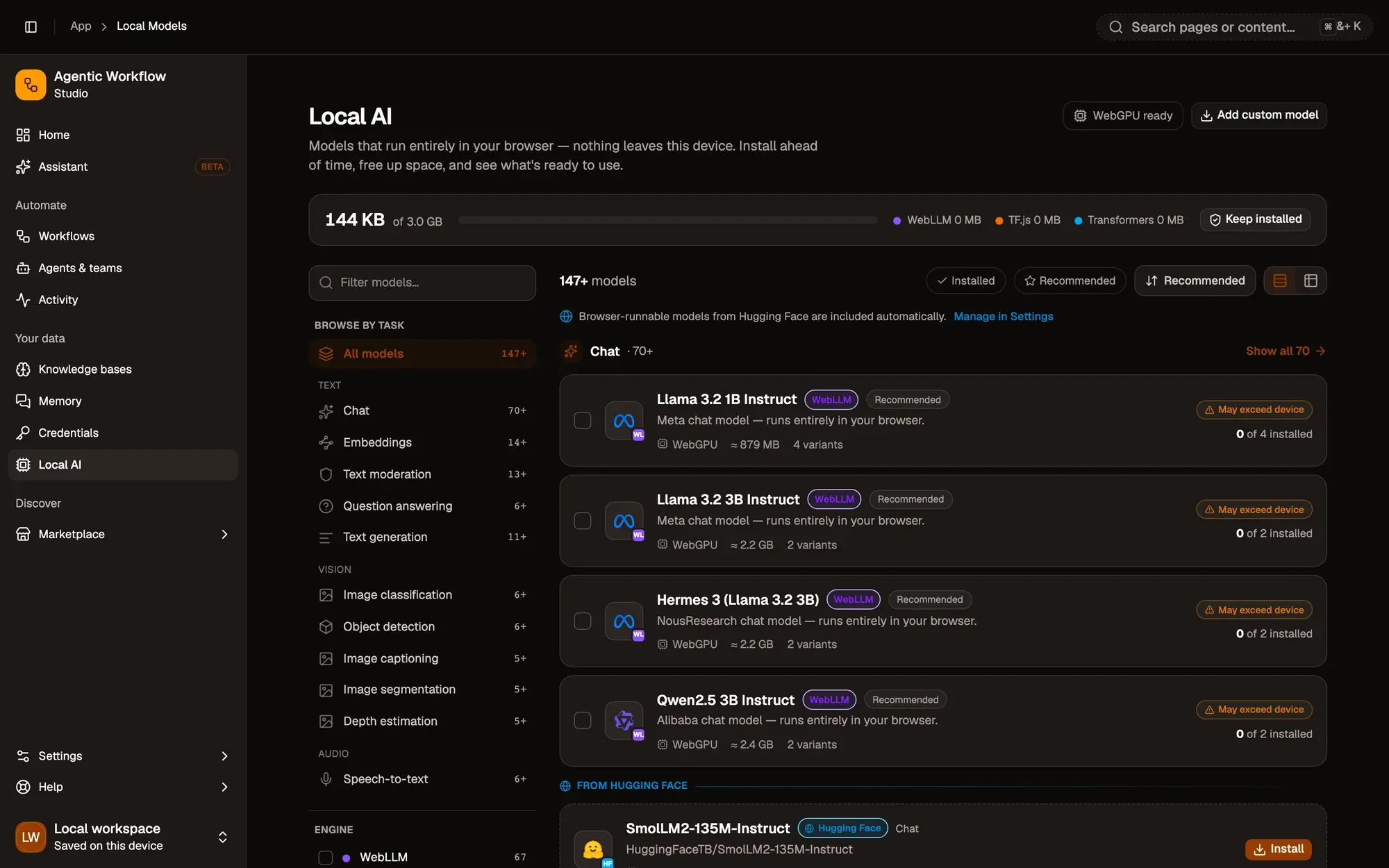
Three things to read, and only then install.Task, size and fit, before any download.
Text version
- 1. Pick the job: Chat, embeddings, vision, speech.
- 2. Narrow it down: Search by name or filter by engine.
- 3. Read the card: Size, device fit, install state.
The number that decides: memory
A model has to fit in memory to run. For chat models, the memory a model needs grows with its size, the number of parameters, usually written as 1B, 3B or 8B (billions). Here is what some popular chat models need, at the same 4-bit precision:
Memory to run Llama 3.2 1B, at 4-bit
879 MB
WebLLM's published requirements, per model, at the same 4-bit precision (q4f16_1).
Each step up in size costs more memory. An 8B model needs over 5 GB.Requirements from WebLLM's prebuilt model list (q4f16_1), in MB.
Text version
- Memory to run Llama 3.2 1B, at 4-bit: 879 MB
- SmolLM2 360M: 376 MB
- Llama 3.2 1B: 879 MB
- Qwen2.5 1.5B: 1630 MB
- Llama 3.2 3B: 2264 MB
- Llama 3.1 8B: 5001 MB
These are real figures, published by the WebLLM project for each of its models. A laptop with 8 GB of memory shares it with your browser, your other tabs and the operating system, so the small end of that chart is where most people should start.
The second lever is precision. The same model can be stored with less detail in each number, which makes it much smaller. Here is Llama 3.2 1B, as listed on the Local AI page:
About a sixth of the size. Same model, a small loss in quality.879 MB versus 5,106 MB in WebLLM's requirements; quality loss depends on the task.
Text version
- Llama 3.2 1B (q0f32)
- Store fewer bits → Llama 3.2 1B (q4f16_1)
- Download: 5 GB → 0.88 GB (−82%)
That is why one model shows several variants. They are the same model at different precisions, and the difference in size is dramatic:
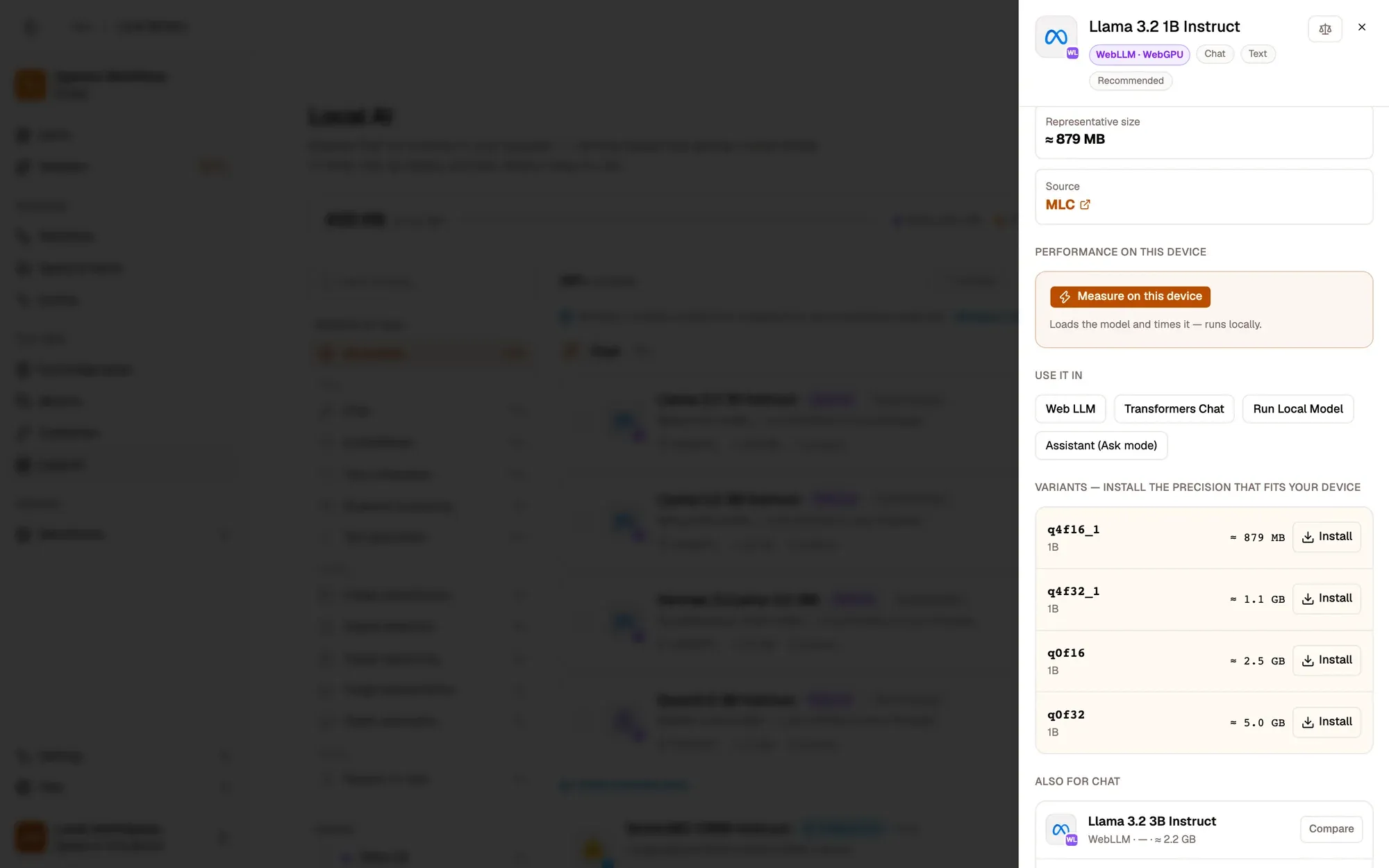

Start with the smallest. Go bigger only if answers fall short.Smaller variants load faster and need less memory.
Text version
- 1. Four variants: From about 879 MB to 5.0 GB.
- 2. Install one: Downloads in the background.
The names look cryptic but follow a pattern once you know it:
If you are unsure, pick the q4f16_1 variant: it is the usual starting point.
Weights stored in 4 bits, maths done with 16-bit numbers. Small, fast, and close in quality to the full model.
MLC quantisation code: q4 = 4-bit weights (group quantisation, recipe 1), f16 = float16 compute. q0 means unquantised; f32 uses 32-bit floats and needs more memory.
What it means: 4-bit weights, 16-bit maths.q{bits}f{compute}_{recipe}; q0 = not quantised.
Text version
- If you are unsure, pick the q4f16_1 variant: it is the usual starting point.
- q4f16_1: Weights stored in 4 bits, maths done with 16-bit numbers. Small, fast, and close in quality to the full model. MLC quantisation code: q4 = 4-bit weights (group quantisation, recipe 1), f16 = float16 compute. q0 means unquantised; f32 uses 32-bit floats and needs more memory. (Quantisation, q0f32, Variant)
The fit label is an estimate, so test
Each variant carries a device fit: Fits comfortably, Tight fit or Exceeds memory. It is a useful warning, but read it as an estimate.
The reason is privacy. Browsers deliberately do not tell websites how much memory your computer has. The best a page can get is a rough figure, rounded and capped at 8 GB, and nothing at all about your graphics card’s memory. Any tool that runs AI in a browser is making an educated guess, which is why AWFlow still lets you install a model marked Exceeds memory, with a warning, rather than hiding it.
So the guess is only the first check. The real one is to load the model and see:
Set it as default so everything uses it.The assistant prefers it; new Web LLM nodes are pre-filled with it.
Text version
- A chat model: not on your device yet
- Pick a variant: smallest that fits
- Install: downloads in the background
- Test: loads it and runs a check
- Set default: assistant and new nodes use it
Two more habits save you a second download:
- Keep it installed. Browsers can clear stored data when space runs low, models included. Turn on Keep models installed in the storage header. When the browser agrees, the header shows Protected.
- Compare before you commit. If two models both fit, put them side by side and measure them on your own machine. Our test for choosing a model size shows how.
Put it to work
An installed model is not tied to one feature. It serves the assistant, your agents and your workflows, with no second download. Here is a workflow that uses one: it reads the page you are on and summarises it with the model you installed.
Open the summary step to change its length and style.Summarize it: max 120 words, a few bullet points. The model is picked on the first run.
Text version
- summarize-this-page.awf
- Max words: 120 · Style: a few bullet points
Under the summary step sits a Local AI model slot. The first time you run the workflow, pick the model you just installed. After that it runs in your browser, offline if you like, and nothing you summarise leaves your device.
What we covered
- Memory decides what runs
- 4-bit variants are a fraction of the size
- The fit is a guess: test, then keep
Three. Install, test, set a default, keep it installed.Browsers expose only rounded memory, so a load test is the real check.
Text version
- What we covered
- Memory decides what runs
- 4-bit variants are a fraction of the size
- The fit is a guess: test, then keep