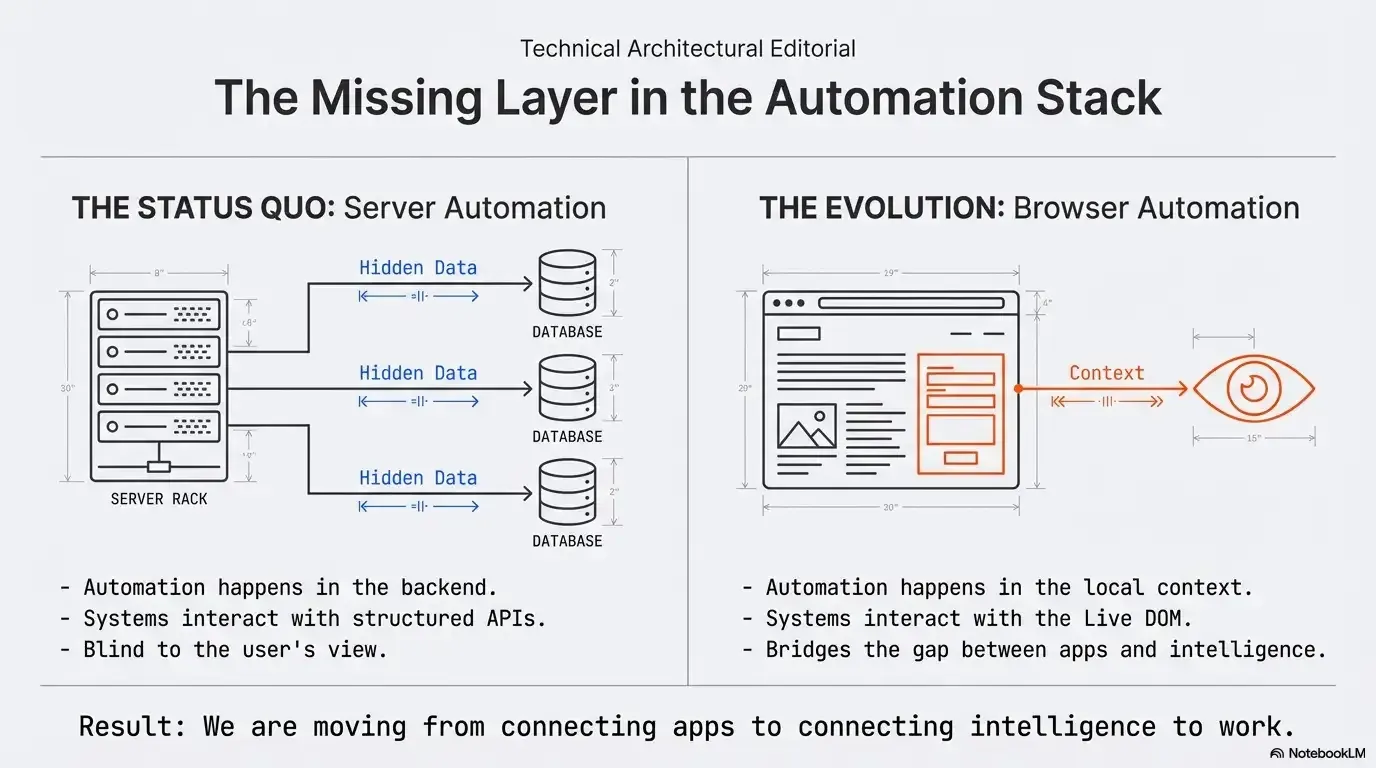
For years, automation was defined by backend systems. Workflows lived on servers, logic ran in the cloud, and APIs were the integration layer. That model worked well for connecting SaaS applications and orchestrating infrastructure. But it ignored one critical environment: the browser.
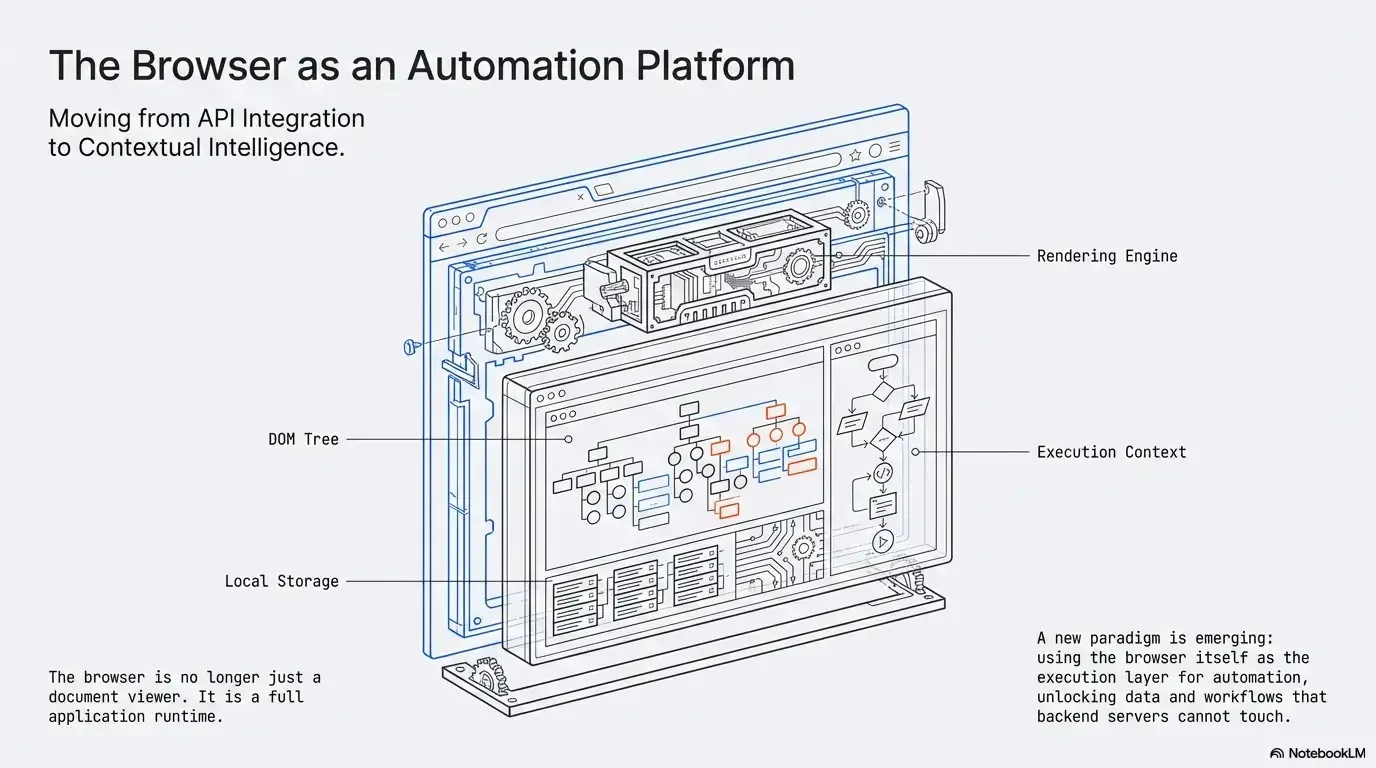
Today, most professional work happens inside web applications. Research, marketing, analytics, product management, operations, sales: all of it runs in browser tabs. The browser is no longer a document viewer. It’s an execution environment.
The thesis
The browser is no longer a viewer. It's where automation can run.
The browser is a runtime, not just a window.JavaScript, WebAssembly, WebGPU, DOM access and storage, all on the client.
Text version
- The thesis: The browser is no longer a viewer. It's where automation can run.
That shift creates a new paradigm: the browser as an automation platform.
From API-centric to context-centric automation
Traditional automation platforms are API-first. They rely on structured endpoints, exchange JSON payloads and react to webhooks. It’s a powerful model, but it assumes that everything meaningful is reachable through an API.
Everything worth automating has an API.
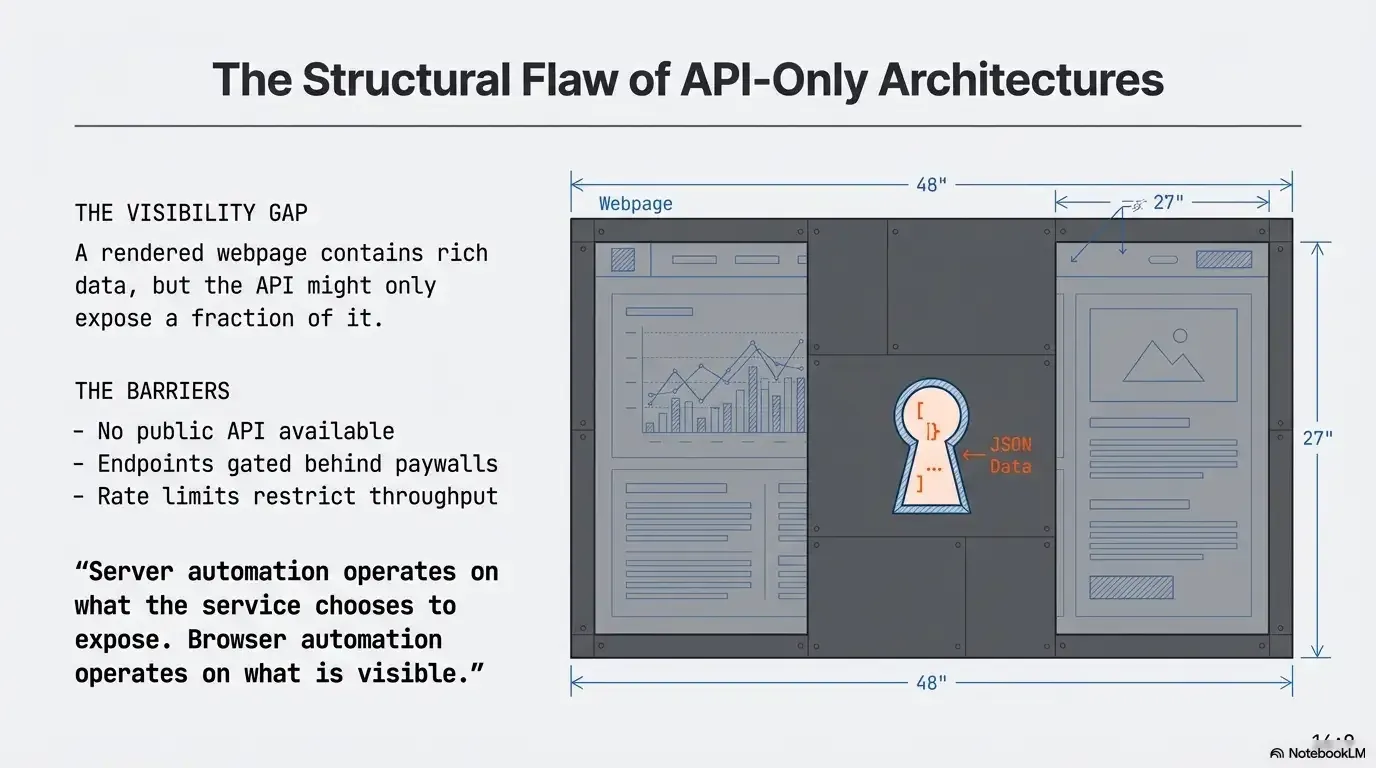
Many sites have none, some gate it behind plans, and the rendered page often shows more than any endpoint.
The reality: much of the web is only on the page.No public API, gated APIs, and on-screen context invisible to backends.
Text version
- Everything worth automating has an API.
- Many sites have none, some gate it behind plans, and the rendered page often shows more than any endpoint.
In reality, many websites don’t provide public APIs, some APIs are restricted to certain plans, rendered pages often contain more than official endpoints expose, and what you’re doing on screen is invisible to backend systems.
Browser-native automation changes the reference point. Instead of asking “What does the API expose?”, it asks “What is visible and accessible in the browser right now?” Agentic Workflow is built on that shift: workflows run inside the browser, where the work actually happens, rather than depending only on backend integrations.
The browser is already a runtime
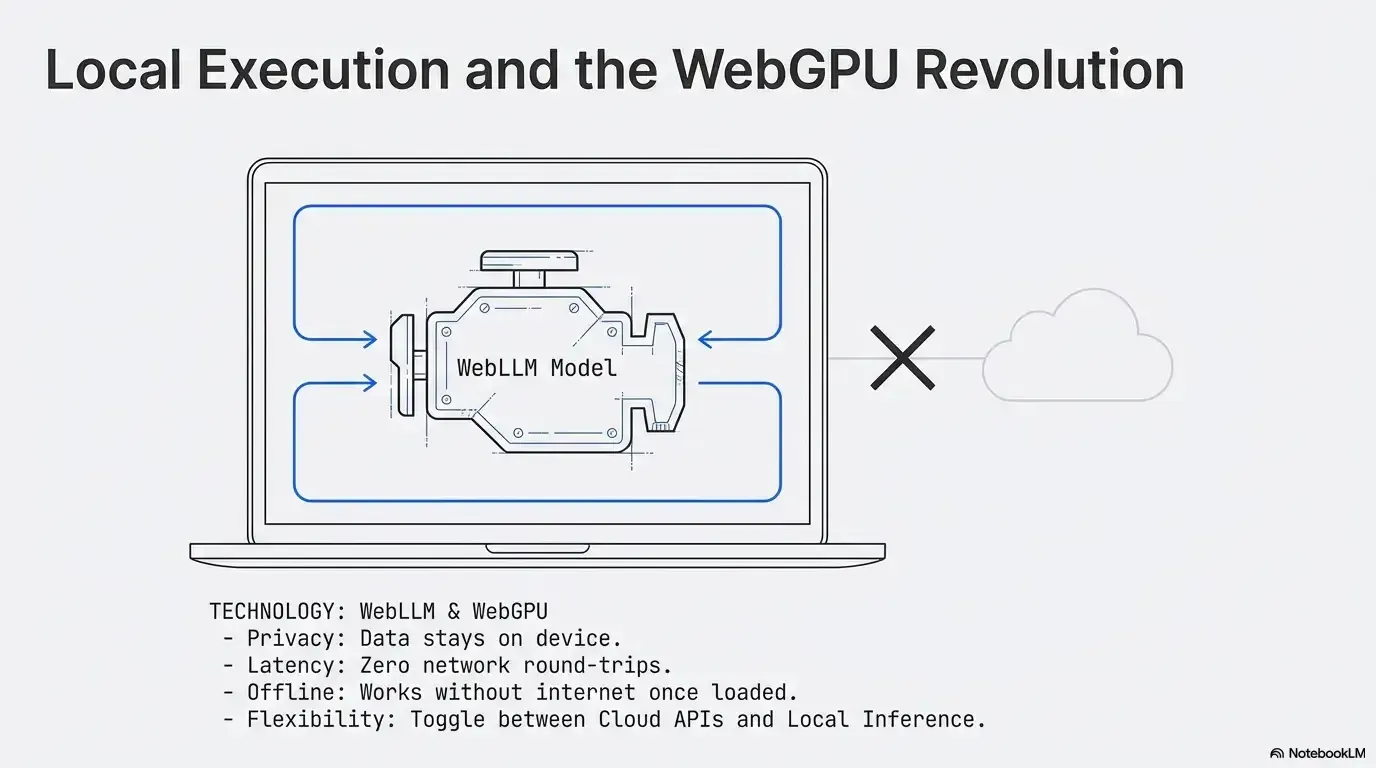
Modern browsers run JavaScript and WebAssembly, use the graphics card through WebGPU, manipulate the DOM in depth, store data on the device and render in real time. They are application platforms. Yet automation largely ignored this runtime and stayed in the cloud.
Agentic Workflow uses the browser as a first-class execution environment. Workflows run locally, read the rendered page and change it in real time. That isn’t scraping in isolation; it’s automation woven into the live browsing experience. To learn more about one part of that runtime, read WebAssembly explained.
Context is the missing layer
Backend systems understand structured data. They don’t understand context: the text you selected, the page as it looks after dynamic loading, what’s visible after your filters, the images, links and embedded elements on screen, where you are in your work.
A browser workflow can read the selected text, the full page text, the complete HTML, every link and every image, and it can add or change content on the page. That’s context-aware automation: workflows that react to what you’re viewing, not only to system events.
AI changes the equation
AI amplifies the shift. When AI works only through backend APIs, it processes isolated input that you transfer by hand. When it works inside the browser, it can analyse live page content, interpret rendered HTML, classify what’s visible and transform text in place.
Agentic Workflow integrates AI into browser workflows, with cloud models or local ones running in the browser through WebLLM. Local execution brings privacy control, no network round trip, offline use and a choice of where each step runs. Intelligence works where the work happens, not in a disconnected chat window. The browser becomes a contextual AI runtime.
From automation to agentic workflows
Traditional automation executes predefined steps. Agentic workflows add decisions: extract page data, send it to a model, interpret the result, branch on it, then change the page or trigger further actions.
The data goes on to another system.HTTP Request to an external API.
Text version
- A marketplace page: 40 product listings
- Extract the listings: title, price, seller, rating
- AI categorises them: bargain · fair · overpriced
- Highlight the best: 6 items outlined on the page
- Send them on: POST to your API
A page with no API
A marketplace lists 40 products. There’s no API, but everything is on the page.
Extract
The workflow reads the listings into structured fields: title, price, seller, rating.
Decide
A model sorts them. The workflow branches on its answer: that’s the decision layer.
Act on the page
The best items are highlighted right on the page you’re looking at.
Hand off
The selected data is sent to an external API for the rest of your process.
The automation isn’t just procedural; it adapts to context. That’s the core of the “agentic” paradigm. More in what is an agentic workflow.
Hybrid automation is the future
This paradigm doesn’t eliminate server automation; it complements it. Servers remain essential for 24/7 backend execution, enterprise integrations and infrastructure orchestration. Browser-native automation fills a different gap: user-side workflows, context-driven interactions, live content changes and AI-assisted browsing.
Agentic Workflow anchors automation in the browser while still calling external APIs over HTTP, so one workflow can combine live page extraction, AI analysis, API calls and page changes.
A new layer in the automation stack
The automation stack is growing a layer:
- ContextThe browser: the page, your session, what you see.
- IntegrationAPIs and webhooks between services.
- InfrastructureCloud servers and backend logic.
Add the missing top layer: the browser, where context lives.Browser-native automation as a context layer, alongside APIs and servers.
Text version
- Context / Integration / Infrastructure
- Context: The browser: the page, your session, what you see. · Integration: APIs and webhooks between services. · Infrastructure: Cloud servers and backend logic.
For years, the context layer was missing from automation. Now it’s reachable. By running where digital work happens, inside the browser, and combining page access, workflow logic, AI models and API connectivity, the browser becomes a programmable automation platform in its own right.
Why this shift matters
If automation ignores the browser, it ignores the main workspace of modern professionals. Making the browser an automation platform brings execution closer to the user, removes manual friction, enables automation where no API exists, and puts AI into daily work. It reframes automation from system orchestration to contextual intelligence.
Your turn
Turn a page into data
Open it in AWFlow: it pulls a list of items out of a page as structured data, the first step of an agentic workflow.
Open in AWFlow (opens in a new tab)docs.awflow.io/examples/web-scrape-to-json.awfCall to action. Scan the code or click the link.Opens the Web scrape to JSON docs example in AWFlow's import page.
Text version
- Turn a page into data · Open it in AWFlow: it pulls a list of items out of a page as structured data, the first step of an agentic workflow. · https://docs.awflow.io/examples/web-scrape-to-json.awf
In short
- The browser is a runtime
- Context is the missing layer
- Hybrid: browser plus servers
Three. Each layer does its job.Servers for 24/7, the browser for context.
Text version
- In short
- The browser is a runtime
- Context is the missing layer
- Hybrid: browser plus servers