Lesson 3 4 min
Pick elements with selectors
Choose the right node for the page you're on, and point it at exactly the table, list or element you need.
The page you’re on, or a fetch?
Get HTML from Link downloads an address on its own: the page doesn’t need to be open, but scripts don’t run, so anything a site adds with JavaScript is missing, and pages that need you signed in may return a login page instead. Get All HTML reads the tab you have open, as it is right now, so content added by scripts is included and pages you’re signed in to work too.
If Get HTML from Link returns nothing but you can see the list in your browser, the site builds it with JavaScript: open the page and use Get All HTML.
Tables and lists
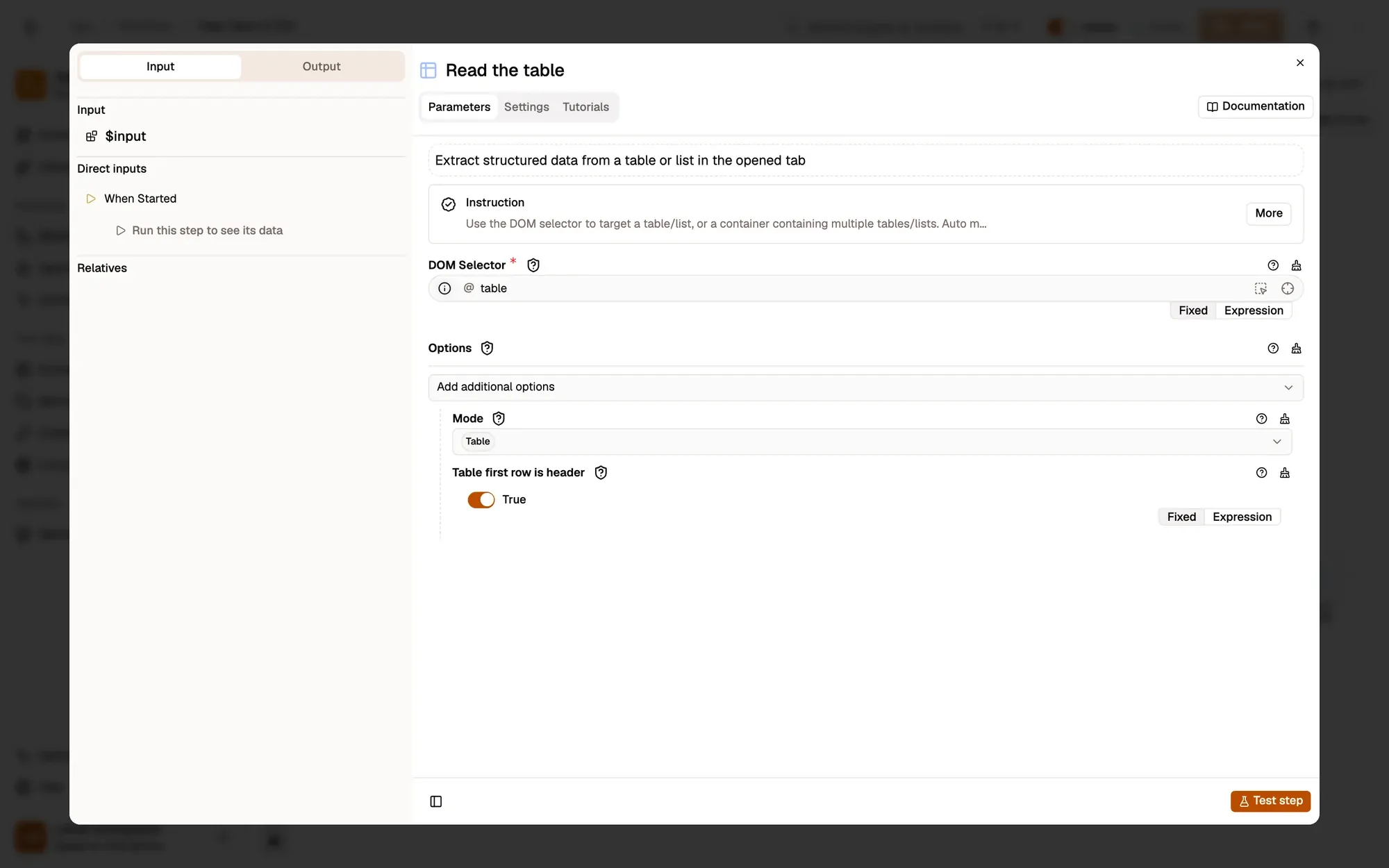
Get Structured Data reads the tables and lists you point at with DOM Selector. Set Mode to Table for tables or List for bulleted and numbered lists; Auto looks for both. Each table row becomes an object keyed by the column headers. When the table has no header row, the first row is used as the column names: turn off Table first row is header if that row is data.
Point at the right element
Click the crosshair button in a DOM Selector field, then click the element on the page, so you don’t have to write the selector yourself. For Get Structured Data, any cell of the table is enough. The Ping button flashes what the selector matches.
In HTML Extract, keep field selectors short, such as a.title rather than a full path: they’re searched inside each container.
Key takeaways
- Get All HTML reads the open tab, signed-in pages included; Get HTML from Link fetches without opening it.
- Get Structured Data reads tables and lists; the first row becomes the column names by default.
- Pick elements with the crosshair and check them with Ping.