Lesson 2 6 min
Scrape a list into clean data
Fetch a page by its address and pull each item's title and link into data you can reuse, without opening the page.
Try it in AWFlow
Opens this lesson's workflow in AWFlow. You review it before anything is saved.
How the recipe works
- When Started runs it when you click Test Workflow.
- Get HTML from Link downloads
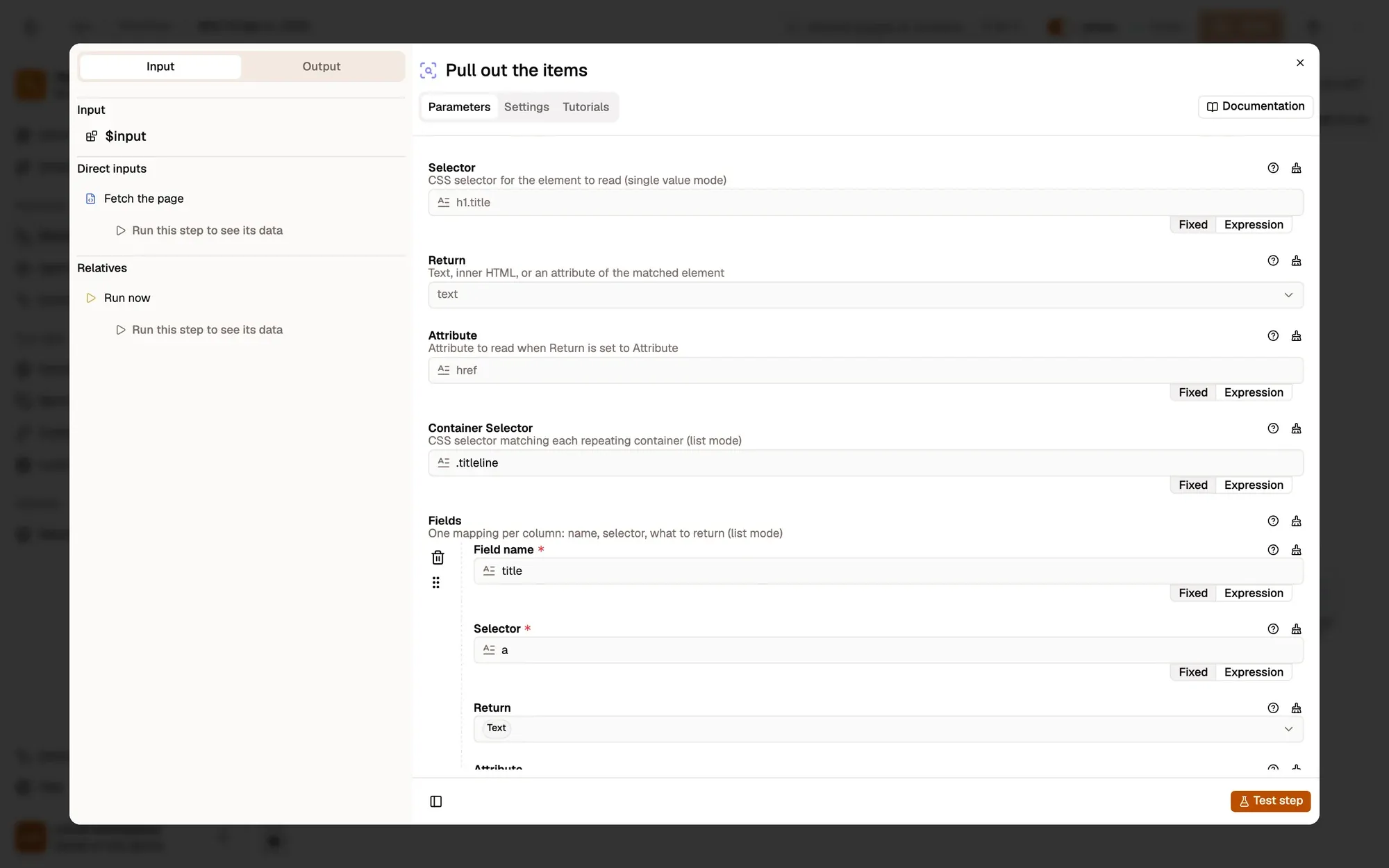
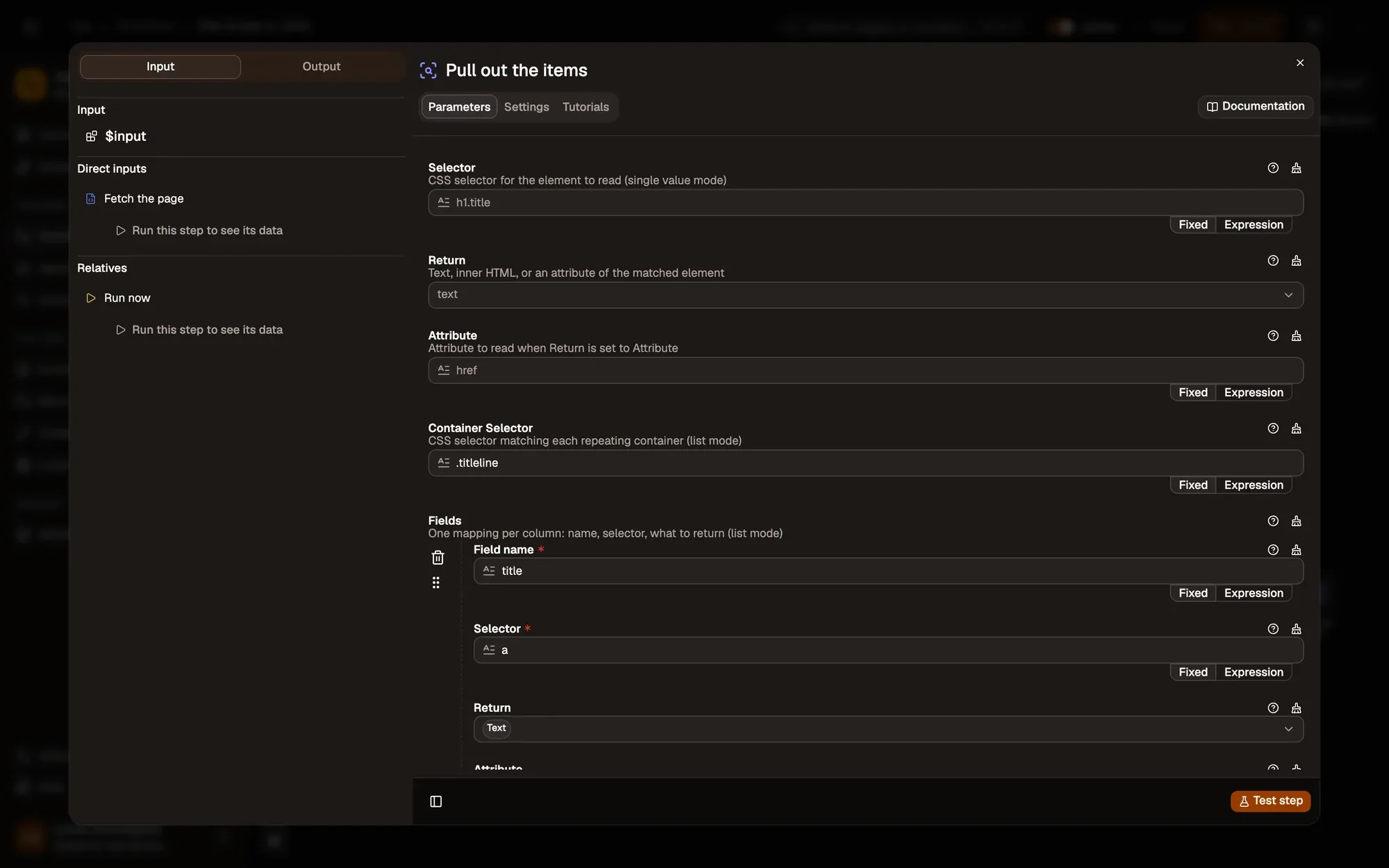
https://news.ycombinator.comand puts its HTML inhtml. The page doesn’t need to be open. - HTML Extract in Repeating list mode finds every
.titlelineand, inside each, reads the link text astitleand itshrefaslink. It builds one item per match. - Display Object shows the items.
Try it
Import the recipe, then click Make it mine at the bottom of the canvas, tick the box and confirm, so you can edit it. Click Test Workflow and open Show the data in the run results: you see about 30 items, each with a title and a link.
Make it yours
Change URL to the page you want. Set Container Selector to one repeated item on that page (one product, one result) and add a field for each value: price, date, author. Each field’s selector is searched inside its container, so keep it short, such as a.title.
Key takeaways
- Get HTML from Link fetches a page; HTML Extract in Repeating list mode reads every repeated item.
- The Container Selector points at one repeated item; add one field per value.
- Display Object shows the items as a tree you can expand.